43D-Link ShareCenter DNS-345 User Manual
Section 4 - Conguration
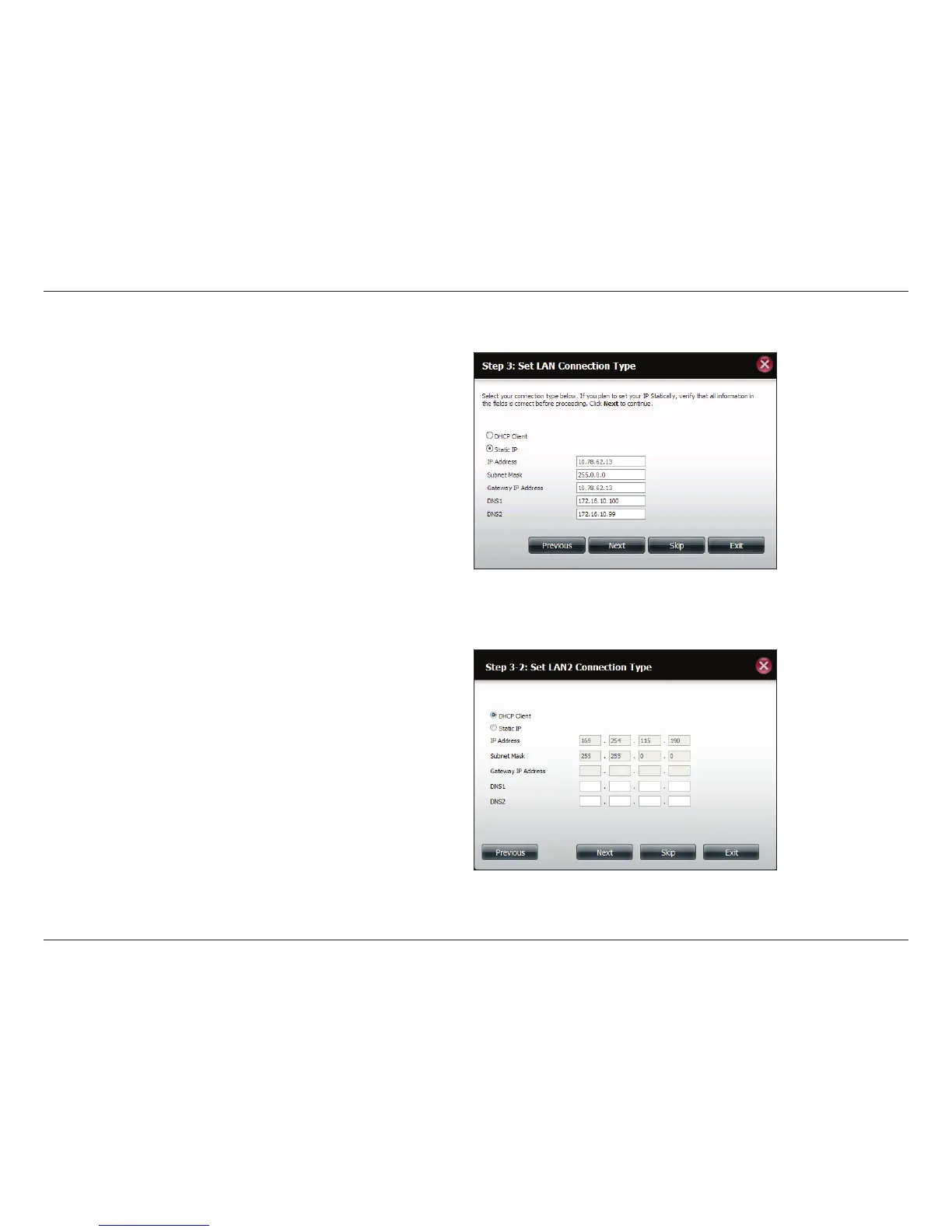
Step 5 - Select DHCP to obtain IP settings automatically from a
DHCP server (router) or Static to assign the parameters below
manually.
IP Address: Enter an IP address for the DNS-345.
Subnet Mask: Enter the subnet mask of your network.
Gateway IP Address: Enter the IP address of your gateway
(usually the local IP of your router).
DNS Servers: Enter the IP address(es) of your DNS server(s).
DNS1 is usually the IP address of your router.
Click Next to continue or click Skip to ignore these settings.
Step 6 - Select DHCP to obtain IP settings automatically from
a DHCP server (router) or Static to assign them manually.
Click Next to continue or click Skip to ignore these settings.



 To Next Page
 Loading...











