44D-Link ShareCenter DNS-345 User Manual
Section 4 - Conguration
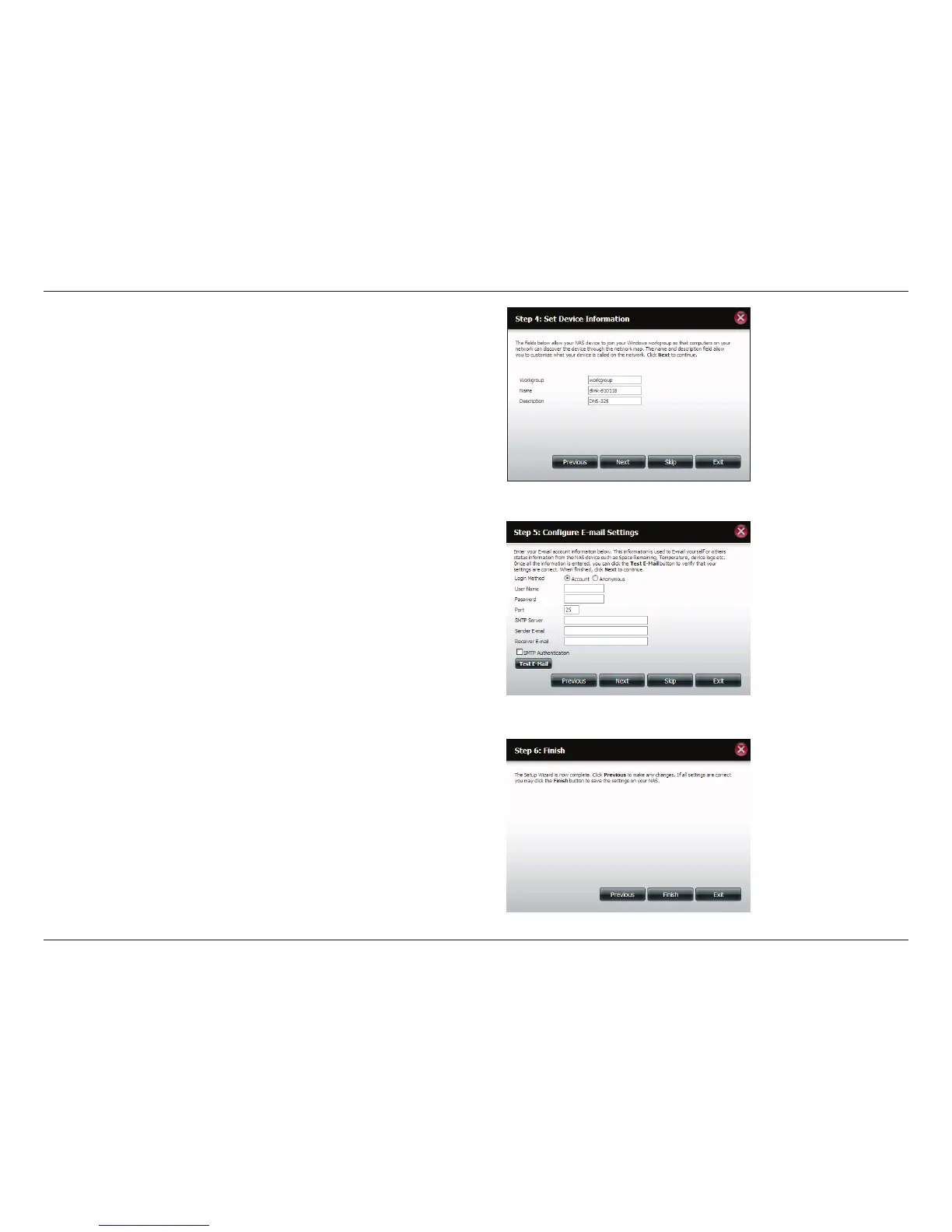
Step 8 - Click Account and enter your e-mail information in the
boxes provided to receive Event Alerts from the ShareCenter.
Click Anonymous to create a random account with no specic
settings.
Click Next to continue or click Skip to ignore these settings.
Step 7 - Here you can assign a workgroup and name to the
ShareCenter with a short description.
Click Next to continue or click Skip to ignore these settings.
Step 9 - Click the Previous button to go back and check your
settings. If you are satised with the settings, click the Finish
button to save and complete the wizard. Click Exit to end the
wizard without saving the settings.



 To Next Page
 Loading...











