20
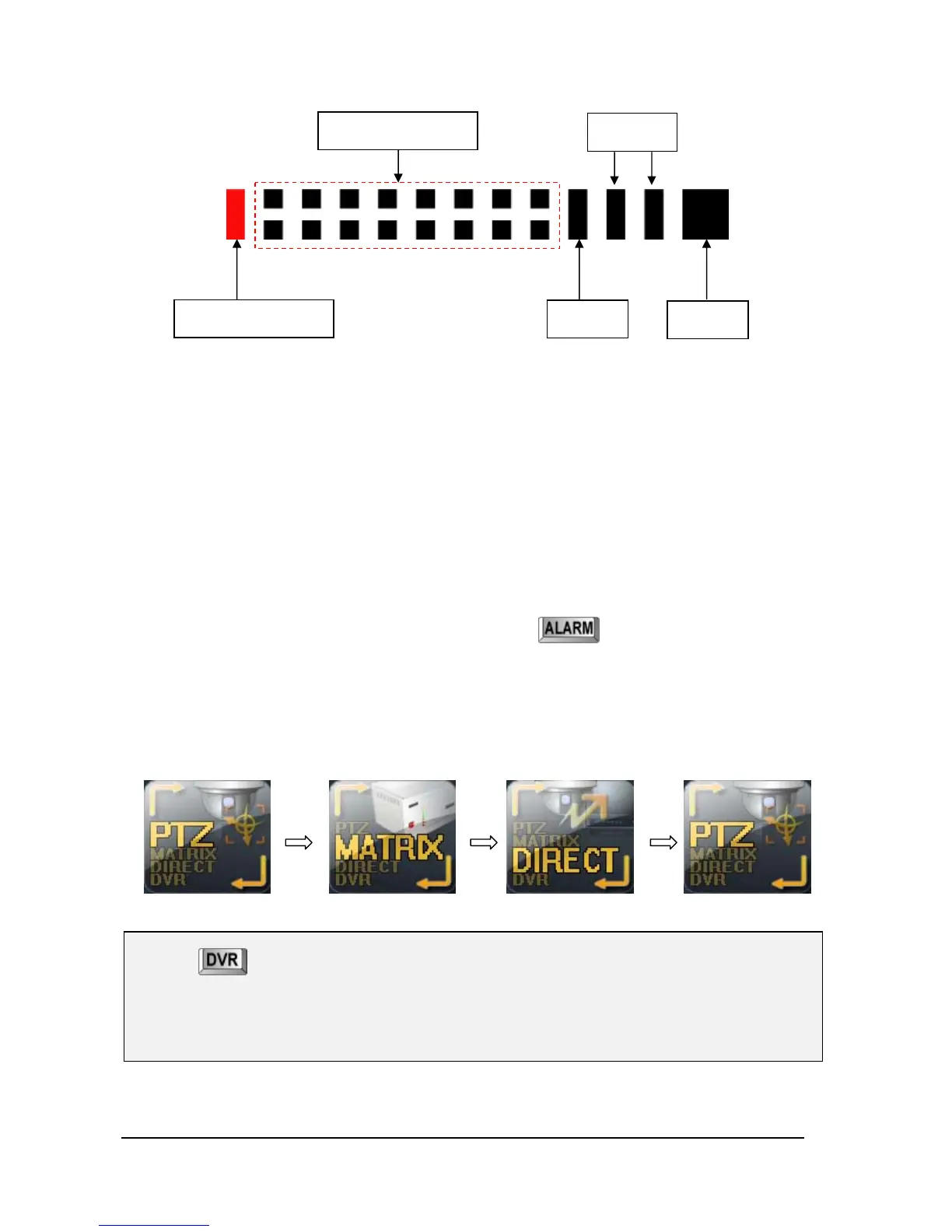
- This section indicates connection status of MAIN/SUB KEYBOARD and signals of MATRIX,
TX, RX.
• MAIN KEYBOARD: If the unit is set as main keyboard, it blinks.
• MAIN/SUB KEYBOARD 1~14: If you have set SBU KEYBOARD, it will be seen in red.
(The first bar would blink when the unit is set as MAIN Keyboard.)
• MATRIX: If the unit is connected with MATRIX, it flickers.
• TX/ RX: They blink when there are TX/ RX signal.
• ALARM : This Light would be flickering when an Alarm signal incomes.
⑤ It indicates Active or Inert status of ALARM. Press
button after ALARM is turned
on and it will turn into RED and Alarm will be activated.
⑥ Button for CONTROL MODE conversion
- Whenever this button is pressed, it will be converted from PTZ ▶ MATRIX rotation.
⑦ Input value of Monitor, Camera, DVR and other commands will appear in letters.
⑧ Each CONTROL MODE is shown.
♦ Press button, then will go into DVR mode.
Press state button like as above on LCD screen, then will go into PTZ or MATRIX mode again.
♦ If the Keyboard Controller is “SUB-Keyboard” mode, it doesn’t support “DIRECT MODE”.
Main keyboard
Sub keyboard 1~14
Matrix
TX/RX
Alarm



 To Next Page