29
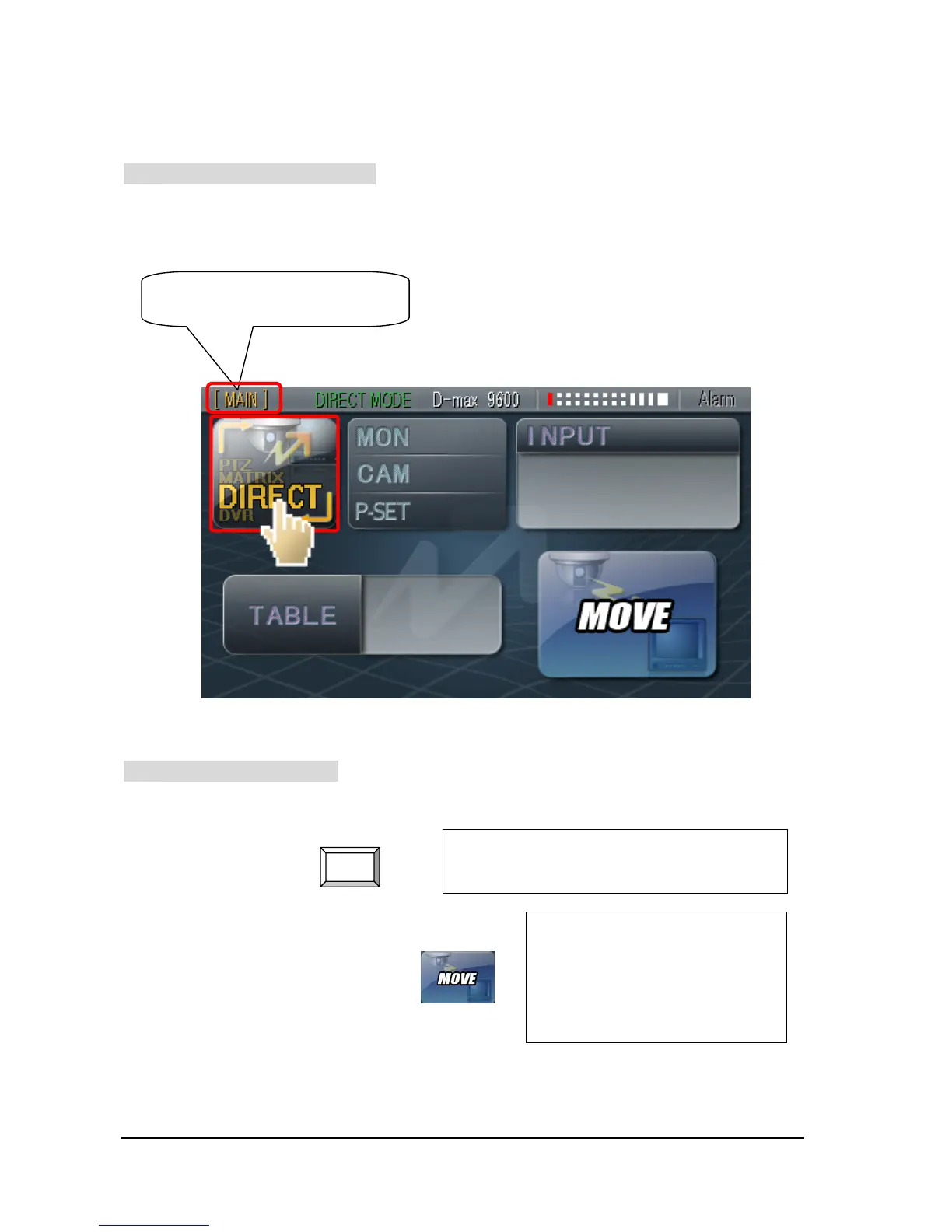
3. Set-Up DIRECT Mode
① How to go into DIRECT Mode
Press button of CONTROL MODE Conversion, then select DIRECT Mode.
② Practice of DIRECT Mode
① (Number of Monitor) + ¨
② Numbering button (Number of TABLE) + ¨
Only Main Keyboard Controller
supports DIRECT Mode.
001
001
000
000
MON
Select Matrix monitor number which user wish
to keep on eye on.
The camera which was related
with TABLE display image on the
monitor and then Preset function
would be performed.



 To Next Page