28
Press “SETUP” button, and input the correct Password, then will go into Matrix Set-Up mode.
(Password is same as Main Set-Up, the Default Password is “0000”)
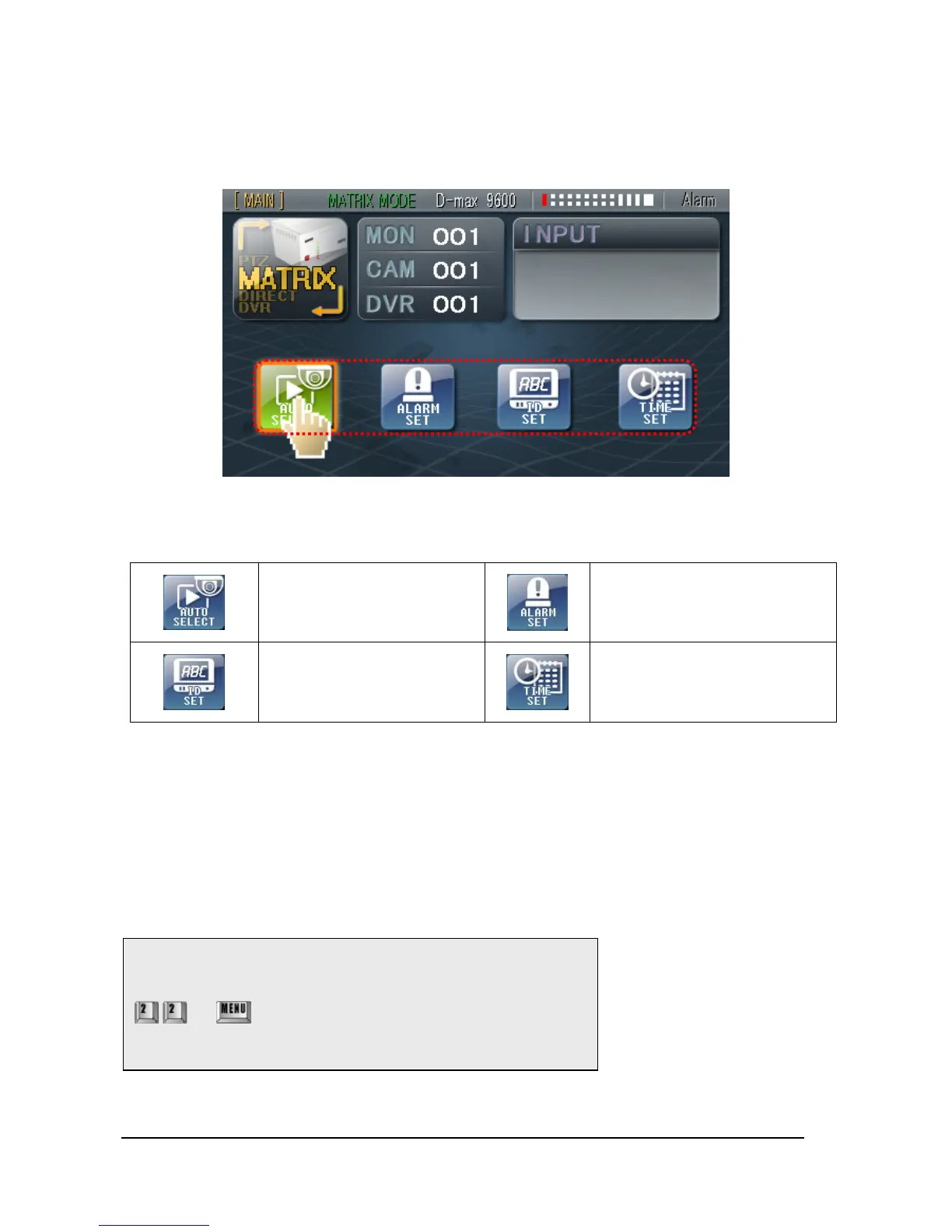
If correct password is input, the menu will be converted as above.
Entering ‘AUTO SELECT SET‘
Entering ‘ALARM/PRESET SET’
Entering ‘ID SET’
Entering ‘TIME/DATE SET’
When set Matrix Set-Up menu, the color of touched button would be changed and it would
be activated. After finish to set Matrix Set-Up menu, press same relevant button of Menu,
so the Set-Up data would be saved.
After complete finished to set-up, press state button and then move to Top menu.
(*Please consult Matrix Instruction Manual for detailed setup of Matrix.)
NOTE: Press below buttons when MATRIX OSD is not shown.
+ press this button and then press expected
Monitor No. + ENT button.



 To Next Page