19
3). Control Mode Setup
You will come to know more details about PTZ, MATRIX, DIRECT, DVR mode on this
chapter.
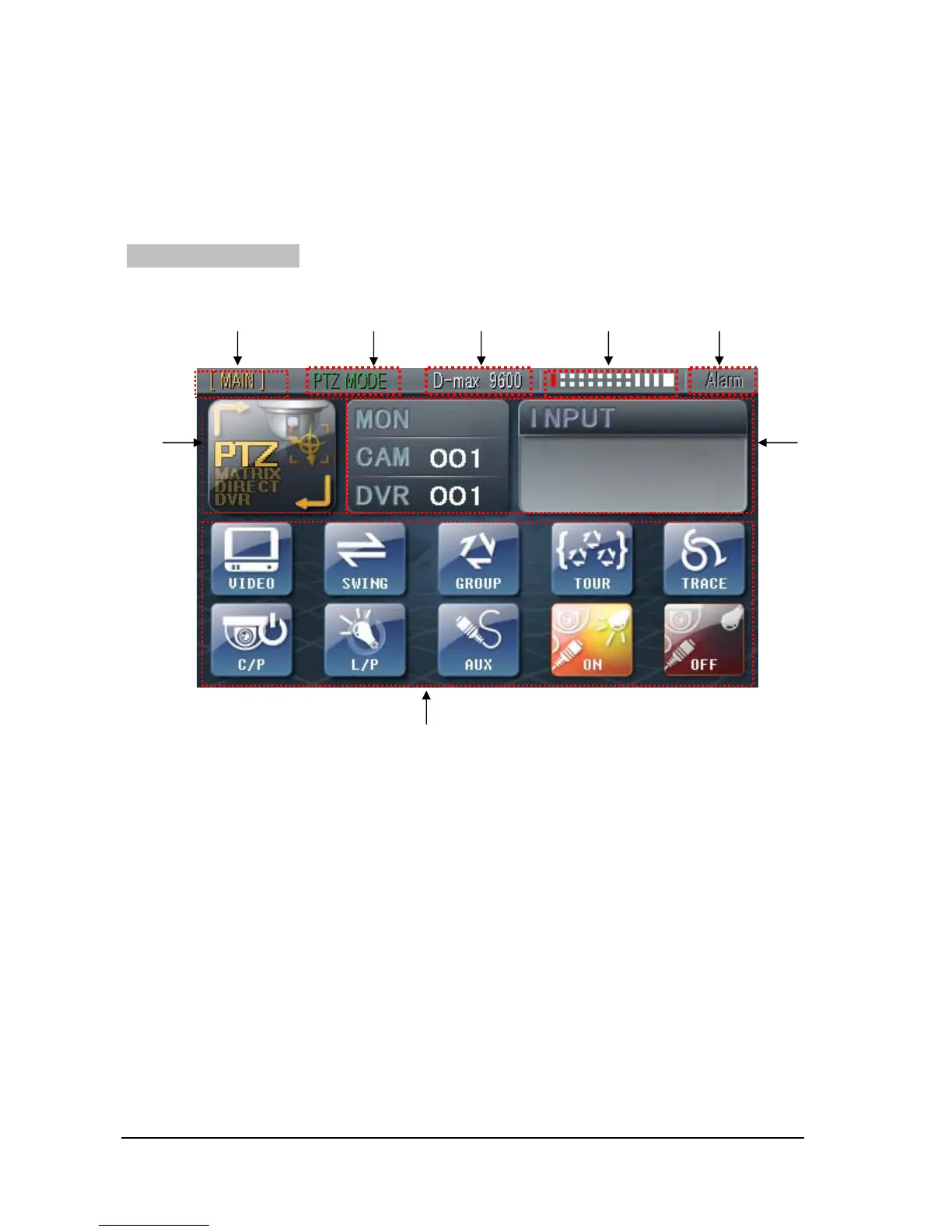
Basic Operation Interface
① MAIN/SUB Keyboard Indicator
- It indicates on PTZ/ MATRIX/ DVR mode if the unit is main keyboard or sub keyboard. (It
also shows if the unit is 1
st
, 2
nd
or 16
th
keyboard.
- Please refer to “2. SETTING the SETUP Mode” for main / sub keyboard setup.
② Indicator for Mode status
- It indicates if the current status is in PTZ, MATRIX or DVR mode.
③ Protocol Indicator
- The current protocol set is indicated.
④ Indicator of communication status
① ④
⑥ ⑦
⑧
② ③ ⑤



 To Next Page