27
2. Setup for MATRIX Control Mode
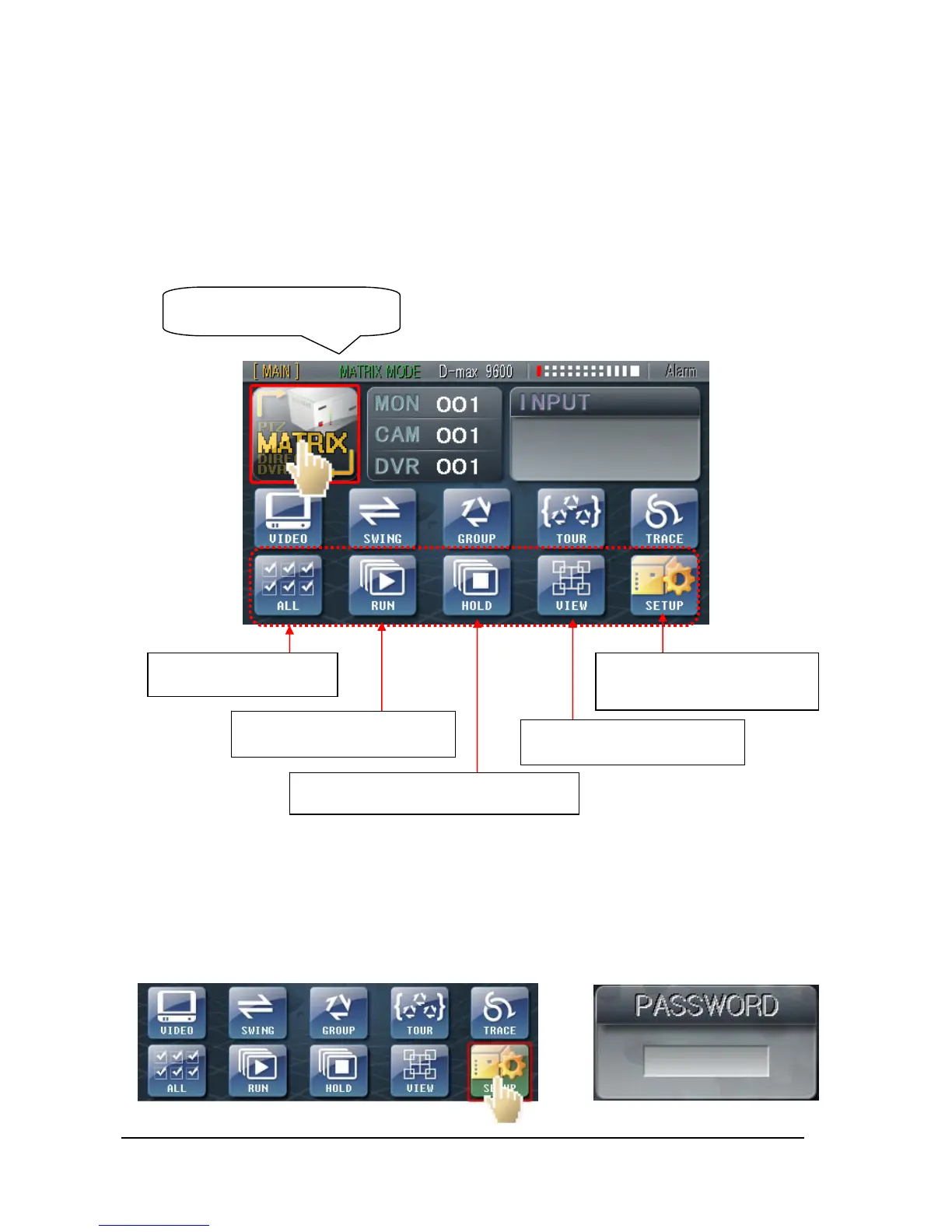
① Enter MATRIX CONTROL
Touch conversion button for CONTROL MODE to change it into MATRIX CONTROL
MODE.
Like above picture, all those buttons at bottom will be changed into Matrix Control Buttons at
‘Matrix Control Mode.’
(* Please study MATRIX instruction manual for more detailed use of Matrix.)
② MATRIX SET mode
The status LED changes into
‘MATRIX MODE’
****
¨
Functions for Cameras’
Power and Switcher
RUN: Videos not in move are
switching.
HOLD: Use this button to see videos
when the camera is in ‘RUN mode’
VIEW: When need to stop
Matrix monitor live display.
Matrix SET-UP button: Touch
and input Password then will go
into Matrix SET-UP mode.



 To Next Page