30
4. Setup for DVR Control Mode
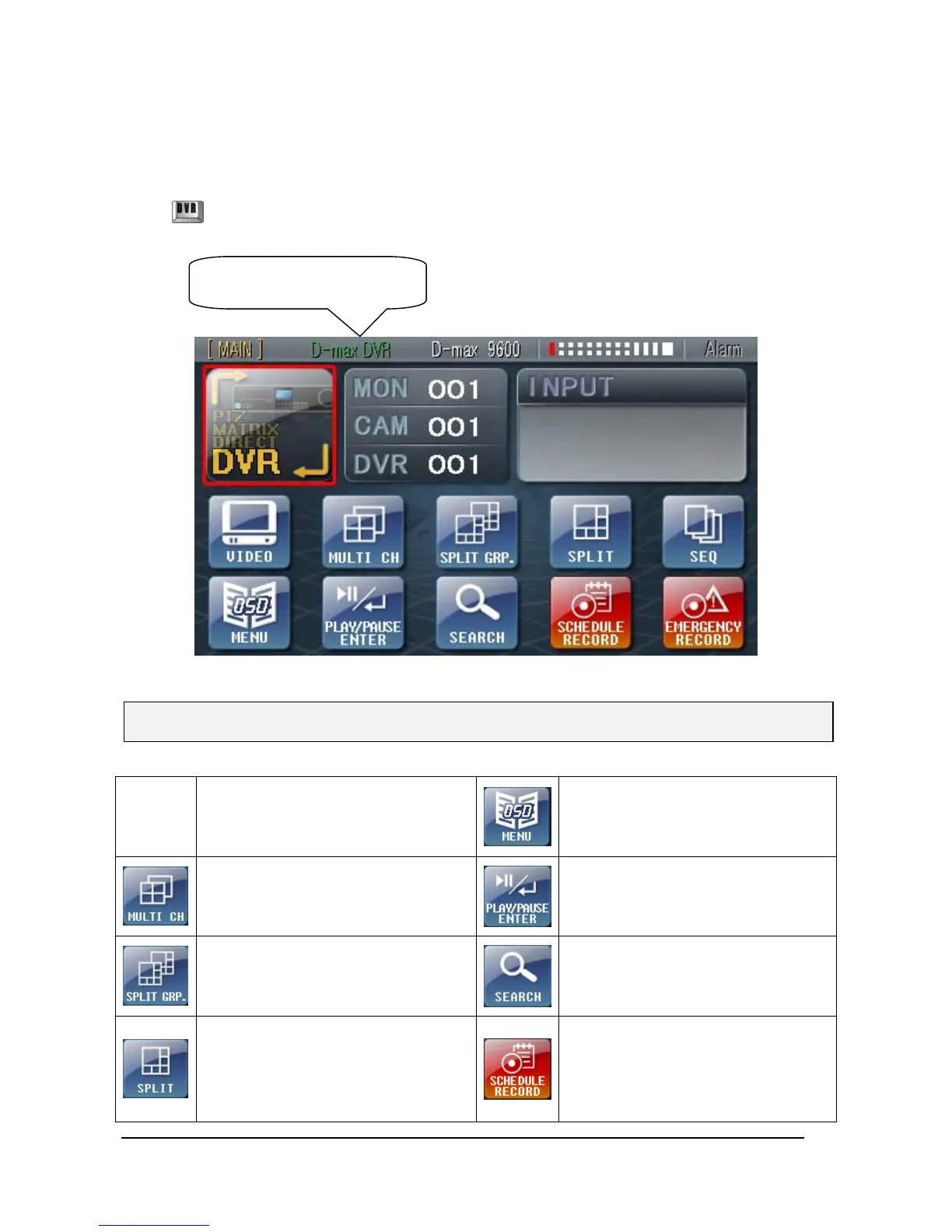
① Setup to enter DVR mode(D-max DVR)
Press button on screen or Press state button, then will go into DVR mode.
Call Menu, Goes to previous status in
menu
Sequence sprit screen in live
automatically.
In case of system error, the error icon
appears on screen with beep sound.
Press “ENTER” button, stopping beep
sound and display Error list.
When press button one by one, it
show Split Screen setting one by one.
ex.)1,2,3,4chÆ5,6,7,8chÆ9,10,11,12ch…
Display recoding image
Switch Full or Quad view, Max quad of
screen according to DVR, Press
direction button in 9ch, 16ch DVR
• 9 Channel DVR : Click “SPLIT” Button ->
Revert to 9 quad mode
• 16 Channel DVR : Click “SPLIT” Button ->
Start to record image according to
setting schedule.
Press button to start schedule
recording in emergency record mode.
※ When select DVR mode, the DVR mode has same set-up as “SETUP-5.SELECT DVR”.
Status Indicator will be
converted to ‘D-max DVR’.



 To Next Page