5
Surface travel is stopped automatically in the fully opened and closed positions by limit switches that are properly adjusted at Da-Lite.
Should it be necessary to adjust for more or less drop of picture, proceed in the following manner:
NOTE: Use a screw driver or 5/32" allen wrench to make
adjustments.
More screen drop
1. Place operating switch in “down” position.
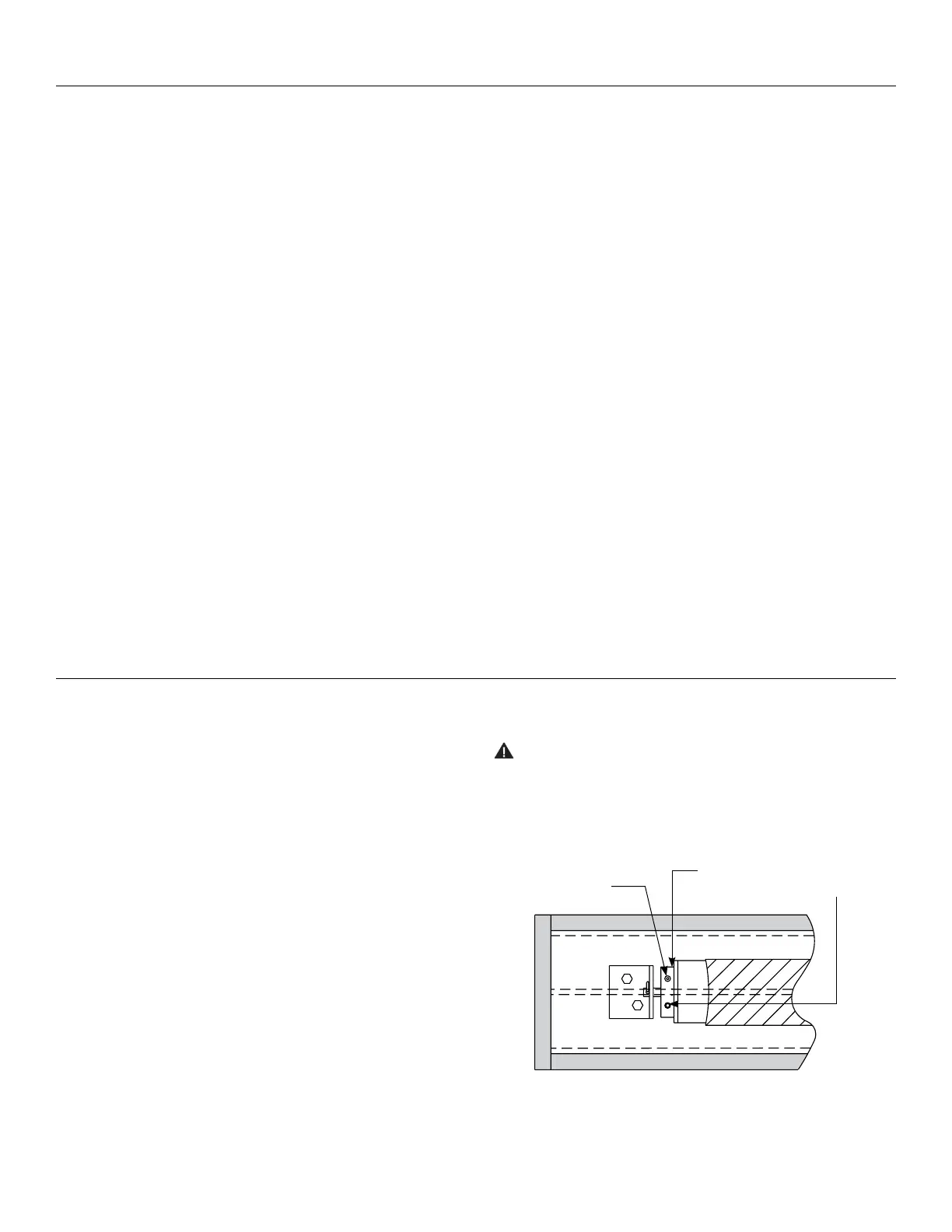
2. When the screen stops, turn the white “down” limit knob
(Fig.5) one-quarter turn counterclockwise. Test by raising
picture surface approximately two feet, then lower again.
Repeat until desired picture surface position is attained.
Less screen drop
1. Raise picture surface approximately two feet above desired
level.
2. Place operating switch in “of” position.
3. Turn the white “down” limit knob (Fig.5) one-quarter turn
clockwise. Test by raising picture surface approximately two
feet, then lower again. Repeat until desired picture surface
position is attained.
CAUTION! Do not adjust for more drop than what was
ordered. At least 11/2 wraps of fabric must remain on the
roller. This screen comes standard with 0" or 2" black at
the top. See the speciication data sheet for details.
240 Volt Wiring Diagram for Standard Wall Switch:
Da-Lite ofers two styles of 240 volt wall switches for standard
operation. Please see wiring diagram included in wall switch
box included with screen.
Boardroom Electrol
®
Intallation 220/240V Screens
Screen Adjustment For 220/240V Screens
Figure 5
Access
Door
Adjustment Red
Knob "Up"
Adjustment White
Knob "Down"
Fabric
Door
Screen
Motor




 To Next Page