EasyManua.ls Logo

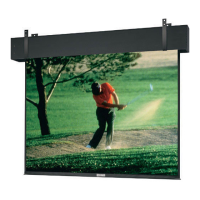
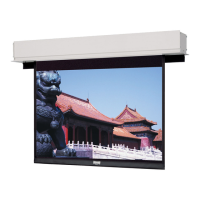
Da-Lite SENIOR ELECTROL - User Manual

Da-Lite SENIOR ELECTROL
8 pages
Print Icon
To Next Page IconTo Next Page
Loading...
DA-LITE SCREEN COMPANY, INC.
3100 North Detroit Street
Post Office Box 137
Warsaw, Indiana 46581-0137
Phone: 574-267-8101
800-622-3737
Fax: 574-267-7804
www.da-lite.com
e-mail: info@da-lite.com
Instruction Book for
SENIOR ELECTROL®
The Da-Lite Difference.

Questions and Answers

  • K
    Kristen CobbSep 17, 2025
    What to do if Da-Lite SENIOR ELECTROL has incorrect stopping point in upward position?
    • G
      georgeginaSep 18, 2025
      If your Da-Lite Projection Screen stops at an incorrect point when moving upwards, it could be due to: * Lost roller wrap: Lift the bottom edge up and over the roller.
  • C
    Chad EatonNov 23, 2025
    What to do if my Da-Lite Projection Screen will not operate or go down?
    • S
      susan56Nov 23, 2025
      If your Da-Lite Projection Screen isn't operating or going down, several factors could be at play. It might be due to a blown fuse, so try replacing it. Alternatively, the circuit breaker may have tripped, requiring a reset. Check the wiring to the operating switch and the junction box in the screen, ensuring all connections are tight and correct, and that there is power. If the motor has overheated, let it cool down for 15 minutes before trying again. In case of a burned-out motor winding, test the continuity between the black and white wires for the 'down' position, and between the red and white wires for the 'up' position, and replace the gear motor if there is an open circuit. Lastly, a defective limit switch could be the culprit; disconnect the 'down' limit switch and check for contin...
  • K
    Kevin BatesNov 25, 2025
    Why won't my Da-Lite Projection Screen move up but the motor doesn't hum?
    • C
      Carlos HamiltonNov 25, 2025
      If your Da-Lite projection screen isn't moving up and the motor isn't humming, the issue could stem from several causes. Start by checking for a blown fuse or tripped circuit breaker and replace the fuse or reset the breaker. Ensure there is power between the red and white leads in the junction box and correct any improper wiring. If the thermal overload has tripped, allow the motor to cool for 15 minutes before trying again. A burned-out motor winding could also be the cause; check for power between the red and white motor leads and replace the motor if there is power. A temporary binding might be preventing movement, so turn the roller by hand with the power off to free it. Also, consider a burned-out capacitor and replace it if necessary. Finally, inspect for a broken wire or loose conn...

Summary

Screen Adjustment Procedures

Troubleshooting Guide

Screen Not Operating

Covers symptoms like screen not operating or not going down, with causes and solutions for fuses, wiring, and motor issues.

Motor Hums

Addresses motor humming symptoms due to binding, shipping bracket, or defective capacitor, providing solutions.

Screen Not Moving Up

Troubleshoots issues where the screen will not move up, including causes like blown fuses, wiring, or motor problems.

Noise Issues

Solutions for scraping, grinding, gear, or fabric rubbing noises, including checking shipping brackets and lubrication.

Incorrect Stopping Points

Addresses inconsistent or incorrect stopping points in upward or downward positions, relating to limit switches and roller wrap.

Da-Lite SENIOR ELECTROL Specifications

General IconGeneral
Screen TypeElectric
Surface OptionsMatte White, High Contrast Matte White, Da-Tex
Aspect Ratio4:3, 16:9
Control OptionsWall Switch, RF Remote, IR Remote
InstallationCeiling or Wall
Case ColorWhite
Gain1.0 (Matte White)

Related product manuals