.
USING
AKEysWITCH
.!
II
-! .
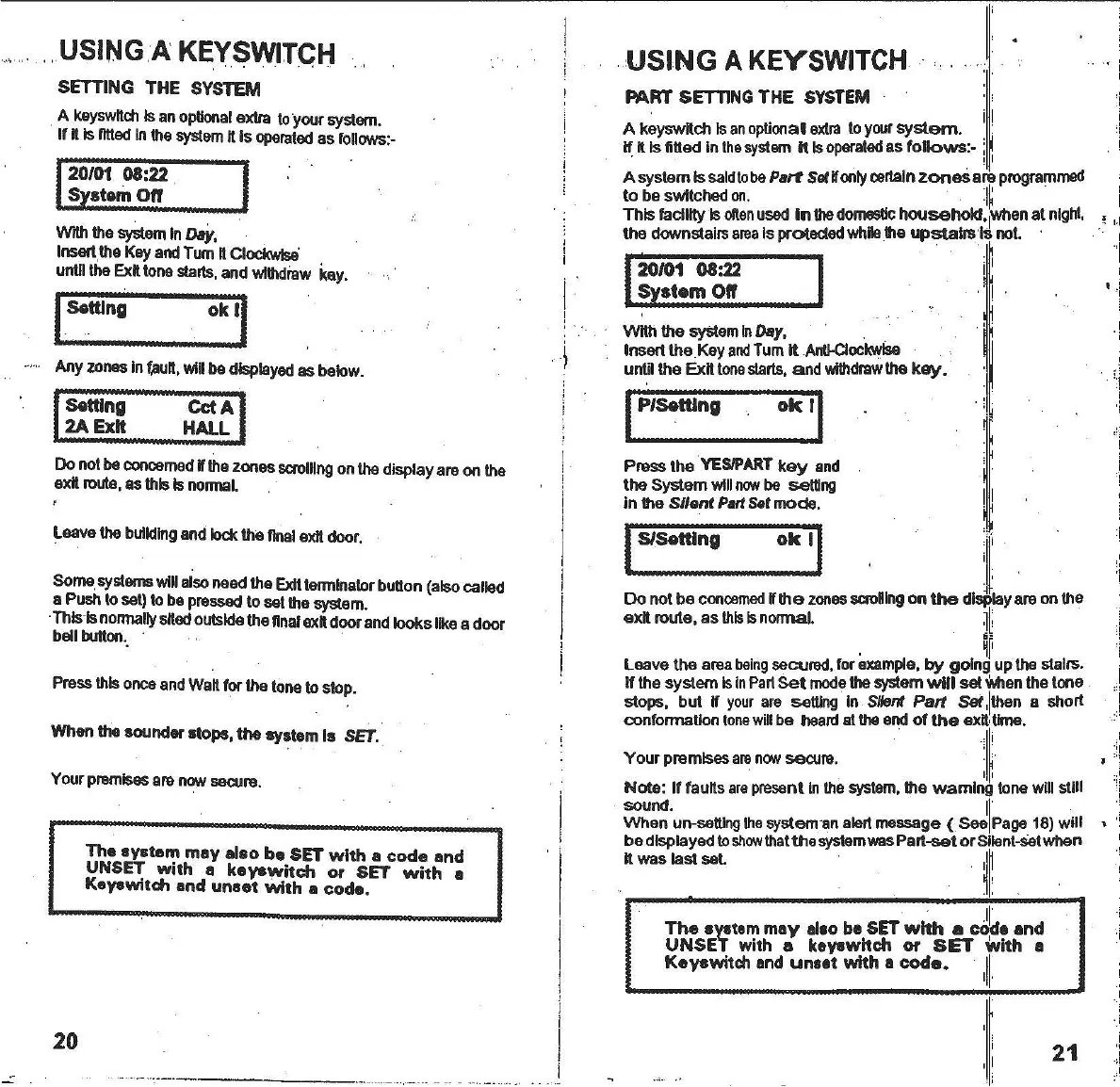
Press the
YESIPART
key
and
the System will
now
be setting
In the
Silent
Part Sat
mode
.
PART SETTING THE
SYSTEM
A
keysw~ch
Is
an
optional
extra
to
your
system
.
If ftIs ntted In
the
system
Ills
operated
as
follows
:-
. ,
AsystarnIs
saldto
be Part Softionly
certain
zones
are
programmed
to be switched
on.
:I~
this
facility Ison
en
used
In the
domestic
household'
lWhen
at
night,
the downstairs
area
Isprotected
While
.the
upstairs
'Is not
1
20/01 08:22 I i'
System
0"
. I
W~
the
system
In
Day,
Insert the.Key
and
Tum
It
AntI-Clockwise
until the
Ex~
tone
stalls, and
withdraw
the
key.
IP/S8tt1ng
ok
'I
20/01 08:22
S stam
0"
USINGA KEYSWITGH
SETTING THE SYSTEM
. A
keysw~ch
Isan
optional
extra toyour
system.
If
~
IslIttedInthe
system
ttIs
operated
as follows:-
WIlhthe
system
InDay,
InsOlt.the
KeyandTum
~
Clockwis8
untilthe
Ex~
tonestalls,and
withdraw
kay.
ISetUng ok
II
.....
Any
zones
In
fllUft,
willbe
displayed
asbelow.
I
Setting
"cct
AI
.2A Exit
~ALL
Do notbe
concemed
tithezones
scrolling
onthe displayareon the
exit
route,
as thisIs
normal.
.
Leavethe
building
andlockthe finalexitdoor.
Some.
systems
willalsoneedthe
ExIt
termlnalorbutton(alsocalled
a Push
10
set)to be
pressed
to setthesystem.
.ThIs
'1s
normally
sfted
outsidethennalexftdoorandlookslikea door
bell
button.
' .
Pressthisonceand
Wa~
for thetoneto slop.
When the sounder stops, the system Is
SET.
Your
premises
arenow
secure.
The
system
mey also
be
SET
with
a
code
and
UNSE,,: with a keYSWltch or SET
with
a
KaYSWltch
and
unsat
with
a
coda.
IS/Settlng
ok
II
.
j[.'
Do not be
concerned
ti
the
zones
scrollngon
the
displayareonthe
ex~
route, as
this
Isnormal.
~~
. 6-
.
~f
Leave the area
being
secured,for
example,
by going upthe stairs.
If the system
Isin
Part
Set
mode
the systemWillset
Ymen
thetone
stops, but
ti
your
are
setting In Silent
Part
Set
,I
then a short
confonnatlon
lone
willbe
heard
atthe endof
the
ex~
,time.
Your premises
are
now
secure.
':I~
Note: If taults
are
presentInthe
system,
the warning lone will stili
sound.
II'
When un
-setting
the
systemanalertmessege ( See Page18) will
be displayedto
show
that
the
system
wasPart
-se
t or Silent
-Set
when
ttwas last set. .
~~
I
'i
:'
1
I
I
II
The
system
mey
allo ba SET
with
a colle
and
UNSET
with a keyswltch or
SET
with a
Kayowitch enll
uneat
with a
coda.
,II.
,
.'
20
21



 To Next Page