EasyManua.ls Logo

DA Systems Abacus 64 - Using a Keyswitch - Unsetting; Un-setting the System with Keyswitch; Omitting Areas & Zones; Important Note on Omitting

Default Icon
28 pages
Print Icon
To Next Page IconTo Next Page
To Previous Page IconTo Previous Page
Loading...
.~
I
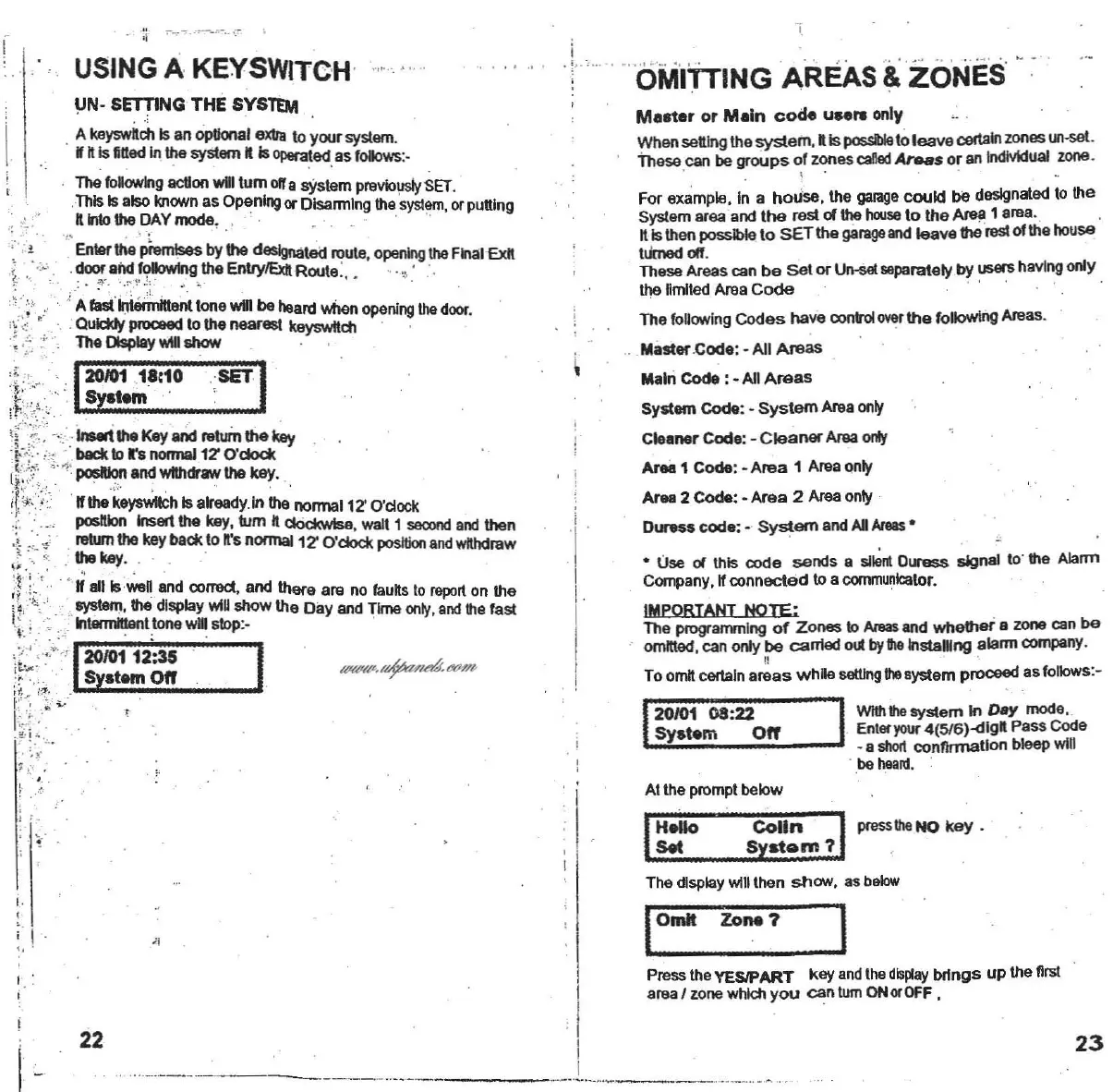
USING A KEYSWITCH
."
." ..
UN·
SETTING
THE
SYSTEM
. A
I<syswtt.i.
Is anoptional
exl1a
10
your system.
W"Is
aaed
In the
sysIem
k Is
""""'led
as follows:-
The
fona.vlng
acUon
wlilium
ona syslem
prevlolJSly
SET.
,This
Is also knownas
Opening
orDlsannlngthe
system,
orpUlling
"1nIo
the
DAY
mode
, .' ' , "
.,Enter
the
'~
by the
deslgnat~
route,
opening
the FinalEx"
.doof and
f'?'JOwlng
the EnlryiExll Route:, "."
."
,
: .
"'-
.."
~,
.:'
. '", FAfastInierinltlentlonewin
be
heardwhen
opening
the
door
,
}~
.:"'
.:
Qulcl<tf
prooeed 10
the
nearest
keyswitcl1
'.• _._ The
DIsplay
wlUshow
1:
;':'0'I
;:~8'10
,
;SET:1
"
.
~:
.
-,.:·
Insert
the Keyand retumthe
I<sy
-.(;
,,:., .',back
10
rsnonnal12'
O'clo<:I<
I!:t
,,
'1
posIlkI~
andwithdrawthe
key
. "
,r
~
··
\:
'Ifthe
keYSWltch
Isalreedyln the normal 12'O'dock
.i ' poslIIon Insert
the
key, tum ndockwtse, watt 1
se<:ond
and
then
:
~
:
'
~
~
.
.
retumthe keybackto
n.'s
normal1ZO'dock
position
and
wtlhdraw
~
.
~
.
.: the key. . .
\;
. -. .'
'I :"
.."
,Ii
aJll"~n
and
colT9Cl,
and there are no
fauns
to
report
on the
:t
·:·;.·- .'
sys1em,
thedisplay
wlU
show the Day and Time
only,
and
thefast
I" ' · '
IntennItIen
. tlonewIUslop:. .
'
~
'.
! :
2010112:35
S
st.m
0"
I
I
I
I
' I,"
:
..
.
, ' c'
~
.
,
i
;I
I j
I
I
H.lIo
Colin
I
'"?"
NO
key -
,
&It
Syatcam ? , .' .
The display
Will
then
show,
as
below
23
ZoIHl?
PresstheYESIPART key
and
the
display
brtngs up the nrst
areaI zone
whlcl1
you
can tumONorOFF,
,,--_I
I
I
I
I
._--_.._........._-
--
- ".._-
...-_..,
--
_._
._
-- -
--
- --_._..
_.
~
.
-
22
r.
,
;
!
"
<,
I
www.ukpanels.com