' " 'ERASING A PASS'CODE ,
To erase a'
eode
,
when
allhe
"'""",
(see Programming
Codes
,to
anita at
this
menu, Page 34)
......., ',
..
.
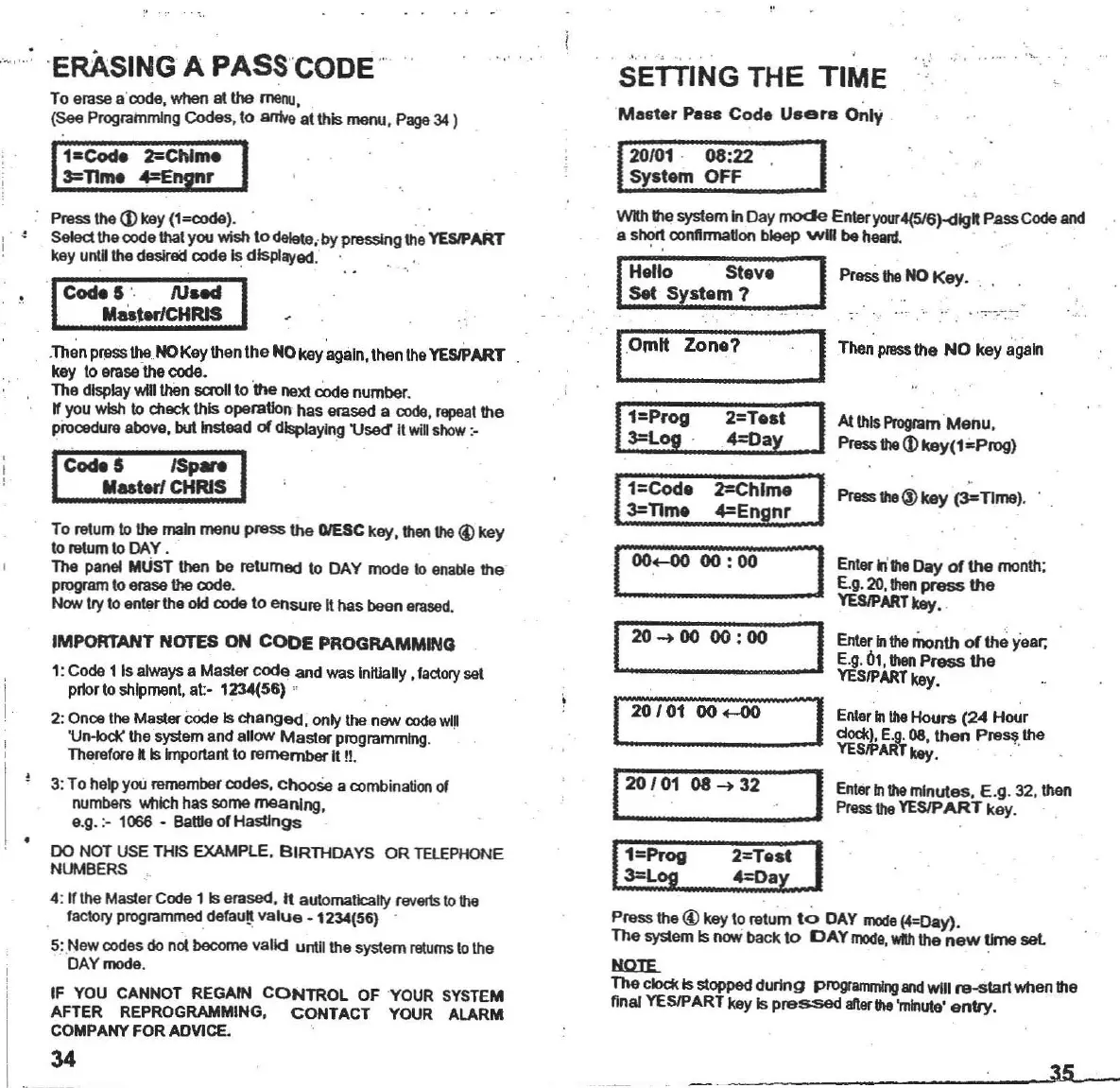
SETTING THE TIME
Maater
Pe88
Code
U"ers
Only ,
'1
20/01
' 08:22
I'
System OFF
.,'
. '"
35
WIh
the
system
In
Day
mode
Enteryour4(5/6)-<llgft
PassCode
and
a s"':'rt
oonnrma~on
bleep
will
be
heanI.
' ' .. ' ,
..
Press
11I0
®
key
(3=TIme)
,
Enler
ii
the
Day
of
the
month;
E.g.20,
than
press
the
YESlPART
key• .
Enter
Intho
month
of
the
year.
E.g.
01,
then
Press
the
YESIPARTkay.
A1lhls
Program
Menu
.
Press
tho
lDkey(1"Prog)
ProsS thoNO
Key
. ,
Enlar Intho
Hours
(24
Hour
dock), E.g,08,
then
Press
the
YESIPARTkey. "
Enler
Intho
minutes.
E .g. 32, then
Press
the
YESIPART
kay.
2=Te.t
4=Day
20 .... 00
00:00
Hello
Steve
set
System?
1=Code 2=Chlme
3=nme
4=En
nr
Presstha@keylorelumto
DAY model4=Day).
The
system Is
now
back
10
CAY
moda,
WIth
the
new
Ilmo
sol
tmlE.-
The
clockIsslopped
during
progranvnlngand
WIll
re-etart
when
the
final
YESIPART
key Is
pressed
enorthe
'minute'
entry.
1
1
= p ro
g
3=Log .
1
__
1
]
120101
08 .... 32 . J
I:r;v
~:~::I
I20 101 00
<-00
'
j-
0m
lt
Zone?
To relum
10
the main
menu
press
the DlESC
key,
then tho @
key
to retum 10DAY .
The
panel
MUSTthen be
returned
to
DAY
modo
10
onable
the
program
10
erasethe
code
.
Nowtry to entertho old
eo<klto
ensure
II
has
been
erased.
Press the
<D
kay (l=code).
5elect
the
codolhal
you
wish
todoloto
,by
pressingthe
YESlPART
kay untBtha
d_
code
Is displayed.
CodeS
'.
AJ
....
""ter/CHRIS
IMPORTANT NOTES ON
CODE
PROGRAMMING
1: Code 1 Is always a
Masler
code
and
was Initially ,factorysol
poor
to shipment,
at-
1234(56)
, ,
2: Onoo the Maslercode Is
changed,
only the
new
rode will
'Un-lock' the system and
allow
Masler
programming,
Therefora ftIs Important to
remember
II n.
3:
To
holp you remember
codes.
cboose
a combination
01
numbers
Which
has
some
meaning.
e,g. :- 1066 -
Bat1leofHaslJngs
00
NOT USE THIS
EXAMPLE,
BIRTHDAYS
OR
TELEPHONE
NUMBERS
4:
~
the Mastor Code 1 Iserased, It automatically reverls to the
factory
programmed
.defau~
value
-1234(56) .
S:
Now
codes do not
become
valid
unlJlthe
system
l1llumsto tho
DAYmoda,
IF YOU CANNOT REGAIN
CONTROL
OF YOUR SYSTEM
AFTER
REPROGRAMMING,
CONTACT
YOUR
ALARM
COMPANY FOR ADYICE.
34
.Thon pressthe NOKey then
Ihe
NOkay
agaln,lhen
tho YESIPART
kay
10
arase the code.
The
display
win
than
saollto
1IIe next
code
number
.
~
you wish
10
chock
this
cperauon
has
erased a code, repeat
the
prooodtJreabove,
bullnslead
of
displaying 'Used' It
wiD
show :-
I
Codell~terf:::
I
, ,



 To Next Page