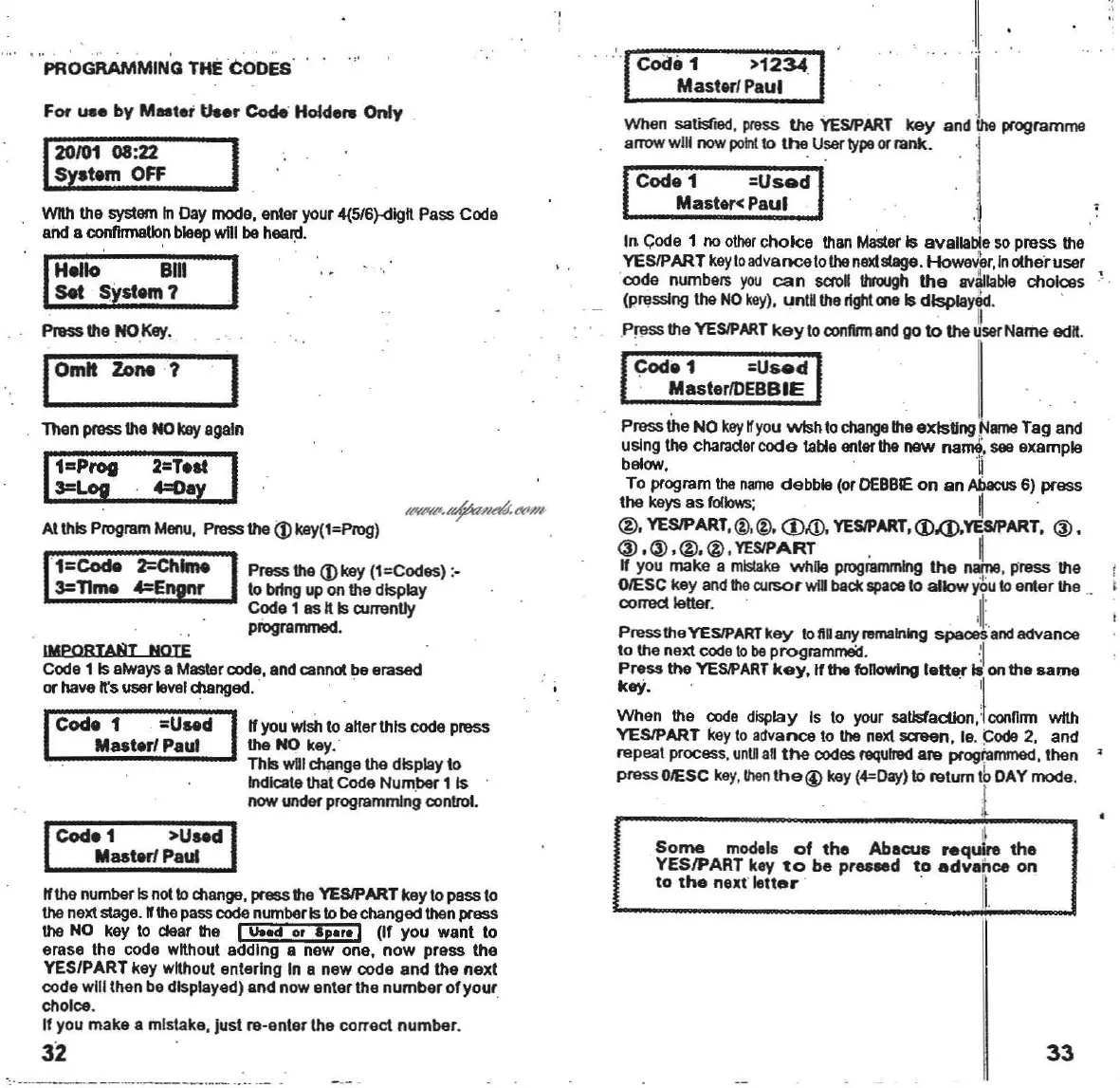
PROGRAMMING THE CODES'
.,'
Pr1lss tha .NOI(oy.
Coda 1 . =Used
Master/
Paul
IMPORTA!ilT
NOTE
Code 1 Isalways a Master code, and cannot be erased
or have n's userlevel
changed.
. .
IOmit Zone 7 I
Than press \he NOkay egaln
1
1
Z:
P
rot
2=Taat
I
3=Log
4=Oay,
When salistied , press the
YESIPART
key
and the programme
arrow
wUI
nowpo
l'll1£>
the
User
type
or
rank
.
'J
Coda 1
=Used
i
Master<
Paul .1
. I '
In Code 1 no other
choice
than MasterIs available so
press
the
YESIPART
keytoadvancetothenextstage.
Howe~er,
Inothe'ruser
.
oode
numbers
you
can
saoll
throUgh
the
avtlliable
choices
' ·
(prasslng
the
NO
key).
unl
Sthe rlghl one Is
dlsi>laY8.d
.
. ,I
.Press the YESIPART
key
to conflnnand go to the user
Name
adn.
~a
1
=Used
. I[ .
" MasterlDEBBIE I •
Pressthe NOkey
Wyou
wish
to
change
theexlsUng
arne
Ta~
an~
uslng the
charader
code
lable enterthe
new
narM,
see
example
bebv,
' il
To program the
name
debbie
(or
DEBBE
on
an
Abacus
6)
press
the
keys
as
follows; II .
@.
YESlPART.@.@
.CD,(D,
YESlPART.<D,(J),YESlPART.
@,
@.@.@.@
.YESIPART
, 1
If you
make
a
mistake
while programming
the
name
,
pnessthe
OIESC key and !he cursor
wla
beck
apaoo
10
allow
yOu
10
enter
the ..
corned letter. . ;11'
PresstheYESlPARTkey
IoftAanynomalning spaoesandadvanoo
to the next code to beprogrammeid.
·
~ I
Press
the
YESIPART
keY,lIthe
foRowfng
letter
10
on
the
same
keY.
. .
'I
When
the code display Is to your saUsfacllon,'
conDmn
wtth
YESIPART
key to advance to the next screen, Ie.
Gode
2, and
repeal
process. unllan
the
codes requlnld
are
programmed,
then
•
pressOIESC key.
thenlhe@key(4=Day)to
relurn IhDAY
mode
.
I
"NNIl'.
+/'I&.l't7,,/~
AIthis Program Moou, Press the
<D
kay(t=Prog)
1
1
=CocIe 2=Chlme IPress tha (J)key
(l=Codes);-
3=nme
4=Enpnr
,10
brfng up
on
the display
Coda 1 as nIs
amenUy
piogrammed.
For
ua.
by
Meeta;
Us.r
~
Holda
..
Only
1
20
101
08:22 I
Systam OFF
Wfththe system InDay mode, enter your 4(5/6)-<llgn Pass Code
and a
~flrmaUo
,n
bleap
will be healll.
I
~allo
.
Bill
I
,set
Systam 7 ,
CocIa1 >Uaad
Mastar!
Paul
lithe
number Isnol
10
cIlange, press the YESlPARTkey 10pass 10
the next stage. nthe pass code number Is10bechanged then press
the NO key
10
dear
the I
u..a
or a
....
! (II
you
want
10
erase
Ihe
code wnhoul
adding
a
new
one,
now
press
the
YES/PART
key wnhoul
enlerlng
In a
new
code
and
Ihe
next
code
will
then
be displayed)
and
now
enter
Ihe
number
olyour
.
choIce.
If you
make
a rnlstake, Jusl
ra-enler
the
correct
number
.
32
Some
models
of
tha
Ablcus
req
ul..
thl
YESIPART key
to
be
pra8led
to
advance
on
to
the
next
letter
' . II.
33



 To Next Page