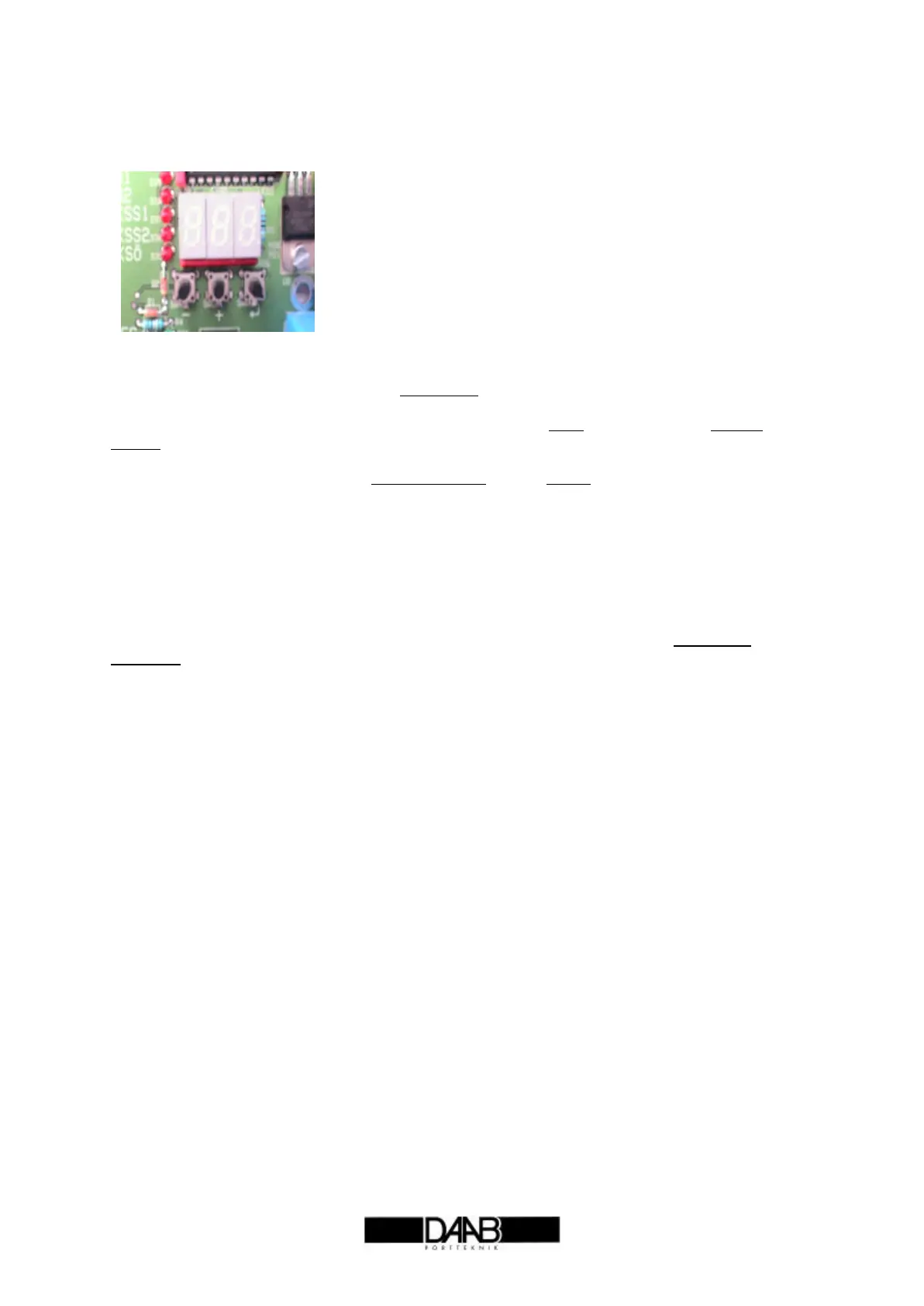
Reading and Setting values
Display/buttons Function
Description
All values are stored in accordance with a channel list, as with TV channels, where each TV channel
corresponds to a particular programme. Here, each channel corresponds to a certain control
parameter or a measured value. The display may either show a value of 1-3 digits, or a channel
number of two digits - a C (Channel) will then be shown on the extreme left. This means Channel
number.
Values may be both read and written; the value flashes when a setting is being changed.
If E (error) is displayed, followed by a number, this is an Error message. See error messages.
The ↵↵ key toggles between the value and the channel number. The value is saved in Write mode.
In channel mode, the + channel number key scrolls forward in the channel list. In Write, the value
increases.
In channel mode, the – channel number key scrolls backwards in the channel list. In Write, the value
decreases.
Save mode
If display keys are not pressed for 1.5 minutes, save mode is tripped and displays decrease in
brightness. As soon as a key is pressed, normal mode is resumed.
Read values
Follow the procedure below in order to read values:
1. Press the ↵↵ key so that that display shows Channel number (C at extreme left).
2. Look at the channel list to check the number of the value you want to read.
3. Step up or down with the + or – key to the correct channel number.
4. Press the ↵↵ key; the Value appears on the display..
Write values
Follow the procedure below in order to write a value:
1. Press the ↵↵ key so that the display shows Channel number (C at extreme left).
2. Look at the channel list to check the number of the value you want to change.
3. Step up or down with the + or – key to the correct channel number.
4. Press the ↵↵ key; the Value appears on the display.
5. Press the + key. The value begins to flash.
6. Step up or down with the + or – key until the value you want to write is shown.
7. Press the ↵↵ key: the value is saved.
Locked settings
Settings may be locked by service personnel, and cannot then be over written. In that case, channel
C99 will be set to 01. Contact service personnel if values need to be written or changed.
Error messages
If ‘E’ appears on the extreme left, this is an error message. When a key is pressed, this message
disappears and the display shows channel number.
Note all settings
Note all the settings written during commissioning in the channel list under value set (section on
channel list for EP102). It is best to use a pencil so that values can be changed.
CXX Channel number.
EXX Error message.
XXX Read value
XXX flash Write value.
- Decrease channel or value
+ Increase channel or value.
↵↵ Toggle between channel number and value
↵↵ Save when entering value.


 To Next Page