Commissioning
Make sure the area is clear before operation and that the following checks are
carried out prior to powering-up.
Remember!
1. Check that all mechanical parts are firmly fixed, but the drive is disconnected from the gate or door.
The clutch should be released on barriers & sliding gate drives.
2. Check that everything has been properly connected and installed.
3. Discharge personal electrostatic charge by touching grounded object
4. Check that no person/device, other than the person carrying out the commissioning can start the
gate. Disconnect detection equipment if there is any risk of remote starting!
5. The specifications for the following control panels are the same:
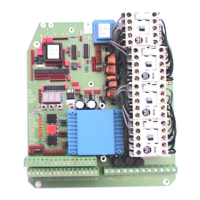
EP102-2 is a control panel for 2 motor systems.
EP102-1 is a control panel for 1 motor system.
The information in the specification about gate half 2 or motor 2 does not apply to EP102-1.
6. The specifications are the same for different types of applications:
Gates with safety buffers.
Hinged gates with magnetic locks.
Sliding gates with safety buffers.
Barriers.
If the function is not to be used in the actual application, it may be skipped during commissioning.
The following adjustments must be made to enable the panel to function:
Limit position Adjust limit switch.
Direction of rotation Check that the motor is running in the right direction.
Load sensor The load must be adjusted for the gate being used.
Deadman or Latched control Supplied as Deadman control
Limited running time Time must be adjusted for the gate being used.
Powering-up
When the unit is powered up, the display window indicates which EP102 model you are operating.
EP1=EP102-1 control for 1 motor EP2=EP102-2 control for 2 motors
Error message in display window
If E (error) appears to the extreme left and two digits are displayed in the window, this is an error
message. Should this occur during commissioning, see the list of error messages on page 22.
Display checks
Check that all light diodes are displaying correctly before you continue with commissioning (see next
page). If there is an error, see the connection instructions and check that connection is correct.
If there is still an error, see fault-finding on page 20, before you continue with commissioning.
NB:
Light diodes for KSS1, KSS2 or KSÖ may light up because the number of safety buffers to be used
has not been specified. Continue with commissioning – this parameter will be set later on.


 To Next Page