Page 8-3
SECTION 8 - RANGE DISASSEMBLY
Removing the Back Panel
Turn off the gas supply at the gas supply
valve and power to the range at the junction
or fuse box.
Pull the range out from the wall or cabinet.
Remove the grates, the burner caps, burner
rings, and crown burner heads from the
cooktop.
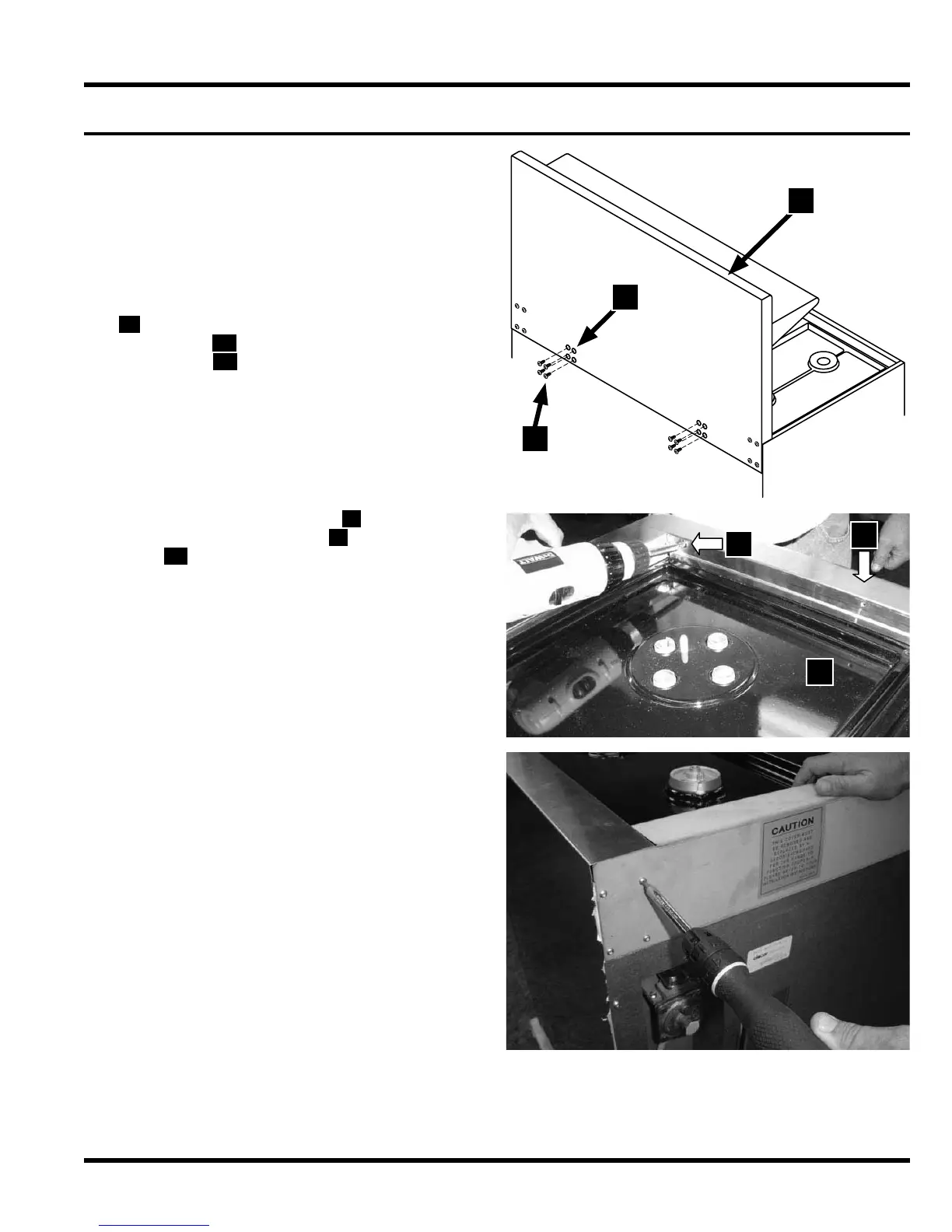
If the range is equipped with a 24” backguard
F , remove the eight (8) backguard bracket
hex screws
G . They are accessed through
the 8 holes
H on the back of the backguard.
•
•
•
•
Remove the five (5) screws I on the front of
the island trim/backguard
J , above the spill
trays
K .
•
Remove the eight (8) screws
on the back side
of the island trim/backguard, four (4) on each
side of the range.
•
G
H
F
I
J
K



 To Next Page