EasyManua.ls Logo

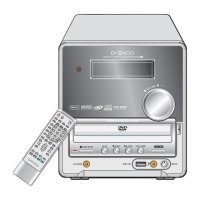
Daewoo DHC-XD350 - Display

Daewoo DHC-XD350
55 pages
Print Icon
To Next Page IconTo Next Page
To Previous Page IconTo Previous Page
Loading...
13
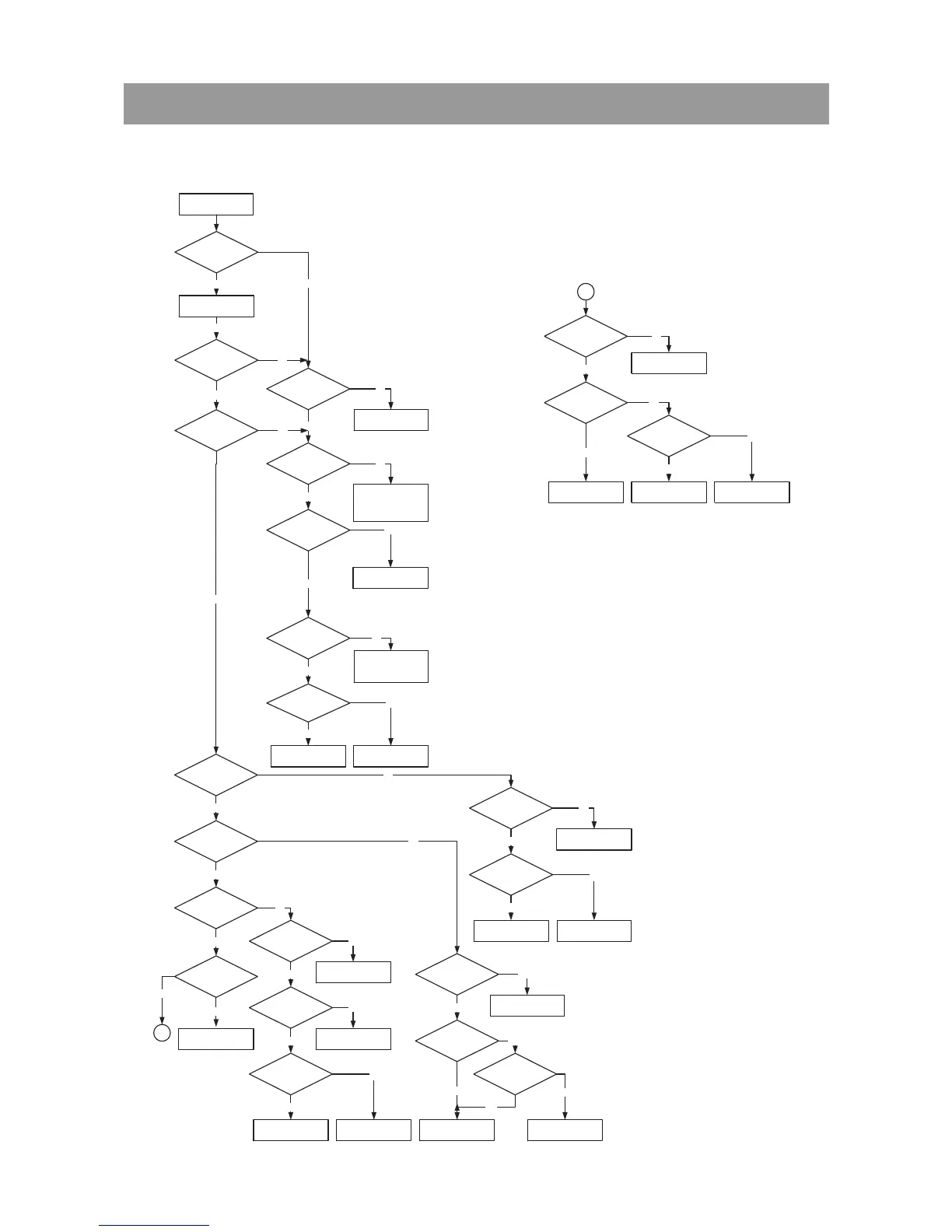
5. Trouble Shooting Guide
DHC-XD350
Check if the
POWER PART of the
FRONT is OK.
Check if the
REMOCON waveform of
the IC703 PIN(31).
Refer to MICOM circuit.
Refer to POWER SUPPLY
circuit.
Check if the IC702
PIN(1) is OK.
Replace IC702. Check RMC circuit.
Yes
Yes
No
No
No
Yes
1
LED ON
Push power on.
Yes
LED OFF
Yes
Yes
Check if ALL
BUTTONS are OK.
Check if the
FRONT POWER is OK.
Yes
Check if the IC703
OSC PIN(22) waveform is OK.
Yes
Check if the IC703
PIN (24) (98) is OK.
Check if POWER PART
of the FRONT is OK.
Replace XD700.
Check if the
VOLUME
is OK.
Check if the
HEADPHONE is OK?
Check if the
REMOCON is OK.
Yes
Yes
Yes
Yes
Yes
Check if the CN703
is OK.
Check if the FL700 PINS
are OK.
Yes
STANDBY ON
No
Yes
Re connect it.
Refer to POWER SW PCB
Refer to POWER SUPPLY
circuit.
CN703 PIN3: +5.6V
PIN8: -30V
Refer to POWER
SUPPLY circuit.
Refer POWER SUPPLY
circuit.
Check IC703
PIN(98) (99) (100) OK.
Refer to MICOM circuit.
Refer to KEY-IN line.
Check PATTERN and
RESOLDING.
No
No
No
No
No
Yes
Yes
No
No
Yes
No
Check if the POWER
is OK.
Check if the J700
PIN(4) is High.
Check if
HEADPHONE JACK is
OK.
Check MAIN PCB.
Check J700 circuit.
Replace H/P JACK.
Refer to Power Supply
circuit.
No
No
No
No
Yes
Yes
Yes
Check if POWER PART
of the FRONT is OK.
Check if IC703
PIN(29) (30) waveform
OK.
Refer to MICOM circuit.
Refer to Power Supply
circuit.
Check
VR700, HR718, HR719
OK.
Replace
VR700, HR718, HR719.
No
No
No
Yes
Yes
No
Refer to MICOM circuit.
Yes
No
No
1
Does Initial work? No
Front PCB OK
-. Front Circuit

Related product manuals