EasyManua.ls Logo

Daewoo DHC-XD350 - Display

Daewoo DHC-XD350
55 pages
Print Icon
To Next Page IconTo Next Page
To Previous Page IconTo Previous Page
Loading...
3. Location of Users Controls
PLAY
DIGITAL HOME CINEMA SYSTEM
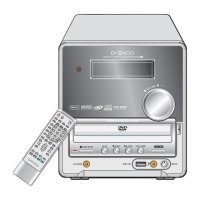
-. Front Panel
1) DHC-XD300
6
DHC-XD350
DIGITAL HOME CINEMA SYSTEM DHC-XD350
VOL.
DOWN UP
OPEN/CLOSE PLAY STOP PREV
SKIP
NEXT FUNCTION
ON/OFF
POWER
PHONES
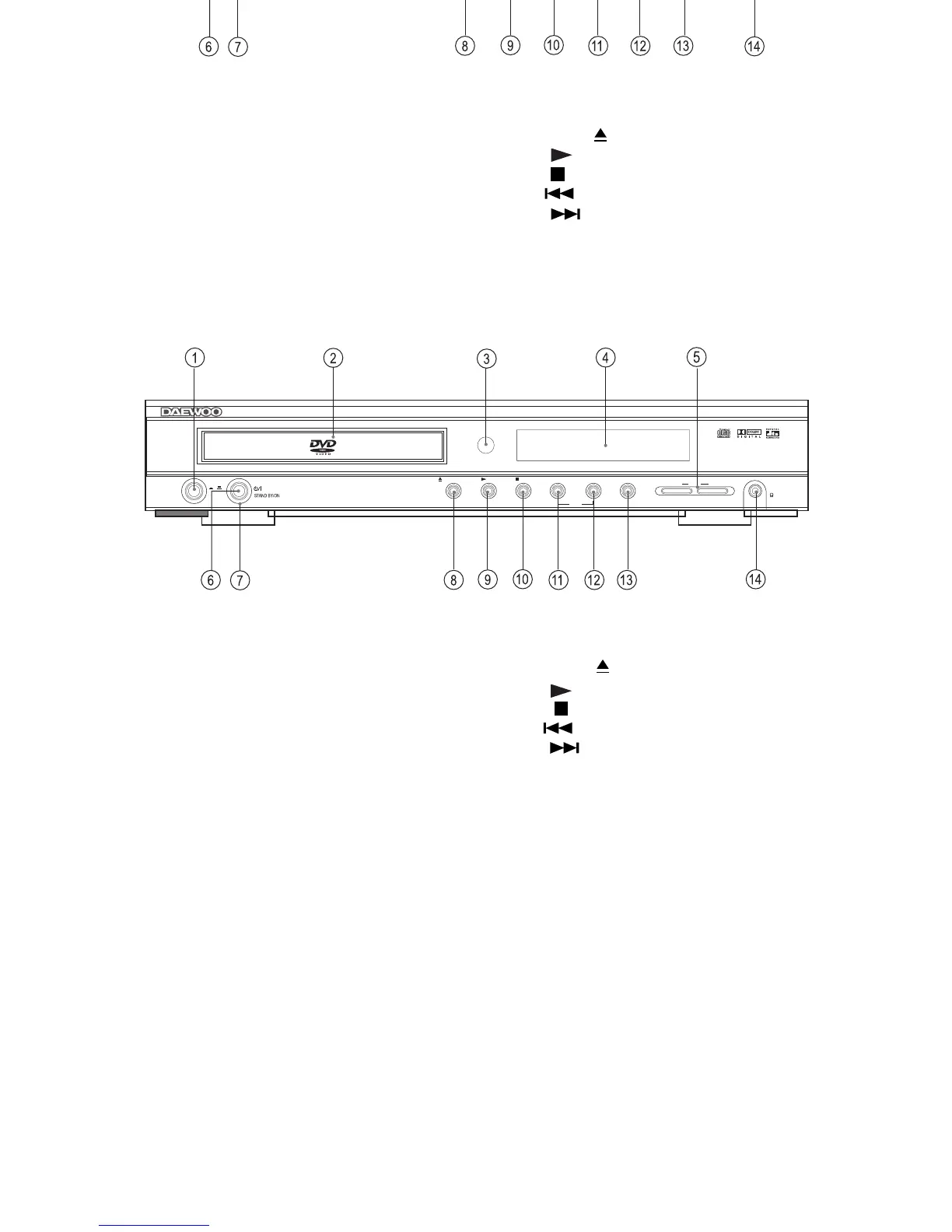
Front panel
1. POWER ON/OFF switch
2. DVD/VIDEO CD/MP3 CD/audio CD disc tray
3. Remote Control Sensor
4. Display
5. MASTER VOLUME control
6. STANDBY indicator
7. STANDBY/ON button
8. OPEN/CLOSE ( ) button
9. PLAY ( ) button
10. STOP ( ) button
11. PRE ( ) button
12. NEXT ( ) button
13. FUNCTION button
14. PHONES jack
Front panel
1. POWER ON/OFF switch
2. DVD/VIDEO CD/MP3 CD/audio CD disc tray
3. Remote Control Sensor
4. Display
5. MASTER VOLUME control
6. STANDBY indicator
7. STANDBY/ON button
8. OPEN/CLOSE ( ) button
9. PLAY ( ) button
10. STOP ( ) button
11. PRE ( ) button
12. NEXT ( ) button
13. FUNCTION button
14. PHONES jack

Related product manuals