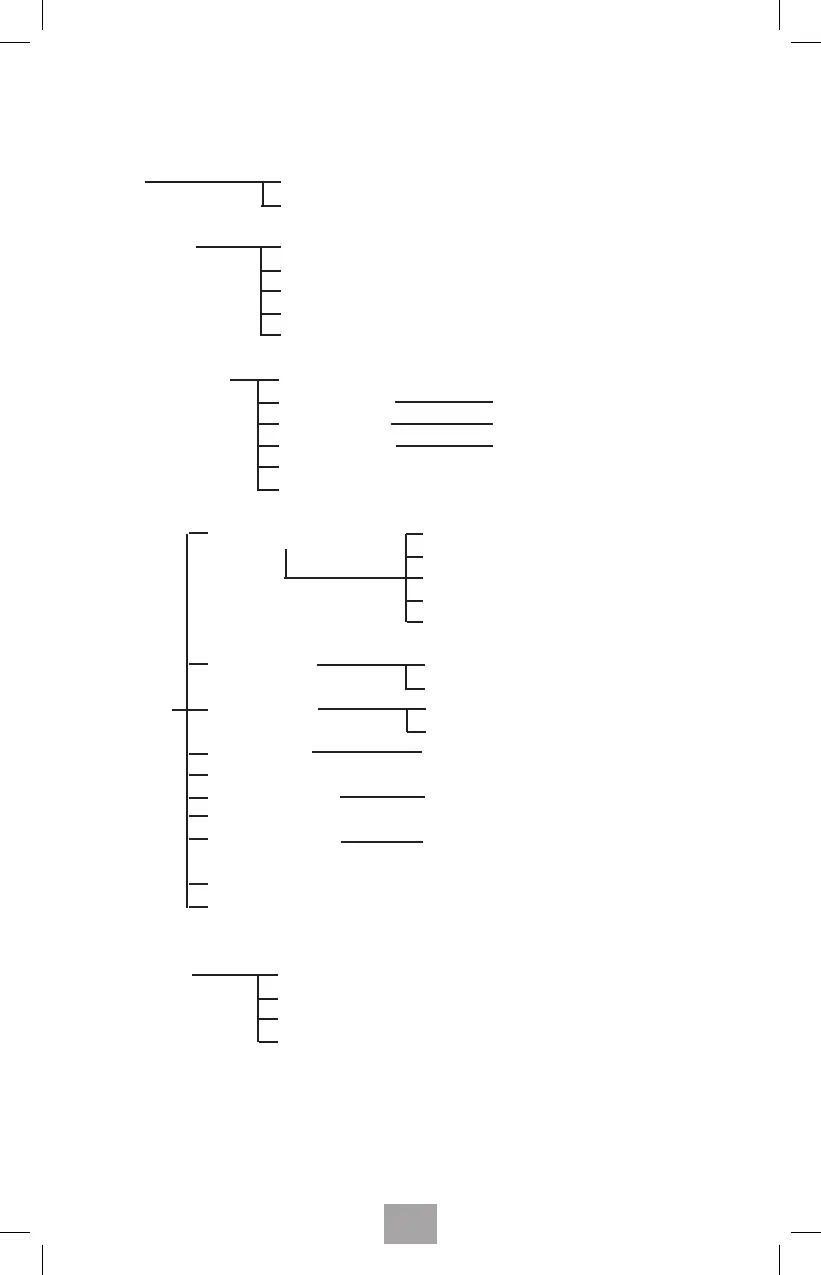
8. HANDSET MENU FLOW CHART
Call log Received
Dialed
Phone book New entry
Edit record
Delete record
Delete all
Memory status
BS sengs (base) Delete HS
Ring set-up Melody & Volume
Dail mode Tone or Pulse
Flash me 300 o 600 miliseconds
Modify PIN (Default PIN = «0000»)
BS default seng
Audio set-up Speaker Volume (1, 2, 3, 4, 5)
Receiver Volume (1, 2, 3, 4, 5)
Auto-Amplify (ON / OFF)
Talking Keypad (ON / OFF)
Talking CID (ON / OFF)
Ring setup Int ring --- (Melody & Volume)
Ext ring --- (Melody & Volume)
HS settings Tone setup Key tone, battery Low tone
(hand set) Range Alarm tone (ON / OFF)
Language English, French, Spanish
HS name
Auto answer (On / O)
Barring (Toll restricon) IEnter «####» to block
Date & Time Time format (12/24), Set me
Set date
HS default seng
Select (Base1, Base2, Base3, Base4)
Registraon Base 1
Base 2
Base 3
Base 4
34



 To Next Page