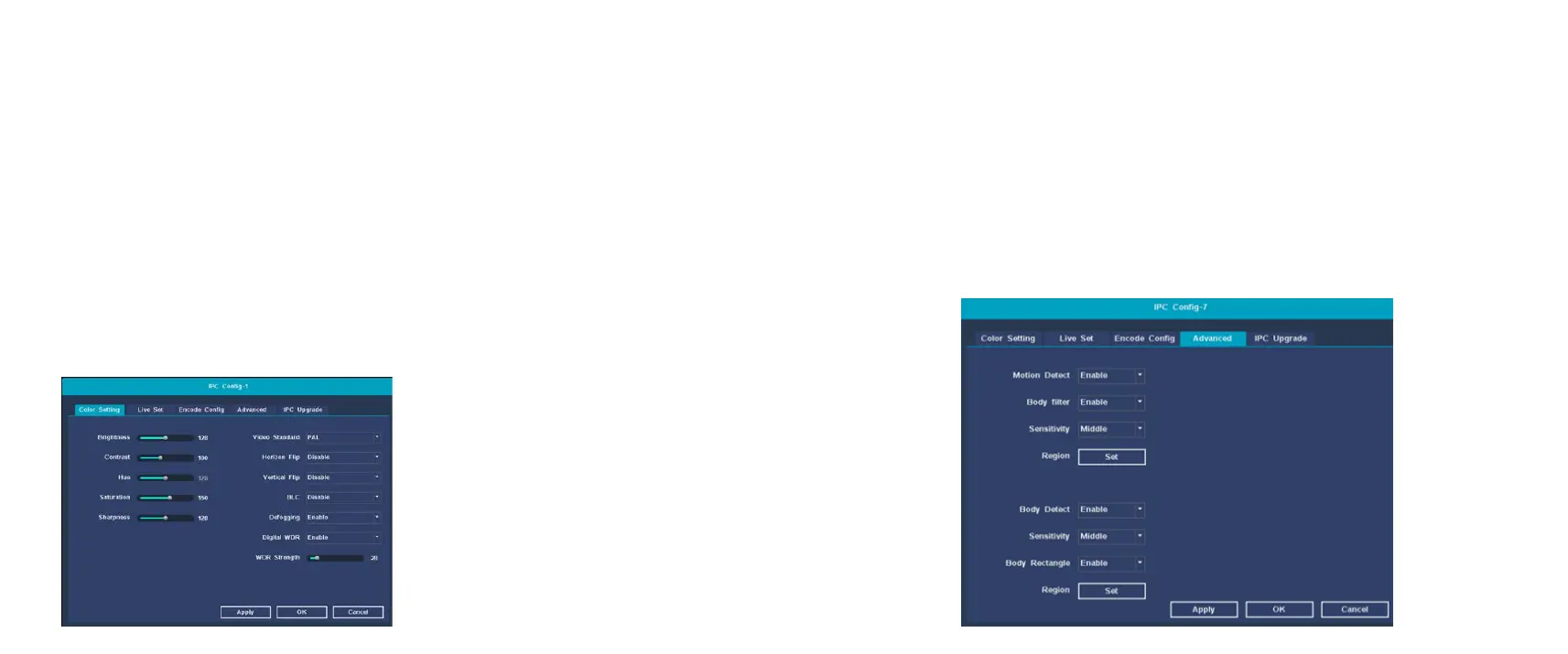
Image settings
Function description: Set the image parameters of IPC device
channels: brightness, contrast, hue, saturation, sharpness, image
quality, video format, horizontal and vertical flip, backlight
compensation, defogging, digital wide dynamic, wide dynamic
intensity.
1、I Right-click the main interface of the system, select 【IPC
Config】 in the pop-up right-click menu, and the image setting
interface opens by default;
2、The user adjusts the camera image parameters according to
his needs, click 【Apply】, and then click the 【OK】 button to
save the user modified parameters.
Advanced settings
Function description: IPC equipment motion detection and
humanoid recognition switch, sensitivity adjustment and area
setting.
Operation steps: On the IPC configuration interface. Click the 【
Advanced】 heading to enter the advanced settings interface.
You can manually turn on or off the motion detection and
humanoid recognition functions, adjust the sensitivity level, and
set the motion detection and humanoid recognition areas. As
shown below:


 To Next Page