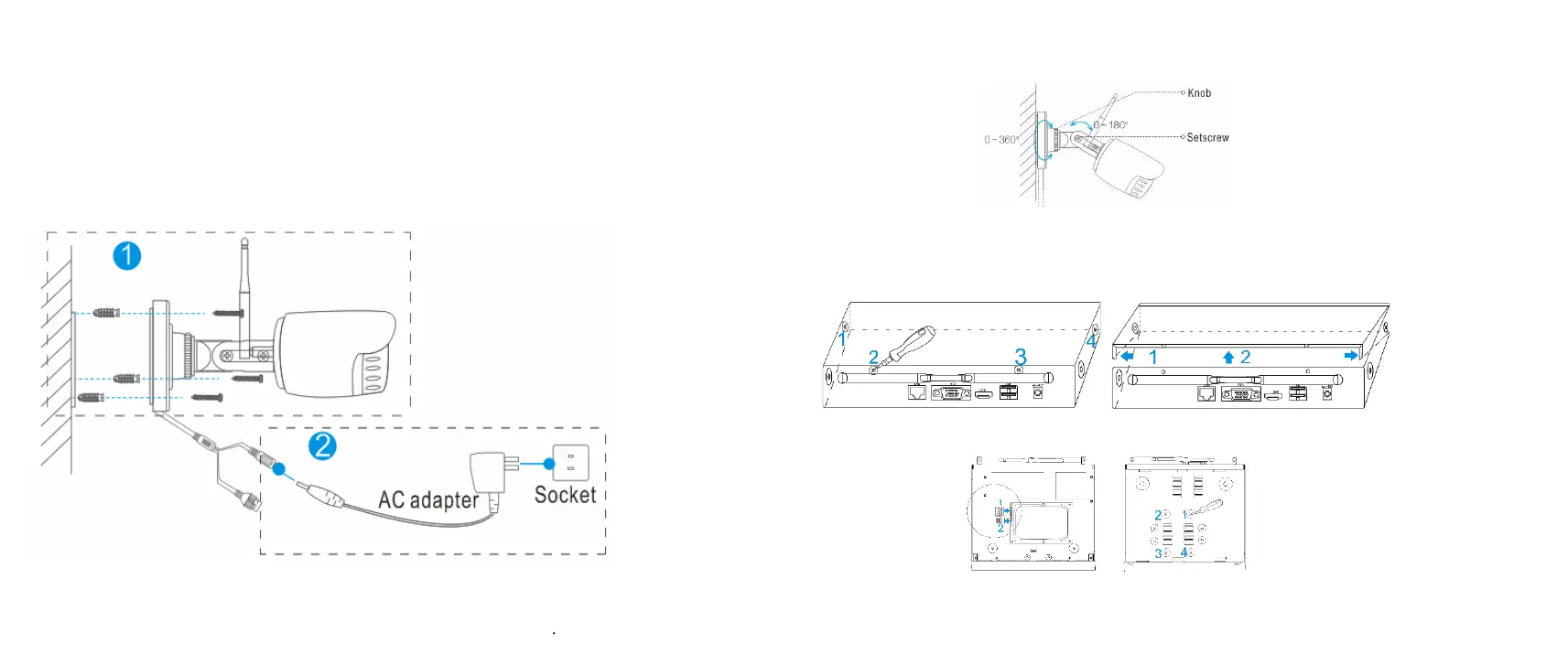
Installation
• Install wireless camera
Steps:
(1) Drill mounting holes, push in screws and fasten the screws.
(2) Connect Power adapter to socket.
(3) Loosen the setscrew and knob,adjust the camera angle
according to your surveillance need,then fasten the screws
• Install wireless NVR
If your product came with a hard drive, please skip this step.
Steps:
1. Install the hard disk with a cross screwdriver
(1) Unfastening the screws on the rear panel,and side panel.
(2) Remove the cover from the NVR.
(3) Connect
the data


 To Next Page