cable and power cable to HDD.
(4) Fasten the screws on the bottom to fix the HDD.
(5) Re-install the cover of the NVR and fasten screws.
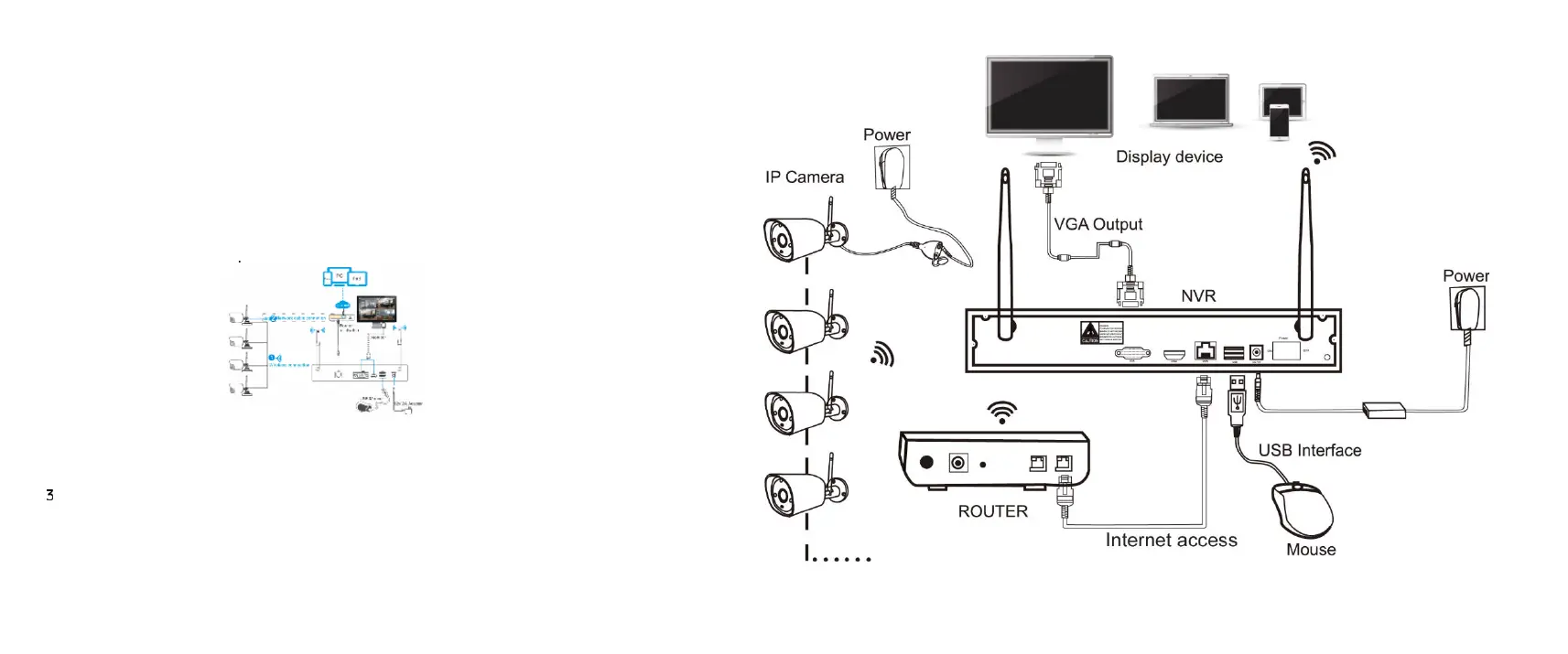
2. Cable Connection
(1) Connect mouse to USB interface.
(2) Connect to monitor by HDMI cable or VGA cable.
(3) Connect to internet by network cable via router(or switch).
(4) Connect to 12VDC adapter and turn on power,the Power
indicator would turn red
Notes:
In order to guarantee the video quality, IPC antenna should try to
keep in parallel or tangent with NVR antenna. Because the signal
of surrounding antenna is much stronger ,but much weaker if
antenna endpoints back off direction.
.
| English


 To Next Page