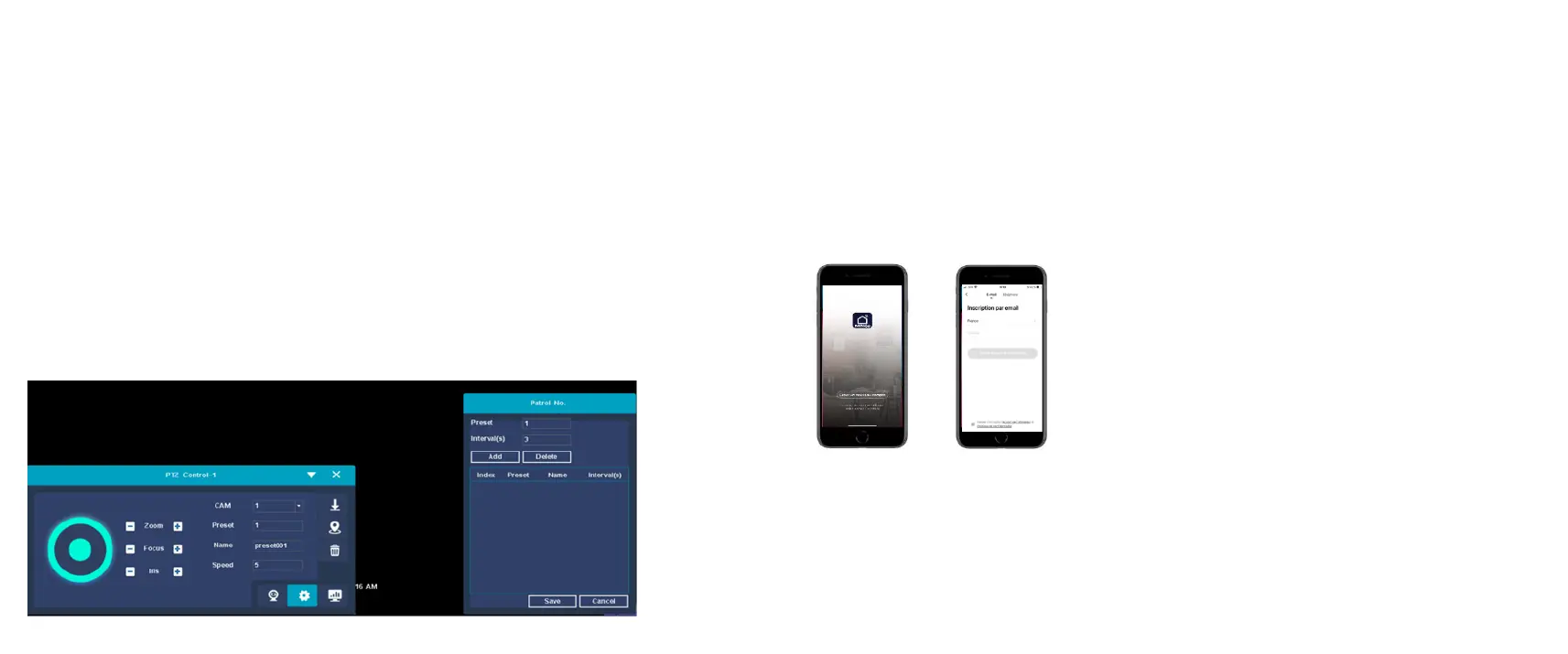
PTZ control
Function description: Use the NVR to control the camera pan/tilt
rotation, zoom, preset position, cruise and other operations.
Operation premise:
Before users control the IP camera or PTZ, please make sure that
the camera supports PTZ control function and the network with the
NVR has been connected normally.
Steps:
1. Right-click on the main interface and select PTZ control in the
shortcut menu to enter the PTZ control interface. As shown below:
2. Support PTZ direction control, zoom, focus, iris adjustment,
preset call, you can enter the sub-menu to set the cruise path, run
cruise.
CELLPHONE REMOTE MONITOR
Step 1: Install the app
1.From your phone, download the free DAEWOO Home Connect
app from the App store or Google Play
2. Launch the application
3.Create an account
4.Connect and create a “house”


 To Next Page