User’s Manual
254
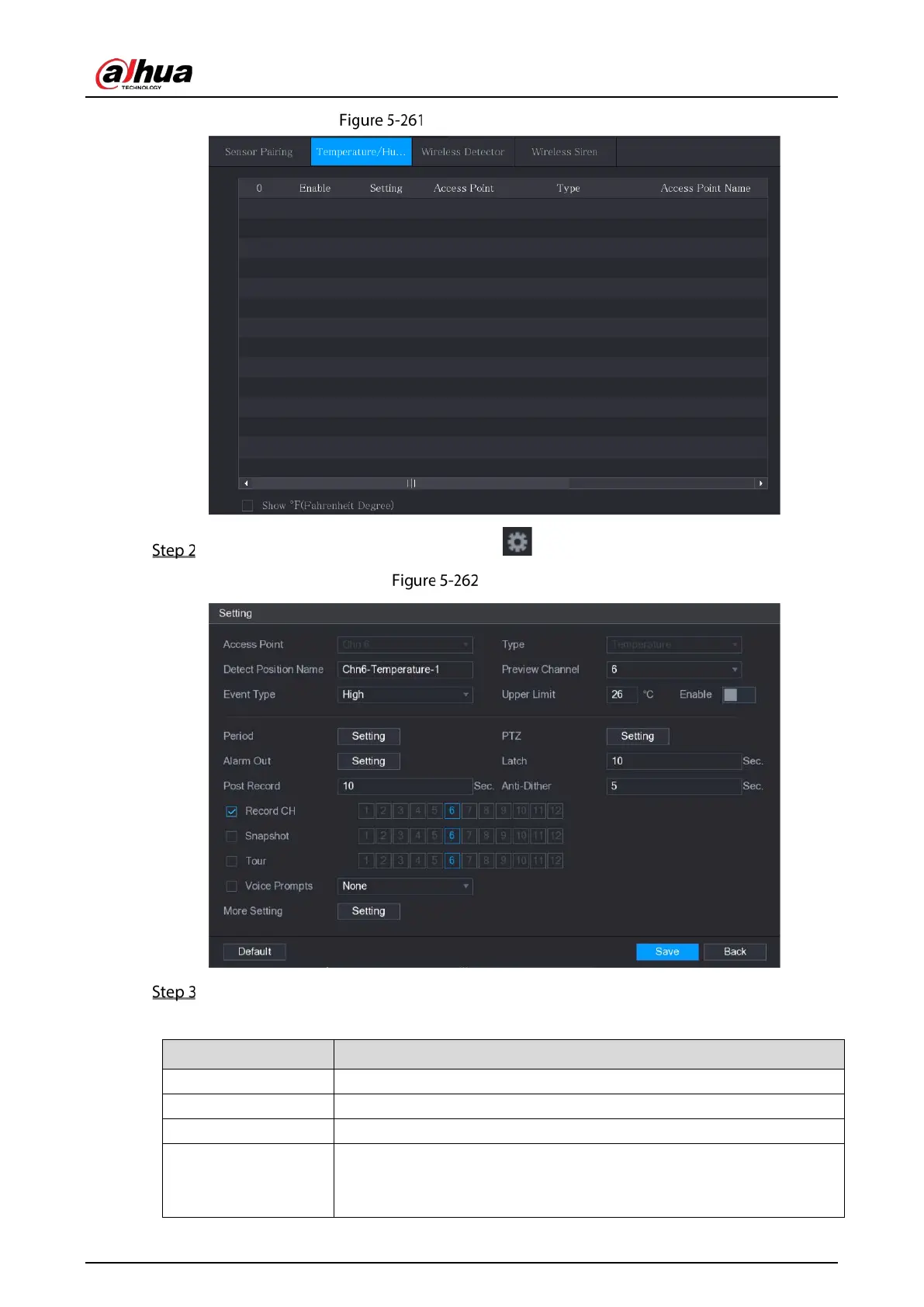
Temperature/Humidity
On the temperature information line, click .
Setting
Configure the settings for alarm linkage.
Table 5-40 Alarm linkage settings
Access Point Indicates the channel that the camera is connected to.
Type
by default.
Detect Position Name Set the detect position name.
Preview Channel
Select the channel that you want to preview to help monitor the channel
of access point. This channel could be the channel of access point or any
other channels according to your actual situation.


 To Next Page
 Loading...

