User’s Manual
26
3.2.5 DH-XVR58xxS-I2/DH-XVR58xxS-4KL-I2/DH-XVR58xxS-I3/DH-
XVR78xxS-4K-I2/DH-XVR88xxS-4KL-I
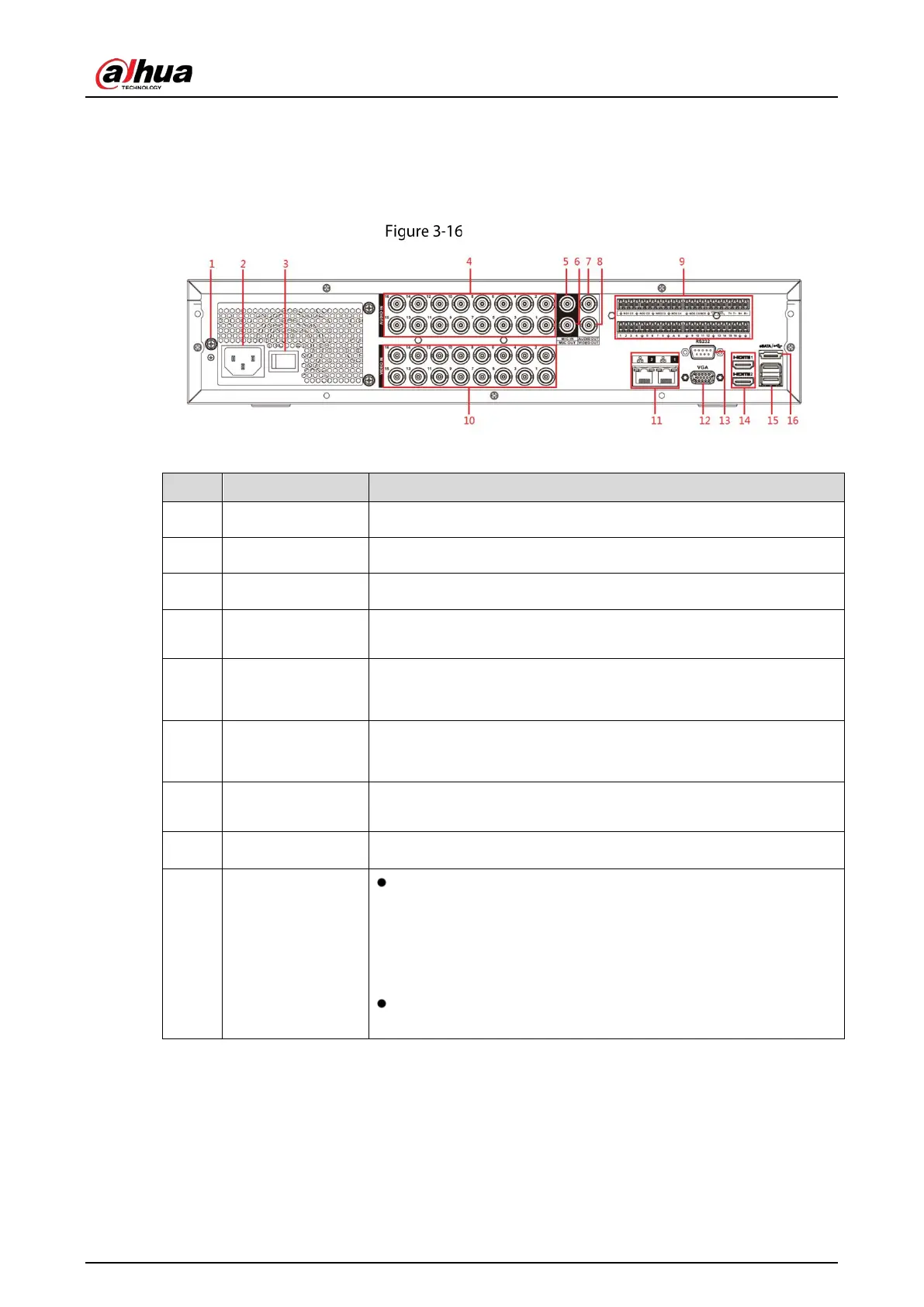
Rear panel
Table 3-15 Rear panel description
1 GND Ground.
2 Power input port Inputs power.
3 Power button Turns on/off the Device.
4 Audio input port
Receives the analog audio signal output from the devices such as
microphone.
5
Audio input port
(MIC IN)
Two-way talk input port which receives
output from the devices such as microphone, pickup.
6
Audio output port
(MIC OUT)
Two-way talk output port which outputs the analog audio signal to
the devices such as the sound box.
7 Audio output port
Outputs the analog audio signal to the devices such as the sound
box.
8
Video output port
Connect to video output devices such as TV.
9
1–16
Four groups of alarm output ports (Group 1: port 1 to port 4;
Group 2: port 5 to port 8; Group 3: port 9 to port 12; Group 4:
port 13 to port 16). These ports
receive the signal from the
external alarm source. There are two types; NO (Normally Open)
and NC (Normally Closed).
When your alarm input device is using external power, make
sure the device and the NVR have the same ground.



 To Next Page
 Loading...
