3.6.5 Mode Setting
Set the area status under dierent modes.
Area mode can only be set when the system is disarmed.
Procedure
Step 1 Select Setting > .
Step 2 Select any or the 4 arming modes.
●
Home: Arm the system when you are inside the area of the alarm system.
●
Away: Arm the system when you leave the area of the alarm system.
●
Sleep: Arm the system when you are in the sleep time.
●
Custom: Arm the system based on your customized needs.
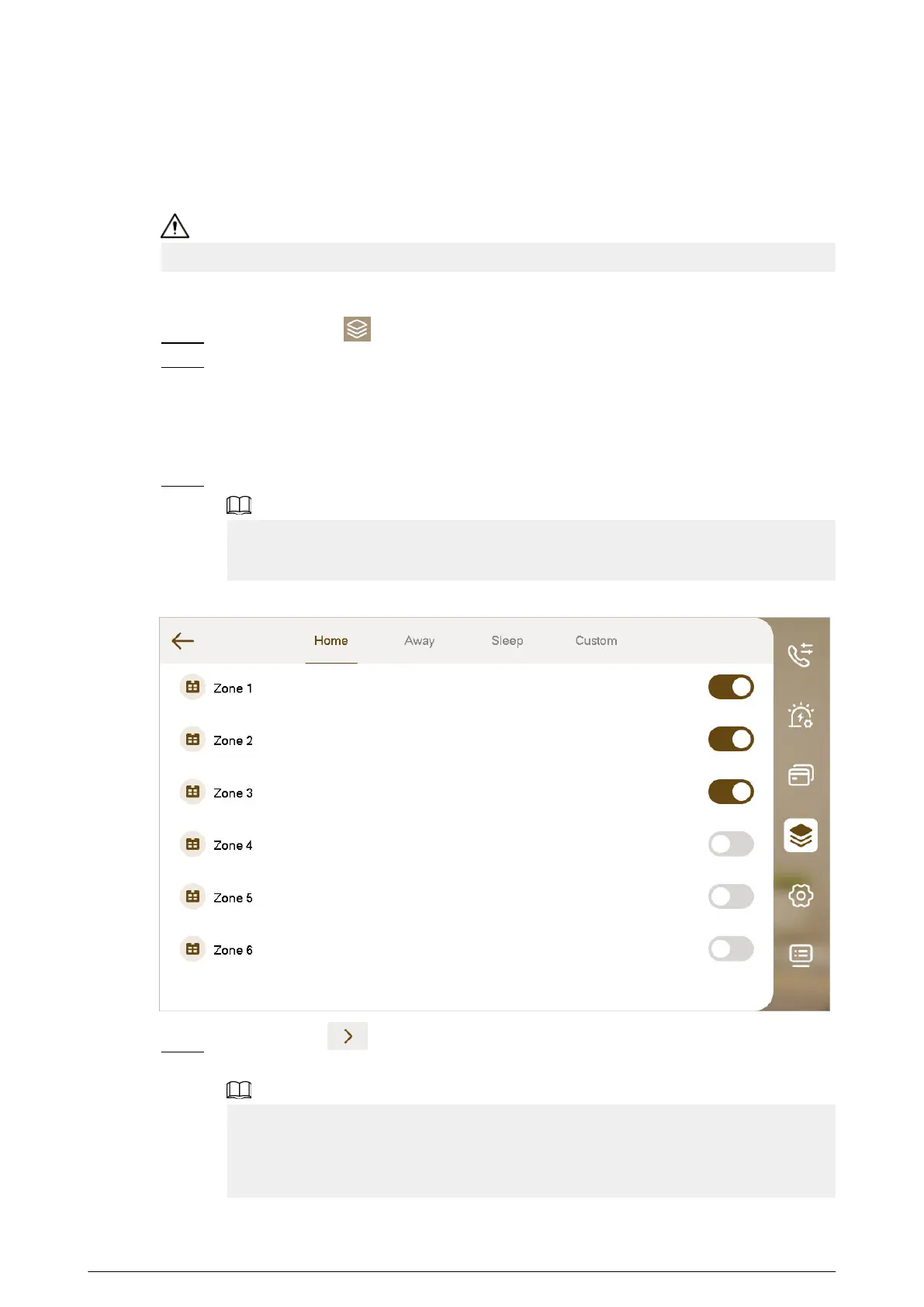
Step 3 Turn on or turn o the area you selected to enable or disable the arm mode.
●
Multiple areas can be added into one arm mode at the same time.
●
One area can be added into dierent modes.
Figure 3-35 Mode setting area
Step 4 (Optional) Tap to page down the screen to Wireless Zone. Turn on the area to add
it to the arm mode, or turn o the area to remove it from the arm mode.
●
For devices with the wireless function, the wireless zone can be congured after you
enable 433 in General Setting > Other.
●
Multiple areas can be added into one arm mode at the same time.
●
One area can be added into dierent modes.
60


 To Next Page
 Loading...