3.6.6.4 Network Password Setting
The network password is used when adding the VTH to the DMSS app.
3.6.6.4.1 Creating Network Password
Procedure
Step 1 On the home screen, select Setting > > Password.
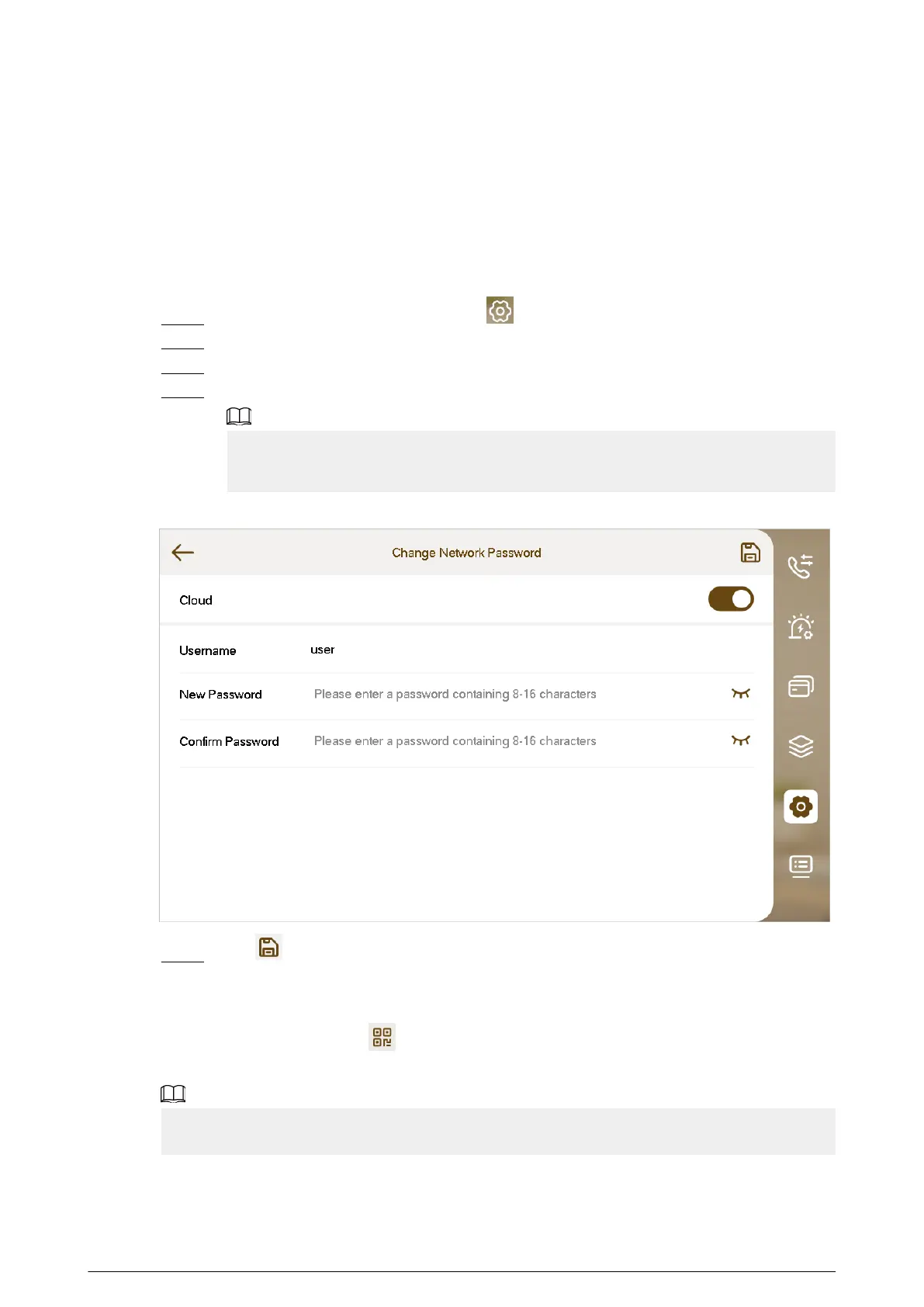
Step 2 Tap Change Network Password.
Step 3 Enable the cloud function.
Step 4 Enter the password you planned and then conrm it.
●
The username is user by default.
●
The password must consist of 8 to 16 characters.
Figure 3-41 Network password
Step 5 Tap .
Results
The VTH would automatically generate a QR code that contains the User account. When you scan
the DMSS QR code by tapping on the home screen, the DMSS App would obtain the VTH
information.
When going to the QR Code screen for the rst time, the DMSS QR code would not appear. Only
after you set the network password, this module would be displayed.
65


 To Next Page
 Loading...