176
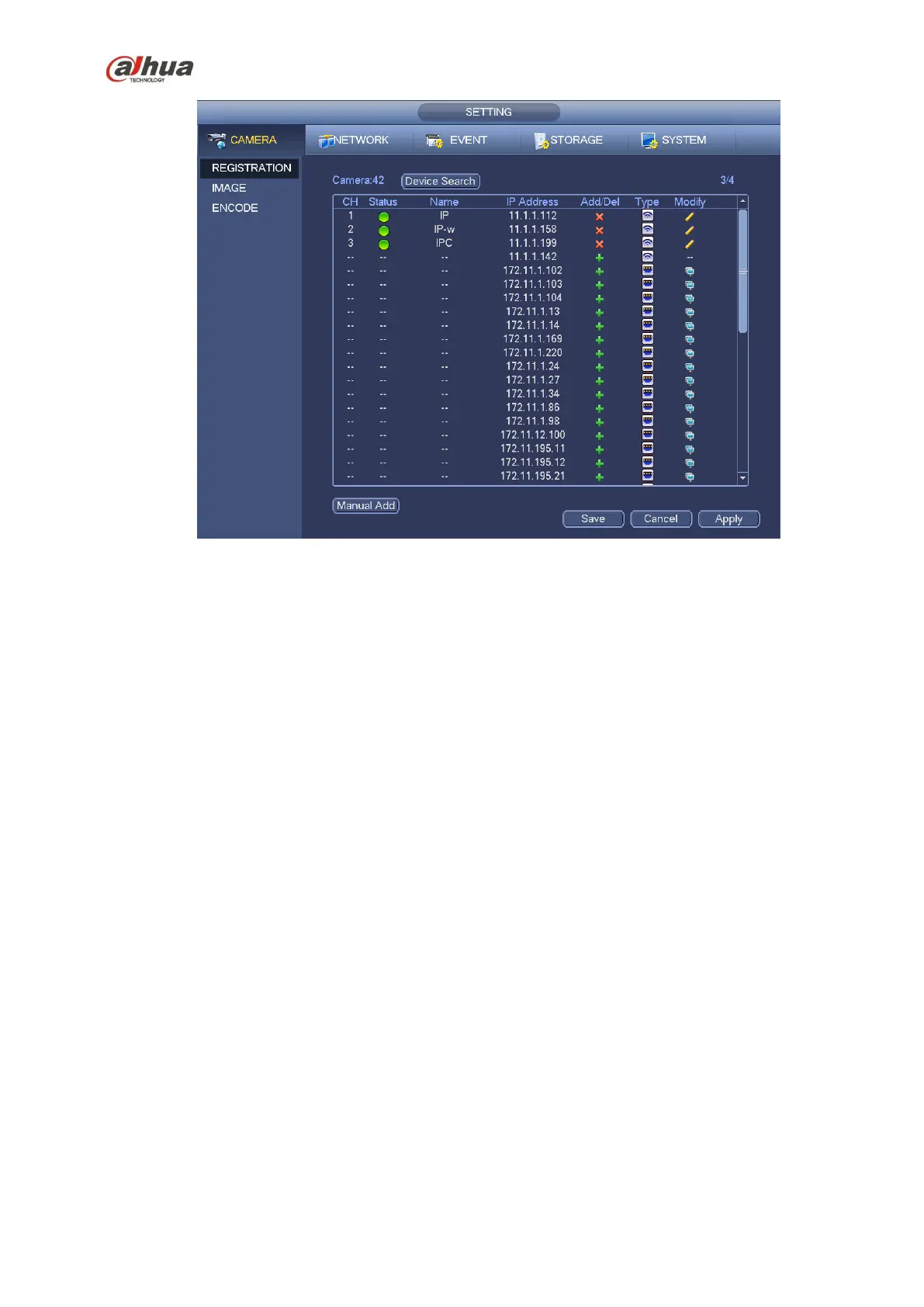
Figure 4-24
Modify: Click Modify button, you can see the following interface. See Figure 4-25.
Name: Change current channel name.
Protocol: Select protocol from the dropdown list.
IP Address: Input IP address here.
TCP port: Input TCP port value.
User name/Password: Input user name and password. The default user name is admin and the
default password is admin.
Decoder butter: There are three options: realtime/fluent/default. Please select from the dropdown list.
Channel: Current channel number.


 To Next Page
 Loading...