184
Search: Click it to go to Search interface to search and playback a record file.
Record control: Enable/disable record channel.
Alarm output: It is to set alarm output mode.
Camera registration: Search and add a remote device.
Alarm output: Generate alarm output signal manually.
Main menu: Go to system main menu interface.
Tips:
Right click mouse to go back to the previous interface.
Figure 4-36
4.7.4 Preview Display Effect Setup
4.7.4.1 Video Color
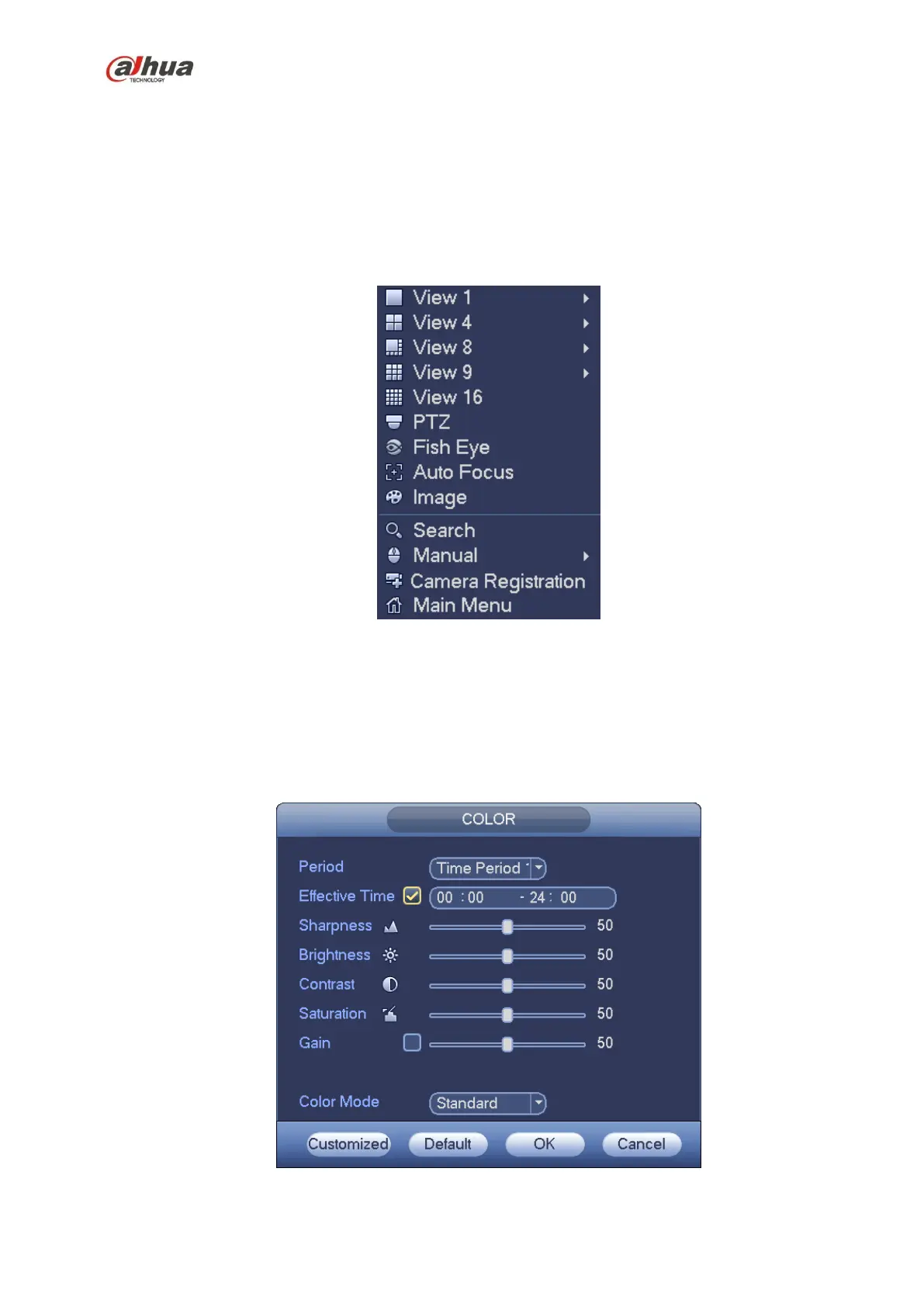
Here you can set hue, brightness, contrast, saturation, gain, white level, color mode and etc. See
Figure 4-37.
Figure 4-37


 To Next Page
 Loading...