241
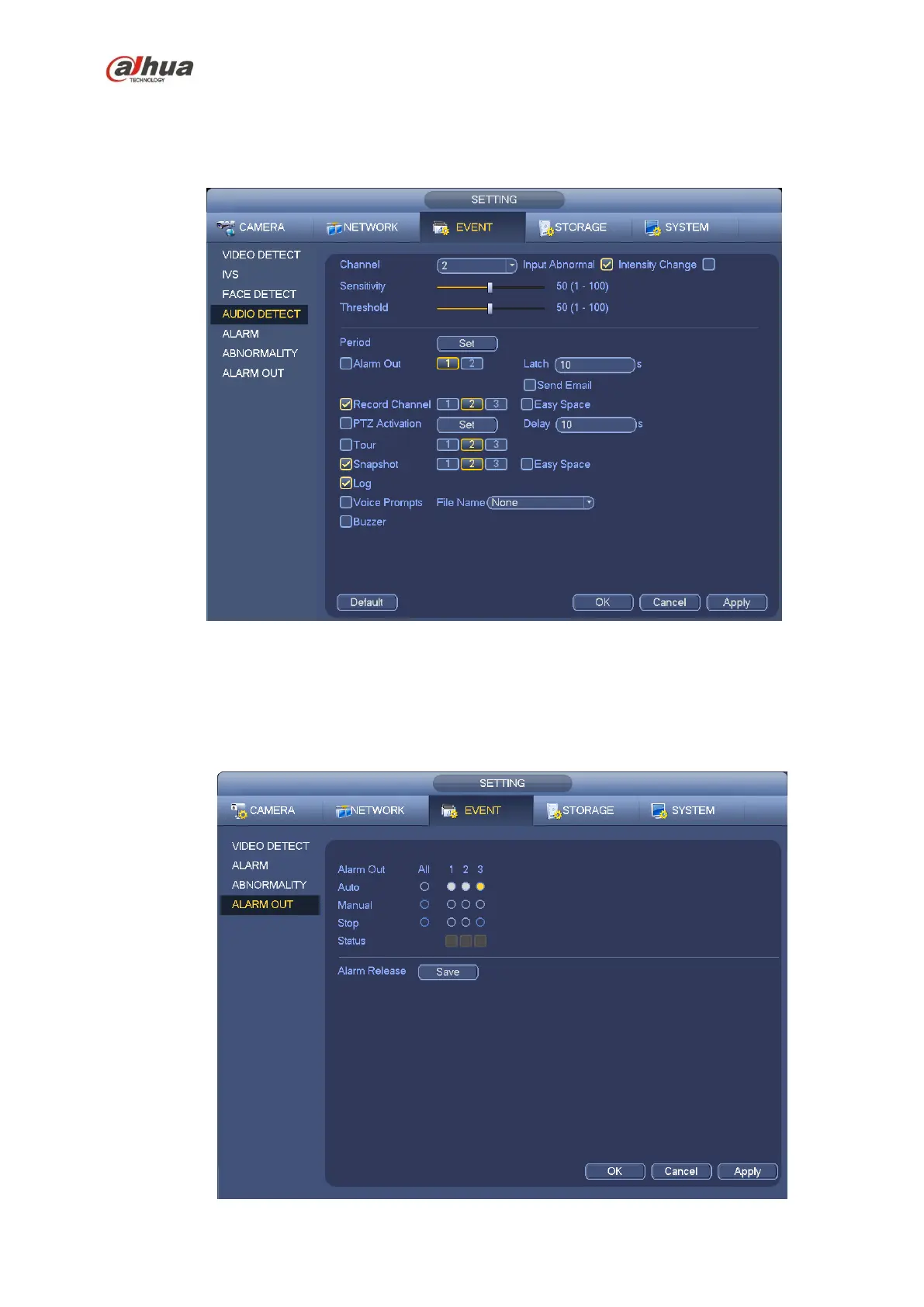
Threshold: It is to set intensity change threshold. The smaller the value is, the higher the sensitivity
is.
Log: Check the box here, system can record audio detect alarm log.
You can refer to the chapter 4.13.2.1 t to set other parameters.
Figure 4-108
4.13.5 Alarm output
From Main menu->Setting->Event->Alarm output, you can see an interface shown as in Figure 4-109.
Here is for you to set proper alarm output (Auto/manual/stop).
Click OK button of the alarm reset, you can clear all alarm output status.


 To Next Page
 Loading...