347
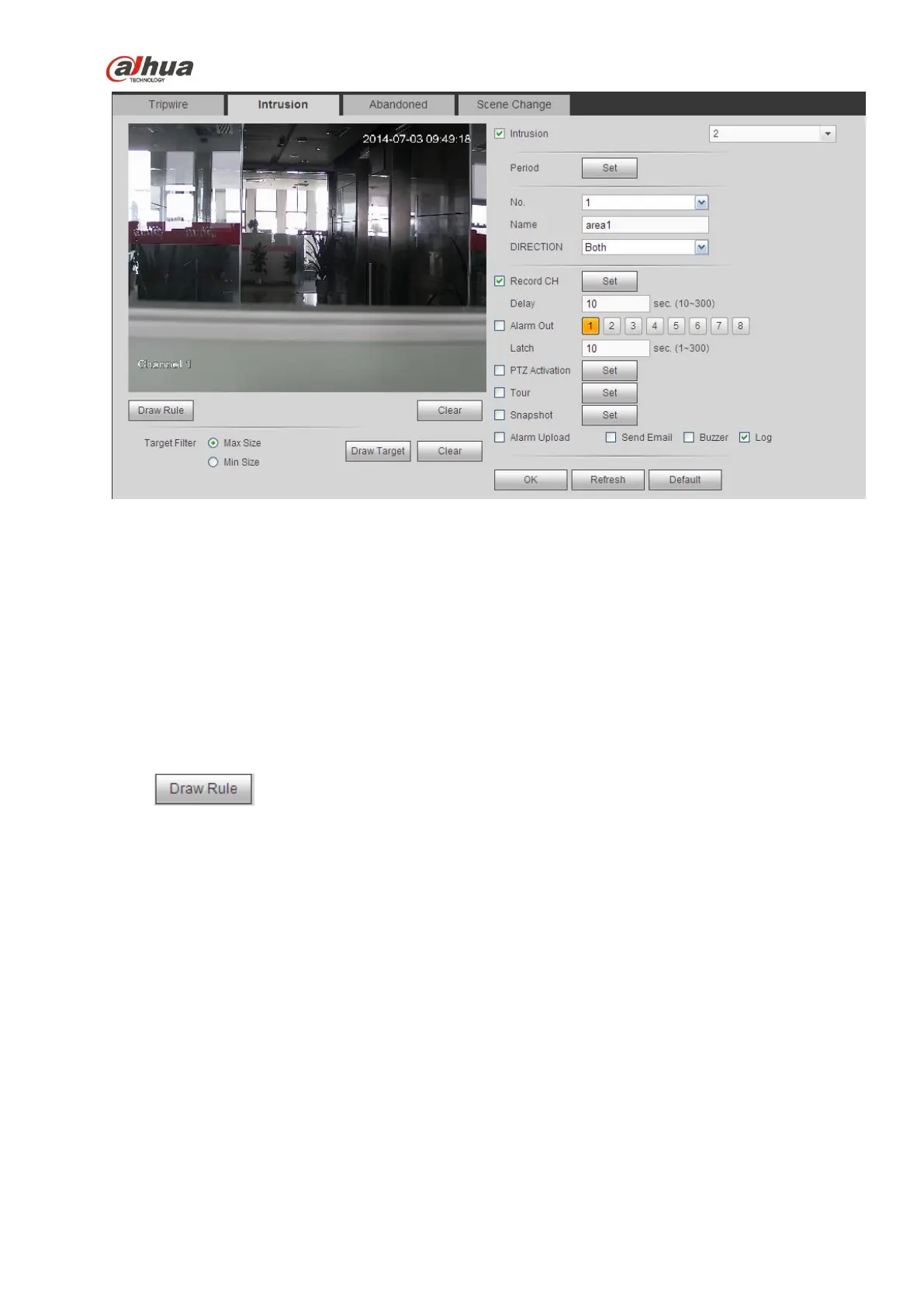
Figure 5-66
Check the Intrusion box to enable intrusion function.
Select SN (Area1/2/3/4) and direction, and then input customized rule name.
No. and Area1/2/3/4: System supports four zones. Each SN stands for one zone.
Direction: There are three options: A->B, B->A, both. System can generate an alarm once there is
any object enter/exit (Or both) the zone.
Now you can draw a rule. Left click mouse to draw a line first and then right click mouse to draw another
line until you draw a rectangle, you can right click mouse to exit.
Click Ok to complete the rule setup.
Click to draw the zone. See Figure 5-67.


 To Next Page
 Loading...