18
5)
Checktheoperationstatusoftheremote
controllerbycheckingifthegreenlampon
theON/OFFbuttonlightsupornot.
• IftheremotecontrollerisON(Green
lamplightsup),continuetostep6).
•
IftheremotecontrollerisOFF(Green
lampdoesn’tlightup),presstheON/
OFFbuttonwithin10secondsafter
“ ”isdisplayedonthebasic
screen.
6) Checktheoperationofthebuttonsby
pressingthefollowingbuttons
• PresstheAirowDirection
Adjustment button (
) for setting
airow.
• Press the Mode Selector button
(
) for setting operation mode.
• Press the Fan Speed Control button
(
) for setting fan speed.
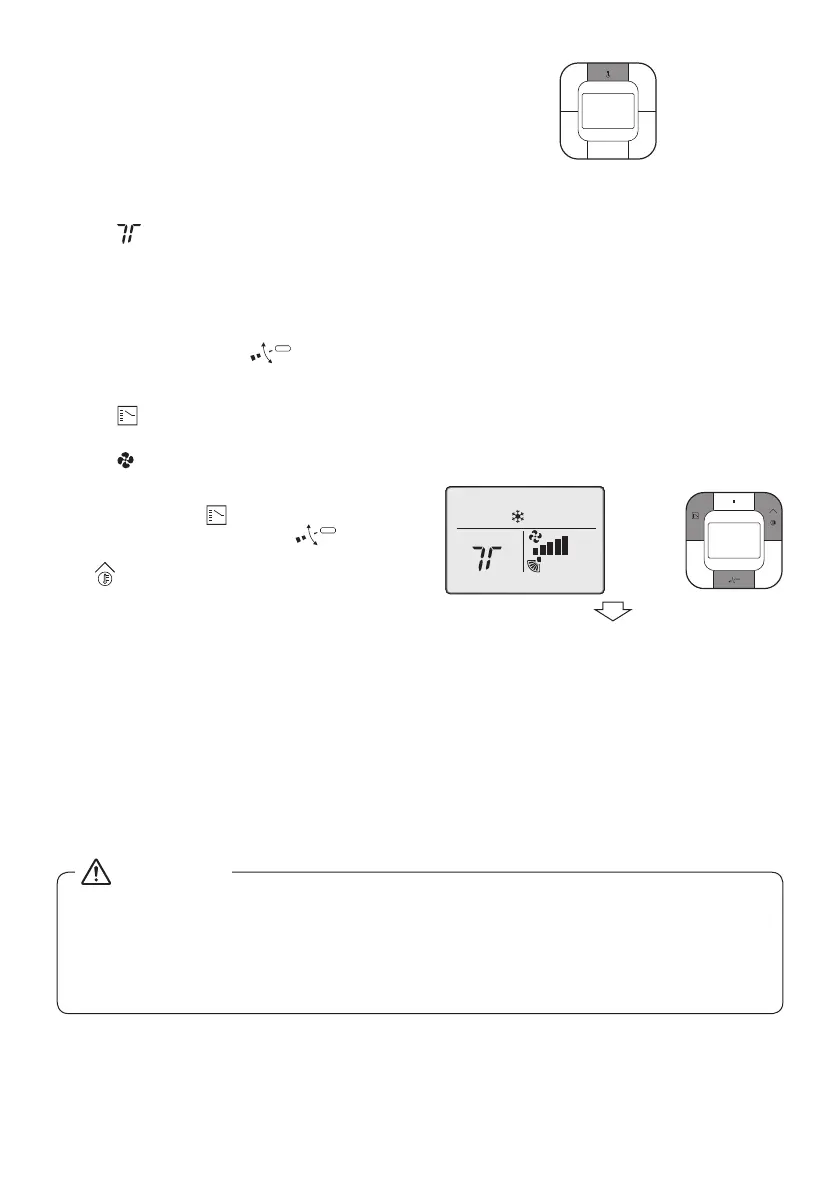
7) Press and hold 3 buttons --the Mode
Selector button ( ),theAirow
Direction Adjustment button ( ),
and the Temperature Setting (up) button
(
).
The basic screen returns and normal
operation is conducted.
Note:
Testoperationwillautomaticallynishin
30 minutes.
8) Checkthefunctionsaccordingto
“10. Basic operation”.
9) Whenthedecorationpanelisnot
installed,turnoffthepowerafterthetest
operationnishes.
5)
7)
[Basic screen]
•
Iftheinteriornishworkisnotcompletedwhenthetestoperationisnished,forprotectionoftheair
conditioneraskthecustomernottooperatetheairconditioneruntiltheinteriornishworkis
completed.
Iftheairconditionerisoperated,theinsideoftheindoorunitsmaybepollutedbysubstances
generatedfromthecoatingandadhesivesusedfortheinteriornishworkandcausewatersplash
andleakage.
CAUTION
01_EN_4P543053-1C.indd 18 10-May-19 4:13:25 PM



 To Next Page