DHOS-CS-IM-2107004D 18
Network setting
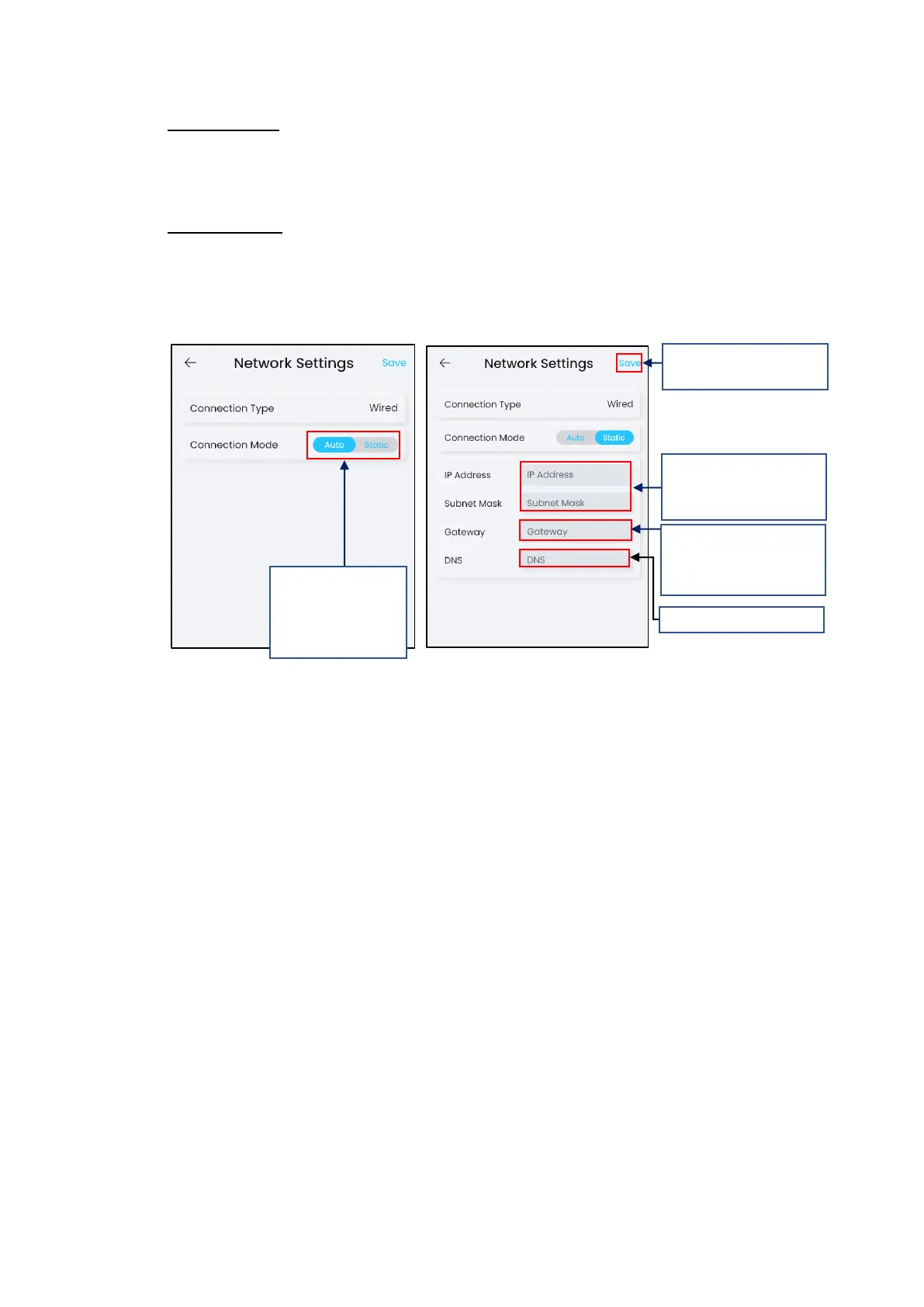
By default, network setting is automatically determined. No changes required.
Set to Static mode when required by customer due to network limitations.
Static IP Settings
For static IP settings, get the static address, subnet mask, gateway, DNS of the LAN from a
person who manage this LAN.
Otherwise, refer “Chapter 5. Finding Network Information (Gateway, DNS, Subnet)”
This setting will only take effect after a reboot.



 To Next Page