FTX-N/U, FVXS-N, FDMQ-R Series EDUS091558E
331
3P243520-7Q
39
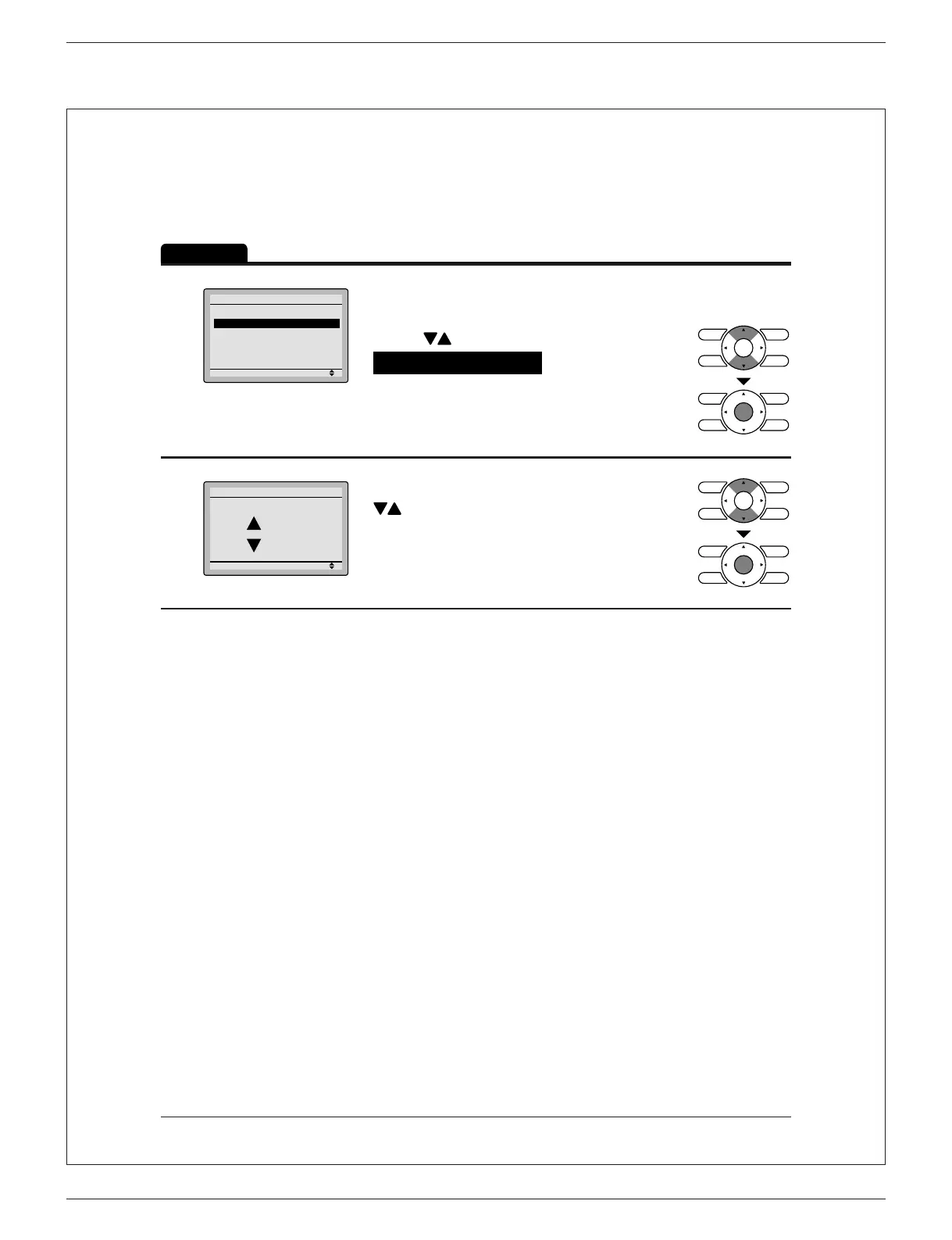
Contrast Adjustment
Operation
1
Draft Prevention
Contrast Adjustment
Display
Configuration
Setting
Navigate to the con guration screen. ●
(See page 38.)
Press ● buttons to select
Contrast Adjustment on the
con guration screen.
Press Menu/OK button to display the
contrast adjustment screen.
2
Setting
Dark
Light
Contrast Adjustment
On the contrast adjustment screen press ●
buttons until you reach the desired
contrast.
After setting, press Menu/OK button and
return to the basic screen.
01_EN_3P243520-7Q.indd 39 3/2/2015 5:36:44 PM



 To Next Page