4 | Before operation
User reference guide
16
FTXTM-R, FTXTM-S
Daikin room air conditioner
4P728152-2 – 2023.03
4 Before operation
4.1 Overview: Before operation
This chapter describes what you have to do before operating the unit.
Typical workflow
Before operation usually consist of the following stages:
▪ Inserting the batteries in the user interface.
▪ Fixing the user interface to the wall.
▪ Setting the brightness of the indoor unit display.
▪ Setting the clock.
▪ Turning on the power supply.
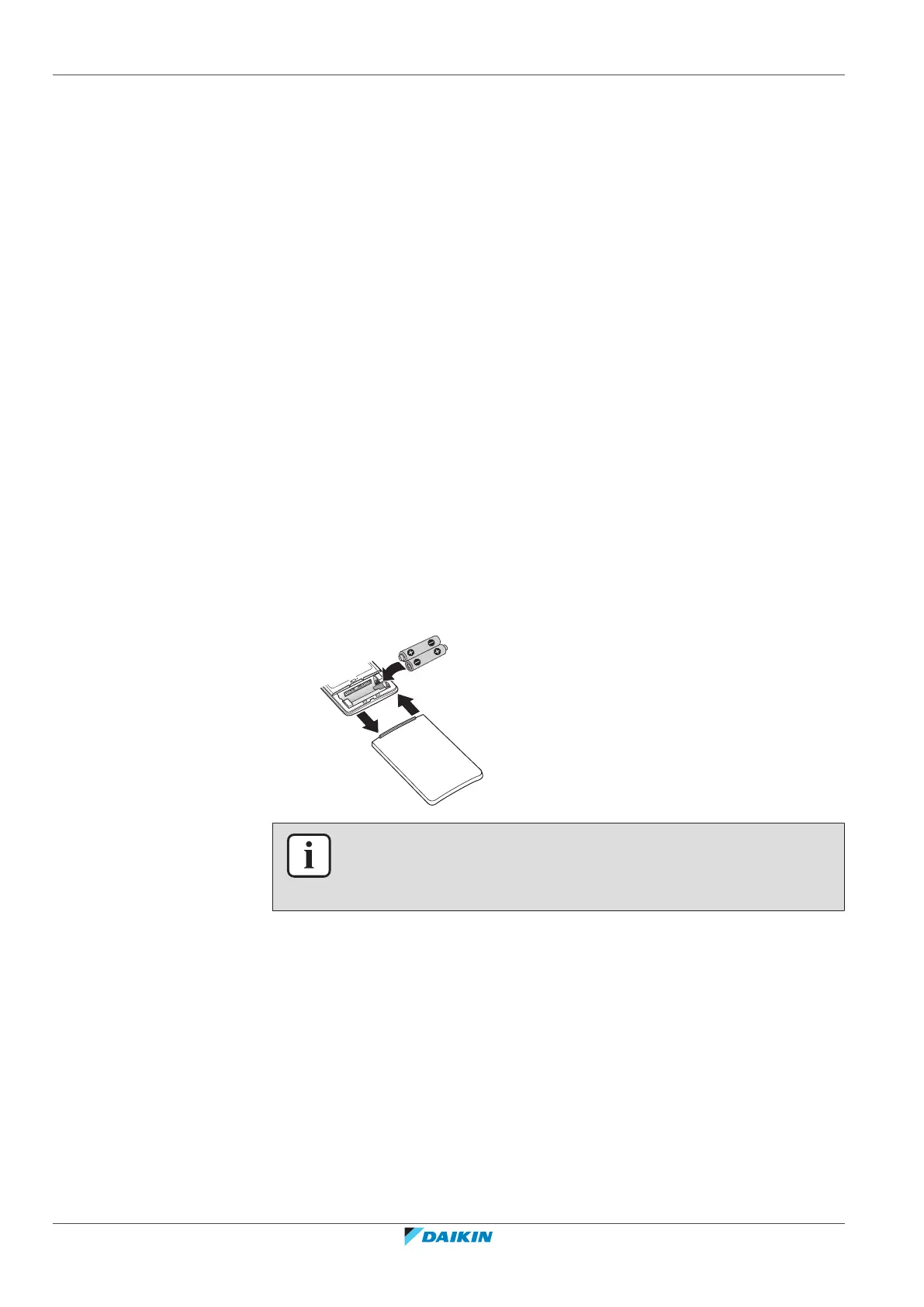
4.2 To insert the batteries
The batteries will last for about 1 year.
1 Remove the front cover.
2 Insert both batteries at once.
3 Put back the front cover.
INFORMATION
▪ Low energy of battery is indicated by flashing of LCD display.
▪ ALWAYS replace both batteries at once.


 To Next Page