5 | Operation
User reference guide
30
FTXTM-R, FTXTM-S
Daikin room air conditioner
4P728152-2 – 2023.03
Display Operation
+
Flash Streamer and Fireplace logic
— Both deactivated
2 To stop operation, press until both symbols disappear from the LCD.
5.11 OFF/ON timer operation
Timer functions are useful for automatically switching the air conditioner off/on at
night or in the morning. You can also use OFF timer and ON timer in combination.
INFORMATION
Program the timer again in case of:
▪ A breaker has turned the unit off.
▪ A power failure.
▪ After replacing batteries in the wireless remote control.
INFORMATION
The clock MUST be set correctly before using any timer functions. Refer to "4.4.1To
set the clock"[417].
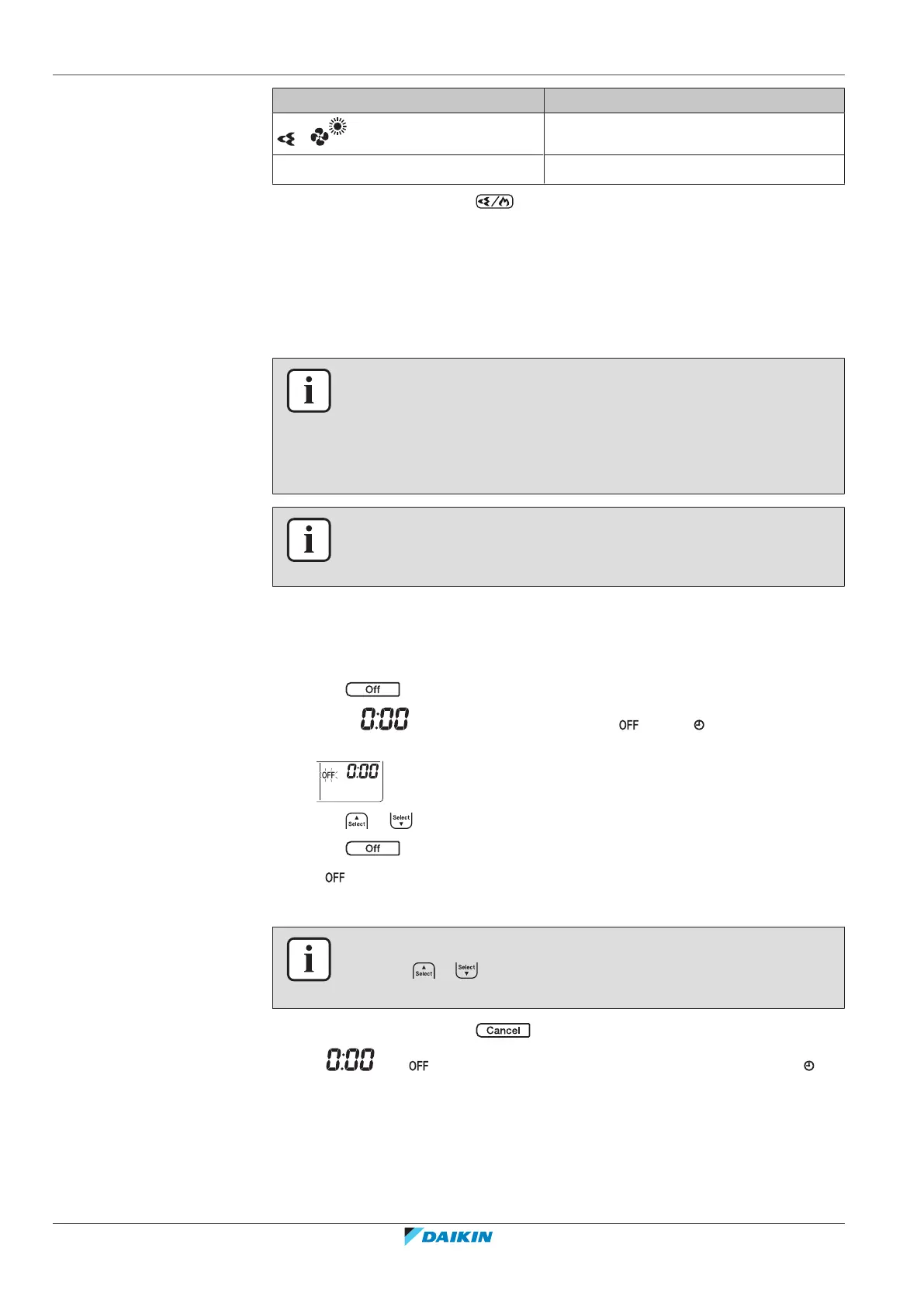
5.11.1 24 hour clock OFF/ON timer setting
To start/stop OFF timer operation
1 Press to start.
Result: is displayed on the LCD and blinks. and the day of the
week disappear from the LCD.
2 Press or to change the time setting.
3 Press again.
Result: and the set time are displayed on the LCD.
Result: The timer lamp lights up.
INFORMATION
Each time or is pressed, the time setting advances by 10minutes. Holding
the button down will change the setting rapidly.
4 To stop operation, press .
Result: and disappear from the LCD and the timer lamp goes off. and
the day of the week are displayed on the LCD.















 To Next Page