7 | Maintenance and service
User reference guide
45
FTXTM-R, FTXTM-S
Daikin room air conditioner
4P728152-2 – 2023.03
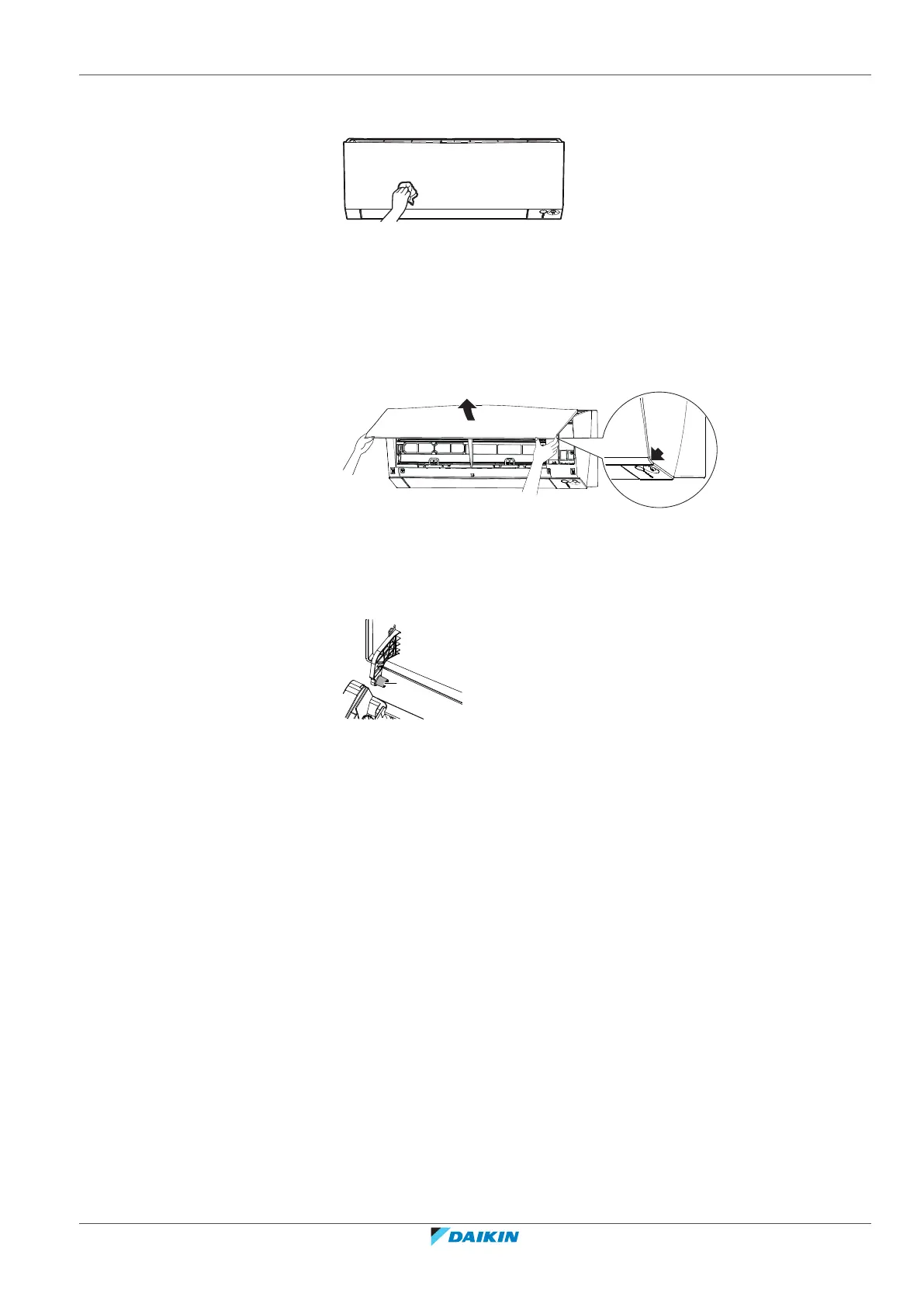
7.3 To clean the front panel
1 Clean the front panel with a soft cloth. If it is difficult to remove stains, use
water or a neutral detergent.
7.4 To remove the front panel
1 Hold the front panel by the panel tabs on both sides and open it.
2 Remove the front panel by sliding it to the left or the right and pulling it
toward you.
Result: The front panel shaft on 1 side will be disconnected.
3 Disconnect the front panel shaft on the other side in the same manner.
a Front panel shaft
7.5 About the air filters
Operating the unit with dirty filters means that the filter:
▪ CANNOT deodorise the air,
▪ CANNOT clean the air,
▪ poor heating/cooling,
▪ causes odour.
7.6 To clean the air filters
1 Push the tab at the centre of each air filter, then pull it down.
2 Pull out the air filters.















 To Next Page