5 | Operation
User reference guide
38
FTXTM-R, FTXTM-S
Daikin room air conditioner
4P728152-2 – 2023.03
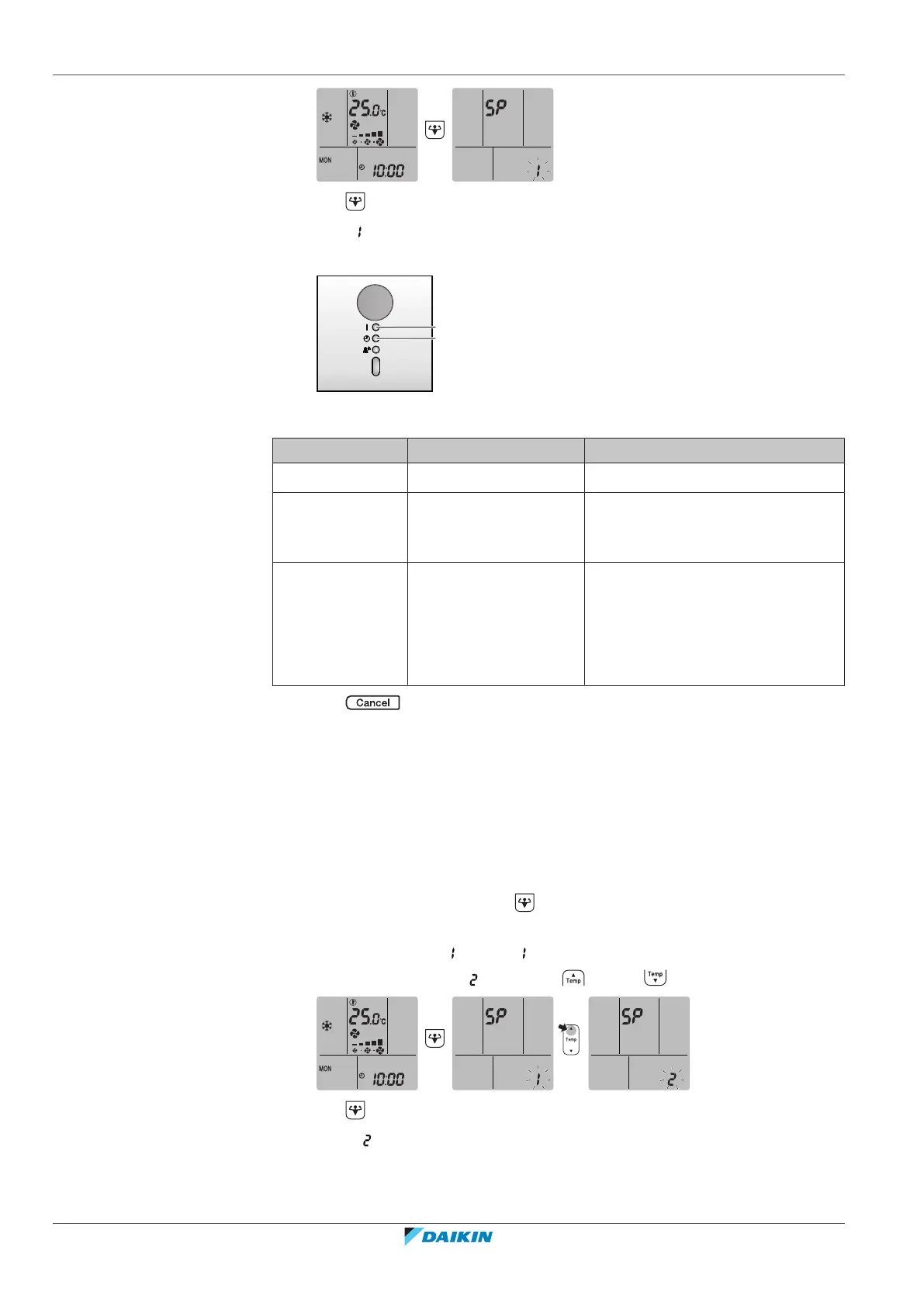
2 Press to confirm the selection.
Result: is blinking.
3 Check the operation and timer LEDs on the indoor unit display.
a Operation LED
b Timer LED
If operation LED… …and timer LED… …then wireless LAN is…
blinks blinks not connected
is off blinks in 0.5second
interval
running and ready to connect to the
home network via WPS button on
the router.
is off blinks in 1second
interval
▪ connected to the home network
via SSID + KEY.
or
▪ connected to the home network
via WPS button on the router.
4 Press to exit the menu.
Result: The display will return to the default screen.
To connect the wireless LAN to your home network
The wireless adapter can be connected to your home network using the:
▪ WPS button (Wi-Fi Protected Setup) on the router (if present),
▪ The SSID (Service Set Identifier) and the KEY (password) - located on the unit.
To connect using the WPS button
1 On home screen menu, hold for at least 5 seconds while the unit is not
operating.
Result: The SP menu appears. is blinking.
2 Change to the SP menu by pressing once or repeatedly.
3 Press to confirm the selection.
Result: is blinking. The timer LED is blinking in 0.5 s interval and the
operation LED is off.















 To Next Page