EasyManua.ls Logo

Daikin RKD50GVMV - Pcbs; Electrical Box

Daikin RKD50GVMV
24 pages
Print Icon
To Next Page IconTo Next Page
To Previous Page IconTo Previous Page
Loading...
PCBs / Electrical Box Si001270EB
6 Removal Procedure
3. PCBs / Electrical Box
Warning
Be sure to wait for 10 minutes or more after turning off all power supplies before
disassembling work.
Step
Procedure Points
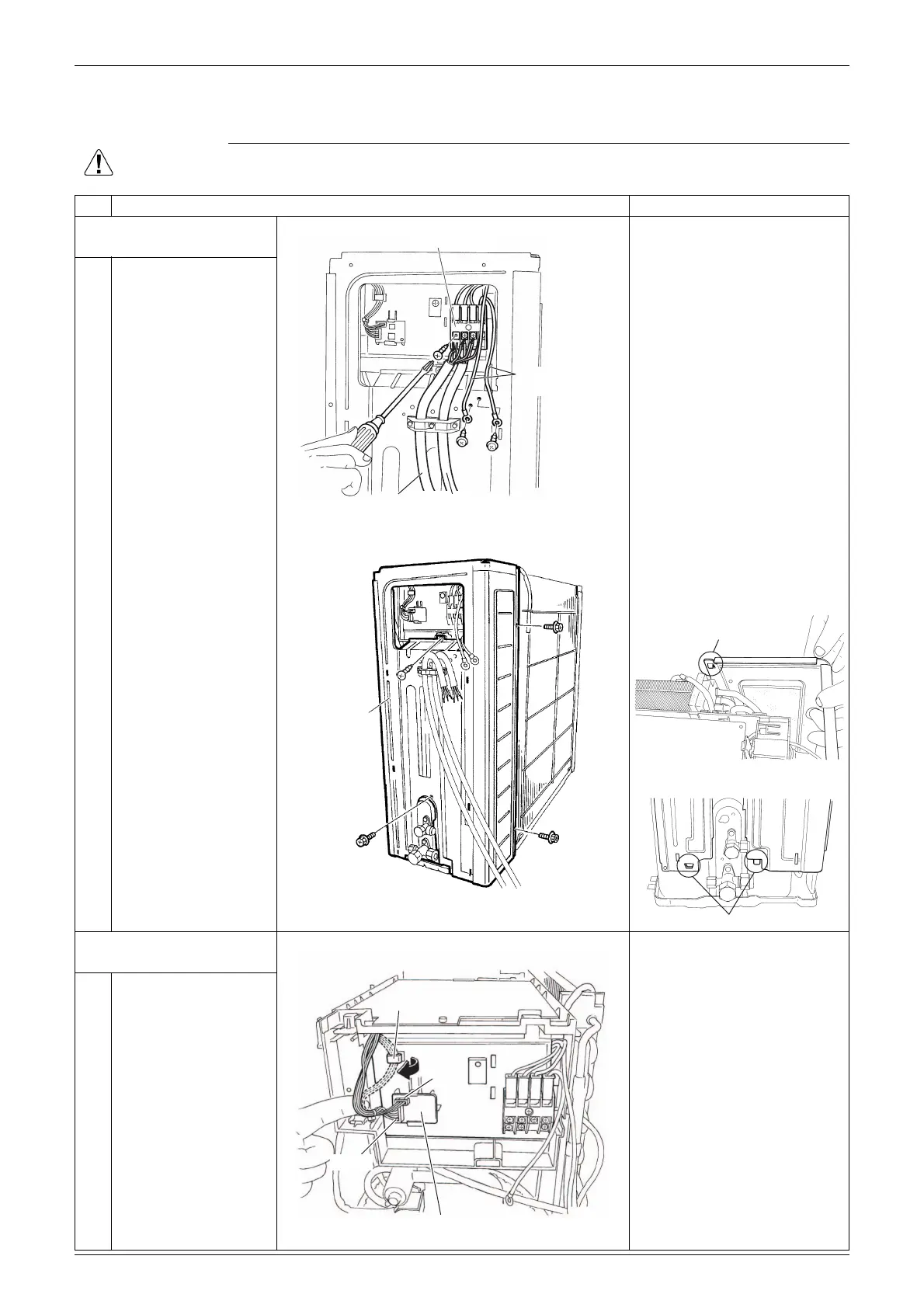
1. Remove the right side
panel.
1
2
Remove the 4 screws
and disconnect the
connecting wire and the
power supply wire.
Remove the 2 screws
and detach the earth /
ground wires.
3
Remove the screw of
the electrical box.
When reassembling, insert
the upper hook and the 2
lower hooks back into place.
4
Remove the 3 screws
of the right side panel.
5
Remove the right side
panel.
2. Remove the service
monitor PCB.
[S52]: [S51] on main PCB
[S102]: [S101] on main PCB
1
Release the harness
from the hook.
2
Disconnect the
connectors [S52]
[S102] from the service
monitor PCB.
3
Remove the service
monitor PCB.
(R19203)
Terminal board
Connecting
wire
Power supply
wire
Earth / ground
wire
(R17526)
Right side
panel
(R7028)
Hook
(R7026)
Hook
(R19337)
Hook
[S52]
Service monitor PCB
[S102]

Related product manuals