Troubleshooting by Remote Controller Display / LED Display Si-71A
104 Troubleshooting
6.6 Swing Flap Motor Malfunction / Lock
Remote Controller
Display
$:
$:$:
$:
Applicable Models
FH(Y)C, FH(Y)K, FH(Y), FAY, FVY, FUY
Method of
Malfunction
Detection
Utilizes ON/OFF of the limit switch when the motor turns.
Malfunction
Decision
Conditions
When ON/OFF of the microswitch for positioning cannot be reversed even though the swing flap motor is
energized for a specified amount of time (about 30 seconds).
Supposed Causes
„
Failure of motor
„
Failure of microswitch
„
Failure of connector connection
„
Failure of indoor unit PC board
Troubleshooting
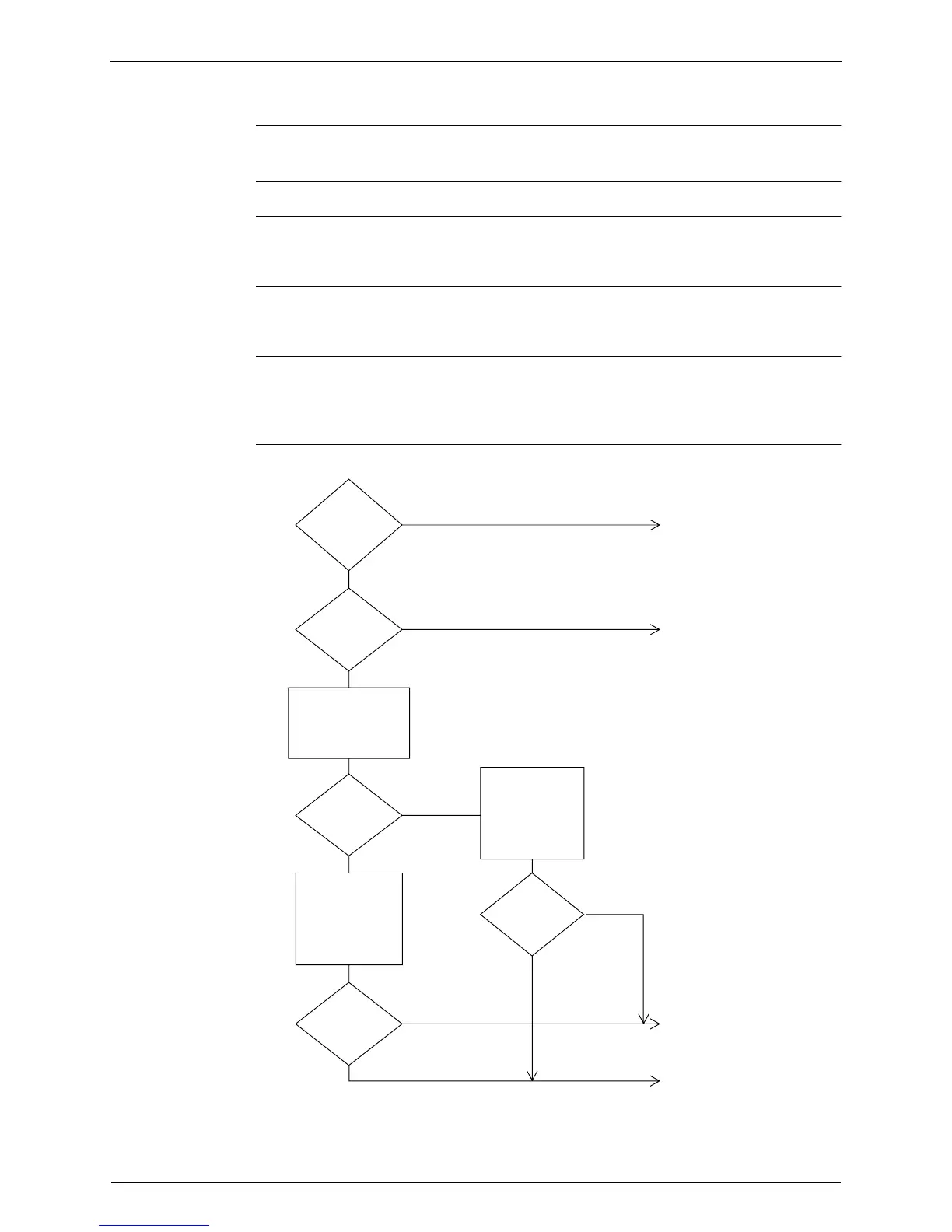
Disconnect X14A,
turn the power
supply off once and
back on, and check
if the limit switch has
continuity when the
power supply is
turned back on.
Connect correctly.
Connect correctly.
Is the limit
switch's transfer
connector correctly
connected?
Does the swing
flap motor swing?
Are the
connectors
correctly connected
to X29A and X14A
on the PC
board?
NO
YES
YES
NO
YES
Does
continuity/no
continuity
reverse?
YES
220-240 VAC?
NO
NO
YES
NO
Turn the power
supply off once and
back on, and
measure the output
voltage of connector
X29A when the
power supply is
turned back on.
Turn the power supply
off once and back on,
and check whether the
swing flap motor swings
when the power supply is
turned back on.
(SF008)



 To Next Page