For FHYC71K Si-71A
138 Removal Procedure
1.10 Removal of Fan Motor
Procedure
Warning Be sure to turn off all power supplies before disassembling work.
Step Procedure Points
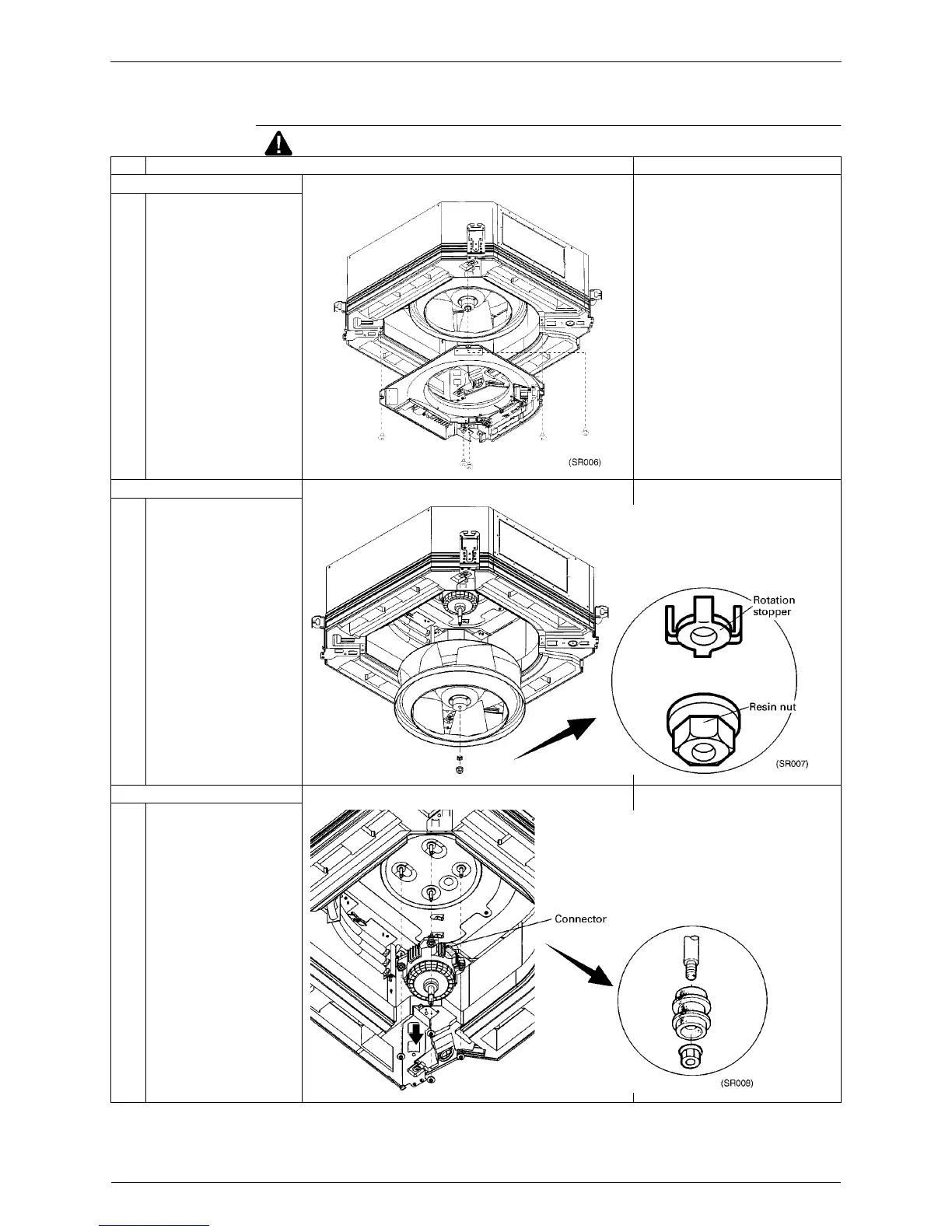
1. Removing the switch box
1 Remove the 5 screws, and
pull the switch box down.
2. Removing the fan
1 Remove the resin nut and
rotation stopper from the fan.
3. Removing the fan motor
1 Remove the washer-based
nuts.
∗
3 nuts in FHYC35 - 71K
∗
4 nuts in FHYC100 - 125K



 To Next Page