20 | Configuration
Installer and user reference guide
129
REYQ8~20+REMQ5U7Y1B
VRV IV+ heat recovery
4P561154-1A – 2020.10
When the latest malfunction codes were reset by accident on an indoor unit user
interface, they can be checked again through this monitoring settings.
For the content or reason behind the malfunction code see "24.1Solving problems
based on error codes" [4 154], where most relevant malfunction codes are
explained. Detailed information about malfunction codes can be consulted in the
service manual of this unit.
[1‑29] [1‑30] [1‑31]
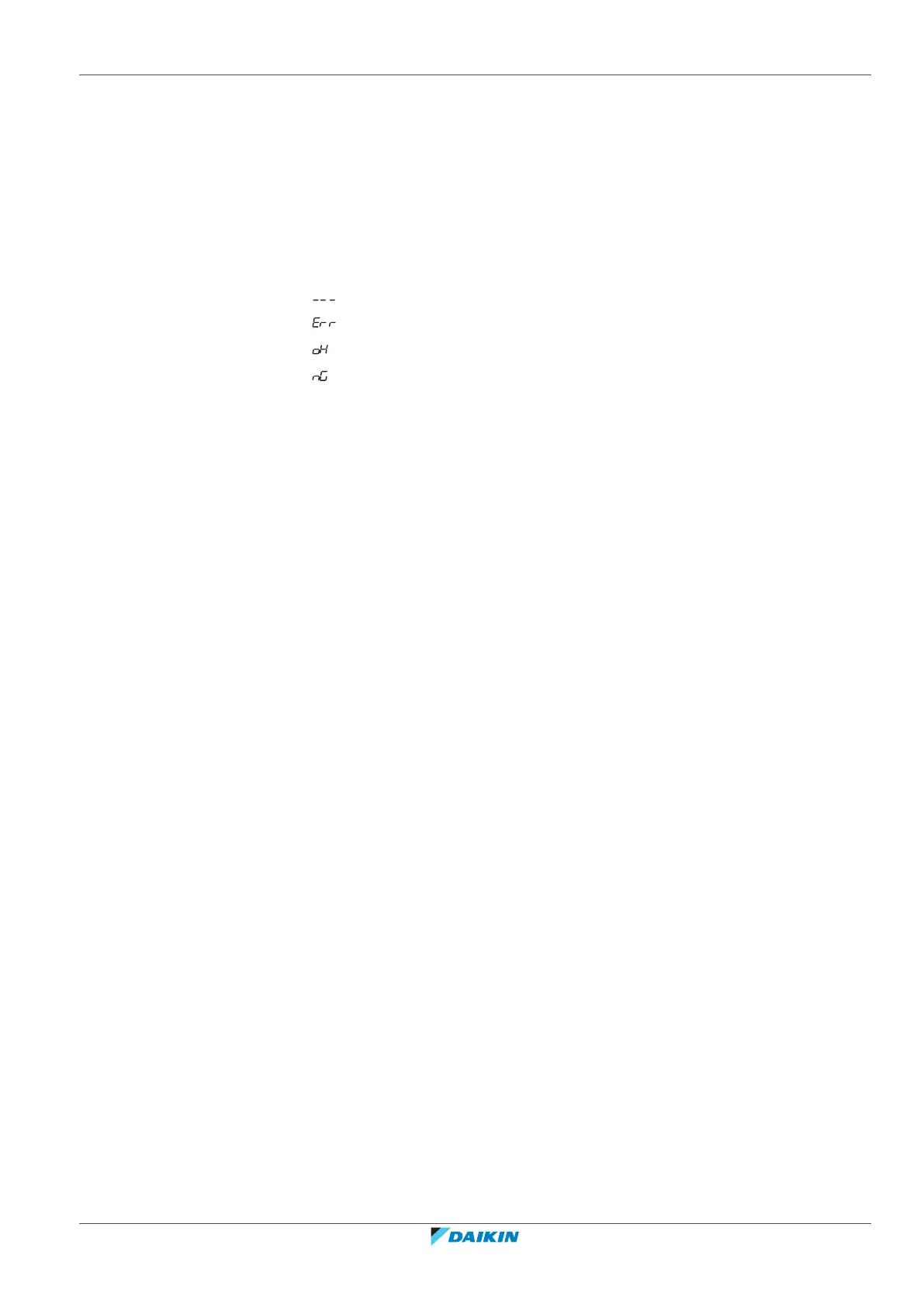
Show the result of the leak detection function:
▪ : No data.
▪ : Leak detection failure due to abnormal operation.
▪ : No leak detected.
▪ : Leak detected.
For instructions on how to use the leak detection function, see "20.4Using the leak
detection function"[4143].
[1‑34]
Shows the remaining days until the next automatic leak detection (if automatic leak
detection function is activated).
When the automatic leak detection function was activated through mode 2
settings, it is possible to see within how many days, the automatic leak detection
will be performed. Depending on the chosen field setting, the automatic leak
detection function can be programmed one time into the future or on perpetual
basis.
Indication is given in remaining days and is between 0 and 365 days.
[1‑38] [1‑39]
Shows:
▪ [1‑38]: The number of RADX indoor units connected to the system.
▪ [1‑39]: The number of Hydrobox (HXY080/125) indoor units connected to the
system.
[1‑40] [1‑41]
Shows:
▪ [1‑40]: The current cooling comfort setting.
▪ [1‑41]: The current heating comfort setting.
See "20.3 Energy saving and optimum operation" [4 137] for more details about
this setting.
20.2.8 Mode 2: Field settings
[2‑0]
Cool/Heat selection setting.
Cool/Heat selection setting is used in case the optional Cool/Heat selector
(KRC19-26A and BRP2A81) is used. Depending on the outdoor unit setup (single
outdoor unit setup or multi outdoor unit setup), the correct setting should be
chosen. More details on how to use the Cool/Heat selector option can be found in
the manual of the Cool/Heat selector.






 To Next Page