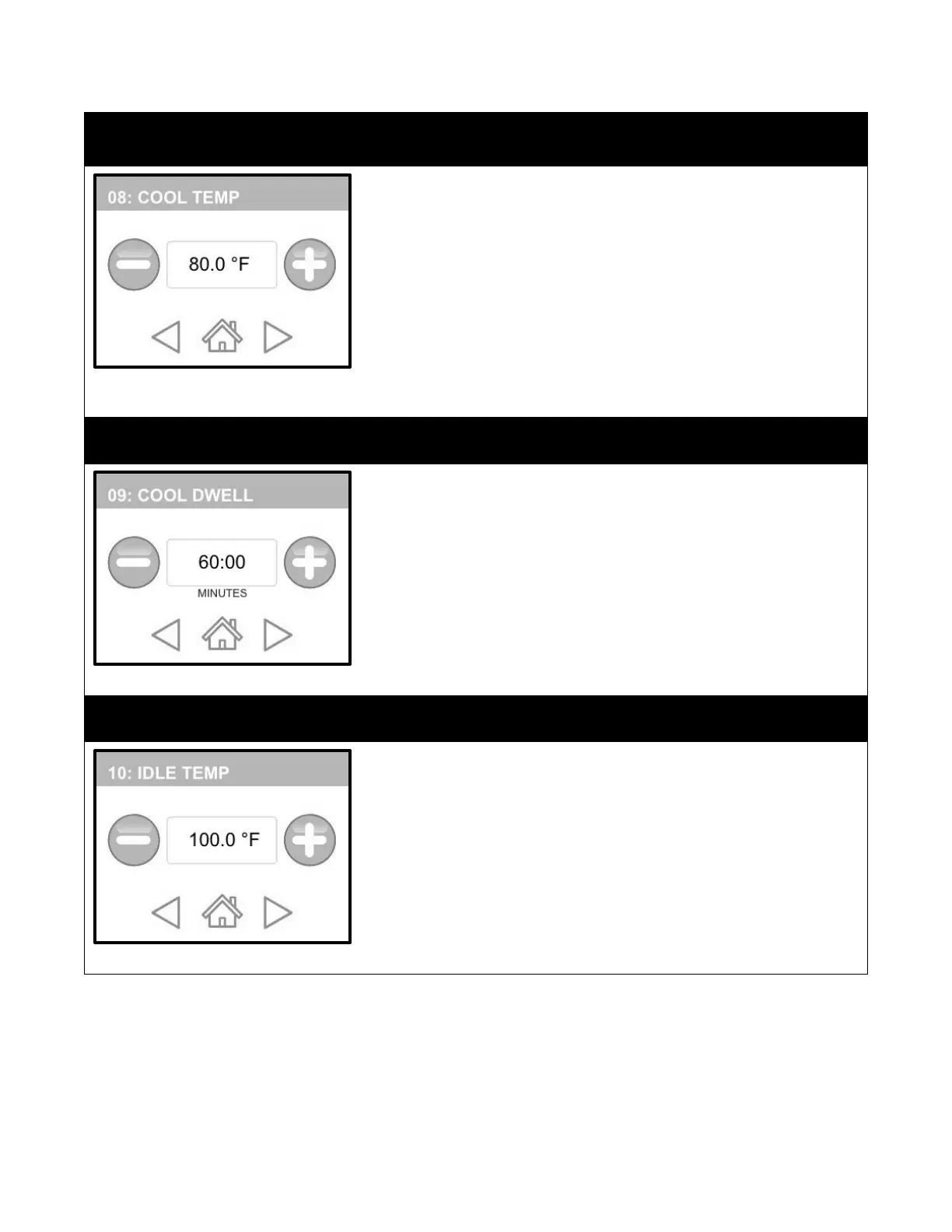
COOL TEMP is the eighth category. This is the temperature that the unit will
COOL to when a cycle has completed pasteurization. Choose a temperature
that is within reach of your water supply. Example: If you water is 50°F
(10°C), then choose 60°F (16°C) as your cool temp. This will prevent excessive
water loss but also take some work away from your freezer.
1.
Touch the FORWARD button to get to this category. The default
“COOL” temperature is 80°F (27°C).
2.
Use the (-) or (+) buttons to decrease or increase this setting to your
desired feeding temperature.
3.
If you are satisfied with your selection, press “HOME” to save or
press “FORWARD/BACK” to make other modifications.
COOL DWELL is the ninth category. This setting is important. Matilda® cannot
see the temperature inside of the bag, only the water bath; therefore, we
must ask her to continue to hold at the Cool Temp for a period of time to
make certain that excess heat is removed from the Perfect Udder® bags.
1.
Touch the FORWARD button to get to this category. The default
feeding dwell time is 60 minutes.
2.
Use the (-) or (+) buttons to decrease or increase this setting to your
desired Cool Dwell time.
3.
If you are satisfied with your selection, press “HOME” to save or
press “FORWARD/BACK” to make other modifications.
IDLE TEMPERATURE is the tenth category. This is the temperature that
Matilda® maintains until a program is selected. Dwell Temp is the setting
that dictates what temperature the water bath will climb to as Matilda®
prepares for work
1.
Touch the FORWARD button to get to this category. The default
IDLE TEMPERATURE is 100°F.
2.
Use the (-) or (+) buttons to decrease or increase this setting to your
desired temperature.
3.
If you are satisfied with your selection, press “HOME” to save or
press “FORWARD/BACK” to make other modifications.


 To Next Page