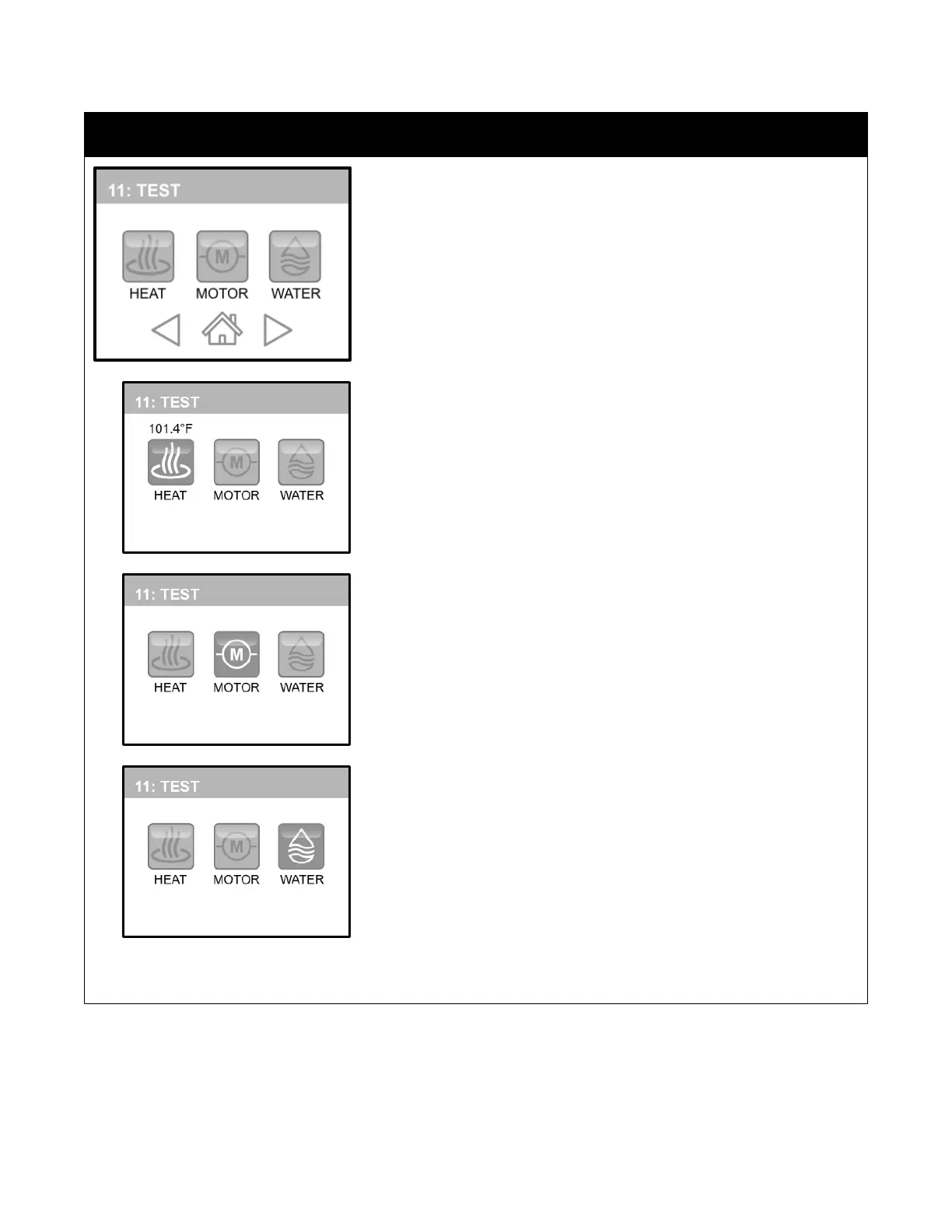
TEST is the eleventh category. The purpose of these buttons is to allow you
to test these key components are functioning properly.
Touching the “HEAT” button will power the heating elements. NEVER test
the heating elements without water in the sink completely covering the
elements. This can test the elements by watching for a rising temperature
and it can also be used during diagnostics to determine if there is proper
current flowing through all of the connected elements
Touching the “MOTOR” button will turn on the motor. If the motor does not
begin to spin, follow the instructions in the troubleshooting portion of this
manual.
Touching the “WATER” button will turn on the water valve. If the valve does
not turn on, follow the instructions in the troubleshooting portion of this
manual.
When you are finished testing, touch the active button again to deactivate the test, then touch “HOME” to save and
return to the Main Menu or press “FORWARD/BACK” to make other modifications.


 To Next Page