19
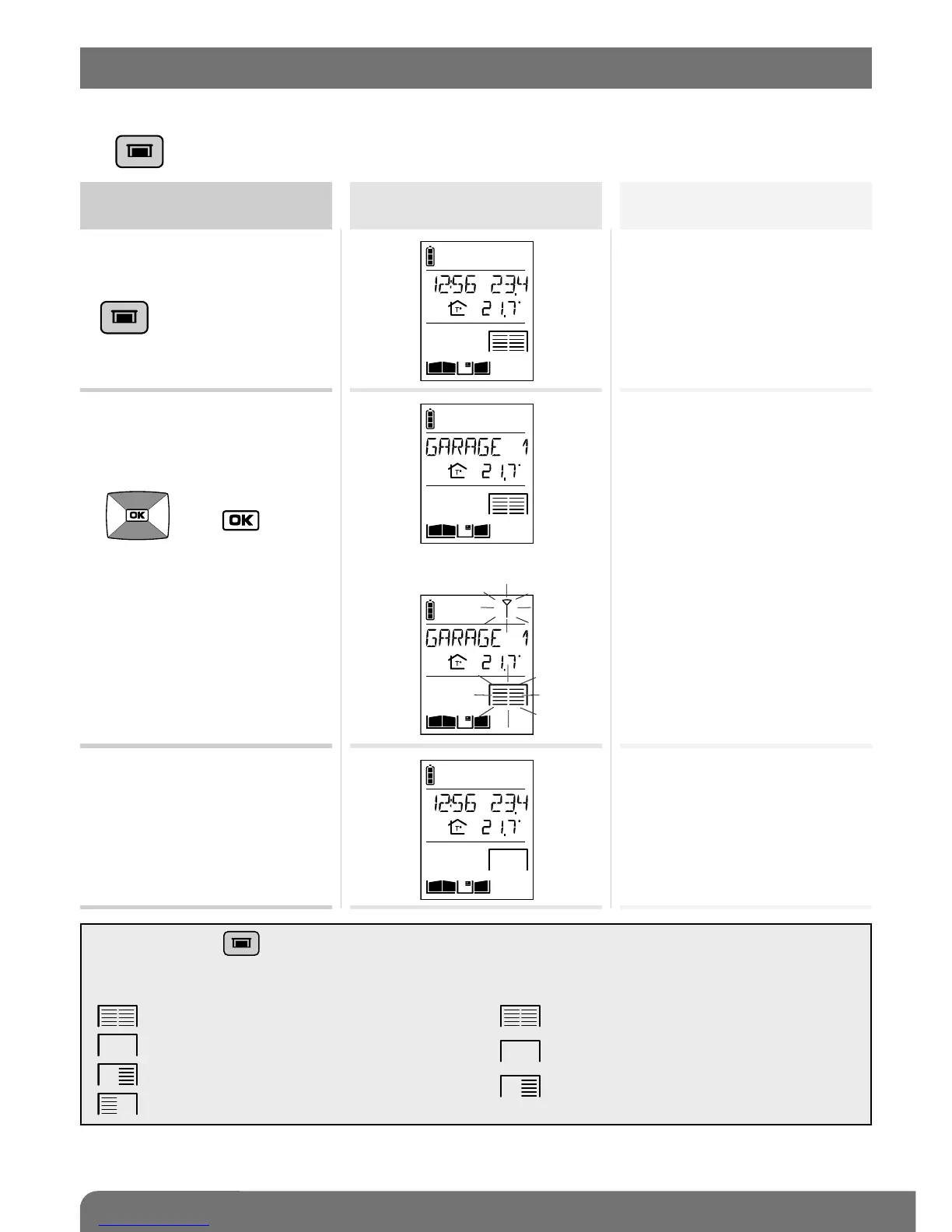
This function requires one or several relay output receivers to be connected.
The key can operate up to four different automatic garage door control systems.
Activate the handset
Status display
on the handset (1)
Garage door system status
1. Pick up the handset (if it is
on the base), open the flip
cover and quickly press
.
2. If you have several
garages,
select the garage to be
opened using the keys
then .
Closed
Closed
(2)
(1) If a position contact is connected to the output receiver.
(2) The name of the automatic garage door control system can be customised (see Modifying handset operating options).
IMPORTANT: if the key operates:
• 2 automatic garage door control systems, the
handset displays:
if both garages are closed,
if both garages are open,
if garage 1 is open and 2 is closed,
if garage 2 is open and 1 is closed.
• more than 2 automatic garage door control
systems, the handset displays:
if all the garages are closed,
if all the garages are open,
if at least one garage is open.
9. Operating an automatic garage door control system



 To Next Page