27
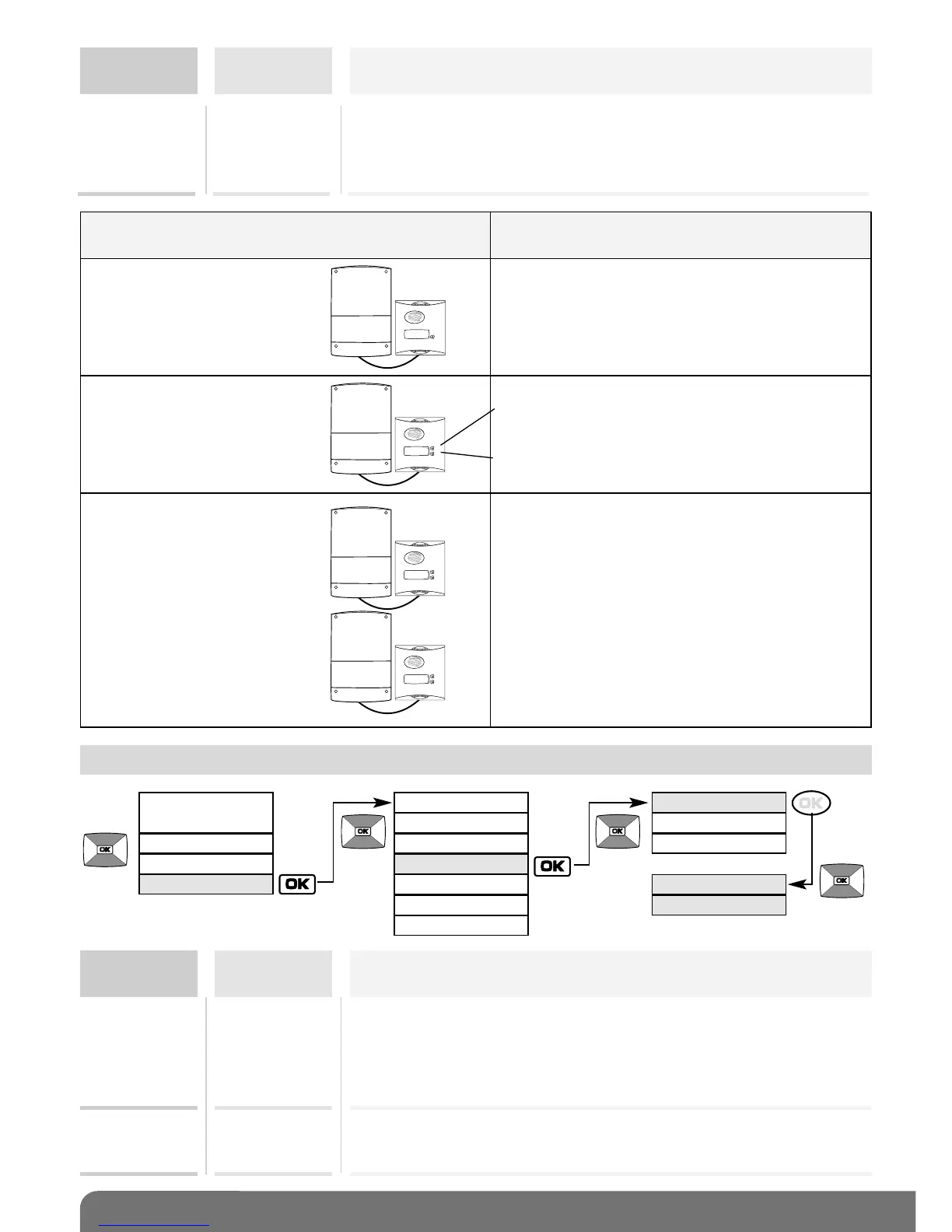
Controller/outdoor caller unit combinations
possible
from
1 to 4 controllers
with
1 outdoor caller unit
1 button
ACCESS X
(with X being from 1 to 4 depending on the
controller being called)
1 controller
with
1 outdoor caller unit
2 buttons
from
2 to 4 controllers
with
1 outdoor caller unit
2 buttons
ACCESS X, BUTTON 1 or BUTTON 2
alternately (with X being from 1 to 4
depending on the controller being called)
Default message displayed
on handset during a call
Factory:
ON ACTION
Menu
Setting
possible
Using the setting
If the controller is battery-powered,
backlighting is activated when a button is pressed or a tag used
(the BACKLIGHTING menu is not displayed and no other
operating mode is possible).
BACK-
LIGHTING
(cont.)
BUTTON 2
or
BUTTON 1
Handset display
in standby mode
RADIO LINK
HANDSET
ACCESS
TAGS
PIN
DISPLAY
SOUNDS
PARAMETERS
PULSE
INFOS
VOLUMES
NIGHT MODE
STRIKE SOUND
KEYPAD TONES
VOICE
Menu
Setting
possible
Using the setting
KEYPAD
TONES
INACTIVE
LOW
HIGH
Factory: LOW
Can be used to disable or set the volume of a button when it is
pressed and of ringing on the outdoor caller unit. The chosen
volume can be heard on the outdoor caller unit when the setting
is validated.
Factory: 3
VOICE 1 to 4 Can be used to set the communication volume on the outdoor
caller unit to between 1 (quiet) and 4 (loud).
11.5 Modifying sound options



 To Next Page