30
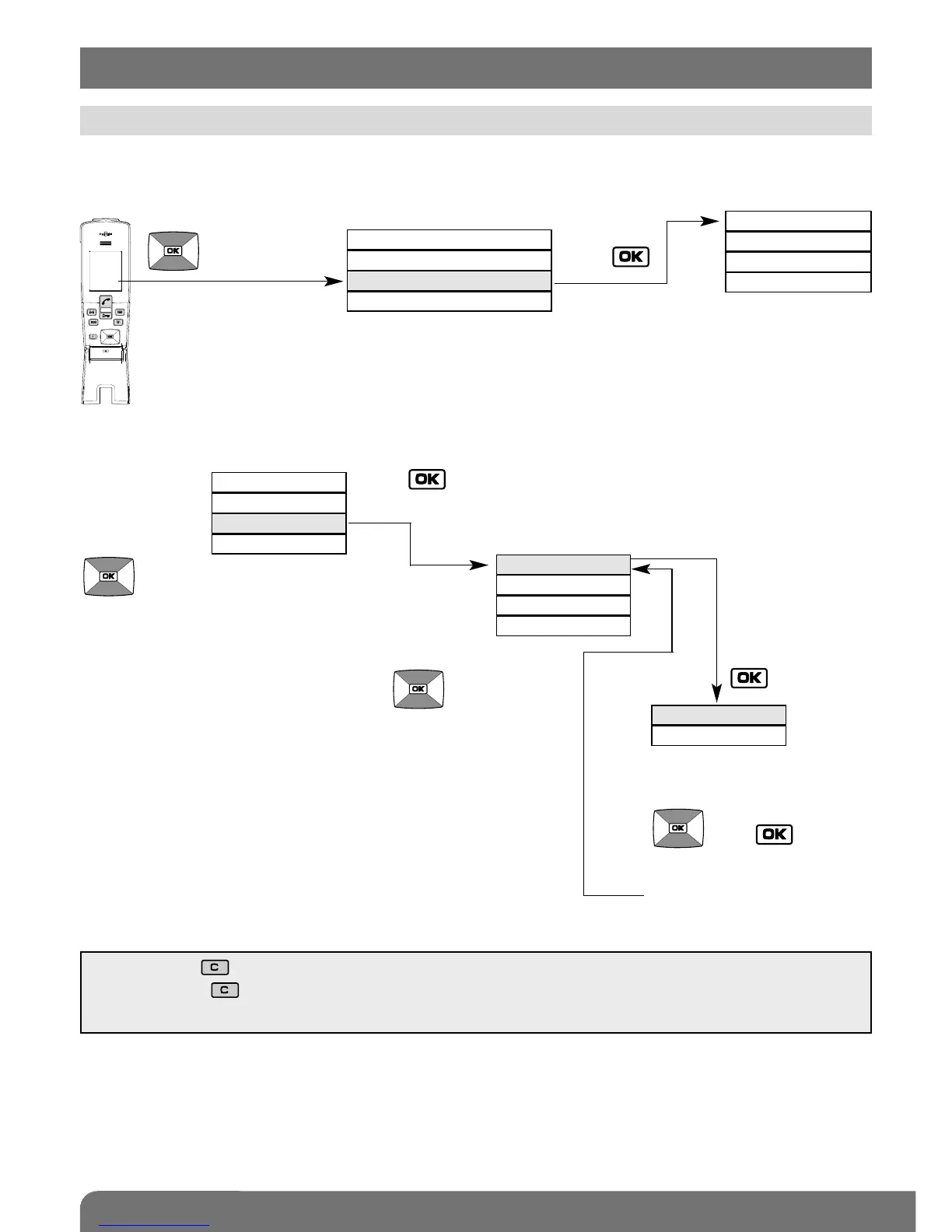
Example of how to browse through the HANDSET menu:
Browse
through this
menu using
the keys
Select the “HANDSET”
menu using the keys
Press to access an options menu.
You will access
the possible
values of the
chosen option
when you press
then
Handset display in standby mode
RADIO LINK
HANDSET
ACCESS
AUTO PICK-UP
OPEN BUTTON
TIME
LANGUAGE
ACTIVE
INACTIVE
DISPLAY
SOUNDS
CONFIGURATION
INFOS
DISPLAY
SOUNDS
CONFIGURATION
INFOS
You will access a set of menus
allowing you to programme or
modify the doorphone system’s
parameters.
Select the option status
or value using the keys
then
.
You will then go back to
the previous options menu.
Browse
through this
menu using
the keys
• Quickly press to return to the previous display at any time.
• Press and hold to return to the handset display in standby mode.
• If no button on the handset is pressed for 30 sec, the screen returns to the handset display in standby mode.
Pick up the handset and open the flip cover.
12. Modifying handset operating options
12.1 How to browse through the menus



 To Next Page