EasyManua.ls Logo

DAITEM MHF02X - Controlling Home Lighting

DAITEM MHF02X
36 pages
Print Icon
To Next Page IconTo Next Page
To Previous Page IconTo Previous Page
Loading...
20
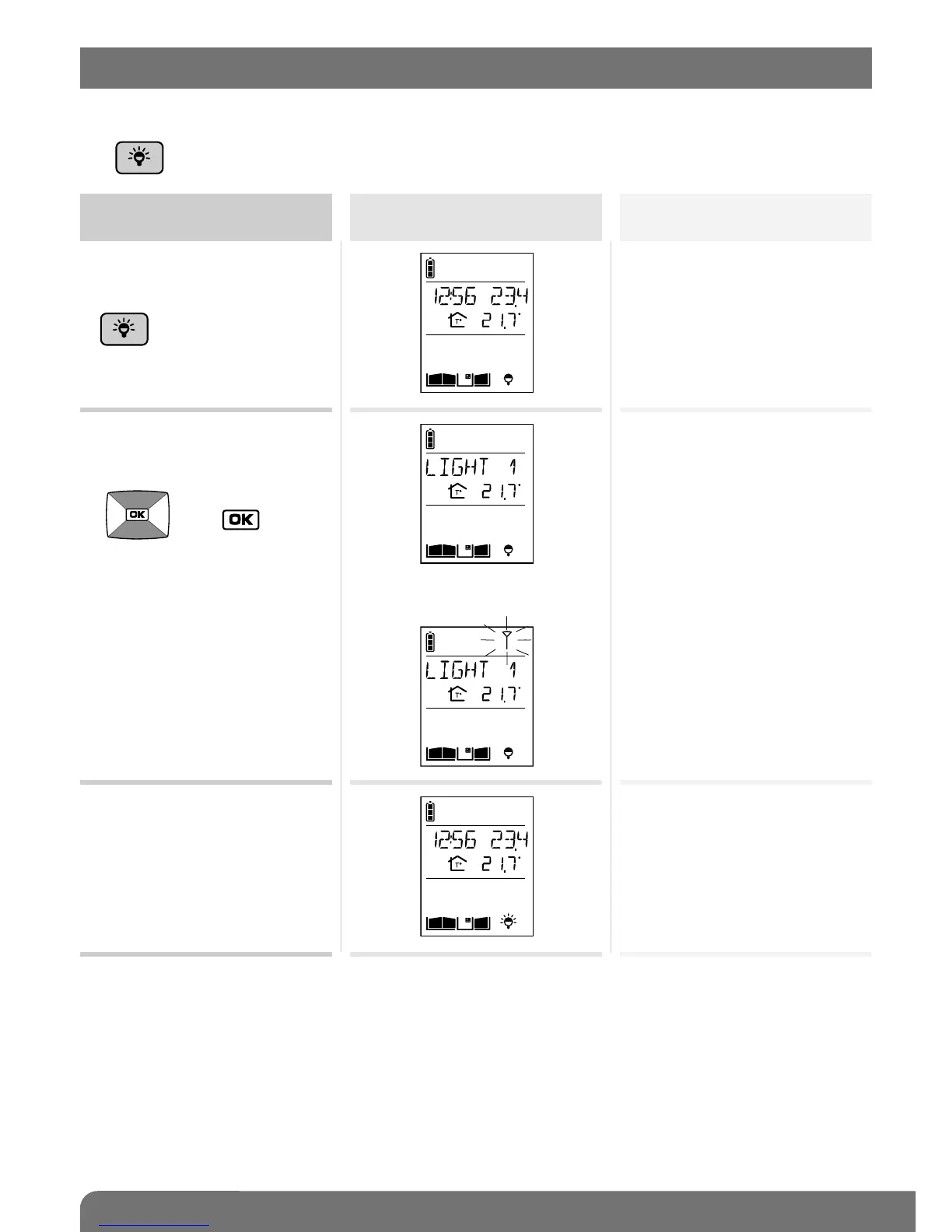
This function requires one or several relay output receivers to be connected.
The key can operate up to four different lights.
Activate the handset
Status display
on the handset
Light status
1. Pick up the handset (if it is
on the base), open the flip
cover and quickly press
.
2. If you have several lights,
select the light to be
switched on using the keys
then .
OFF
OFF

C
C
3. If you only have one light,
the ON command will be
sent directly to it.
ON command sent
C
3. The light is activated within
5 seconds.
ON
C
(1)
(1) The name of the light can be customised (see Modifying handset operating options).
10. Controlling lighting

Other manuals for DAITEM MHF02X

Related product manuals