Adeo Group s.r.l.
Via della Zarga n. 50 - 38015 LAVIS (TN)
Tel: +39 0461 248211 - Fax: +39 0461 245038
Mail: info@adeogroup.it – www.adeogroup.it
Adeo Control SGDD-C4-4
Manual
Ad e o C o n t r o l i s a b r a n d o f A d e o G ro up s . r .l .
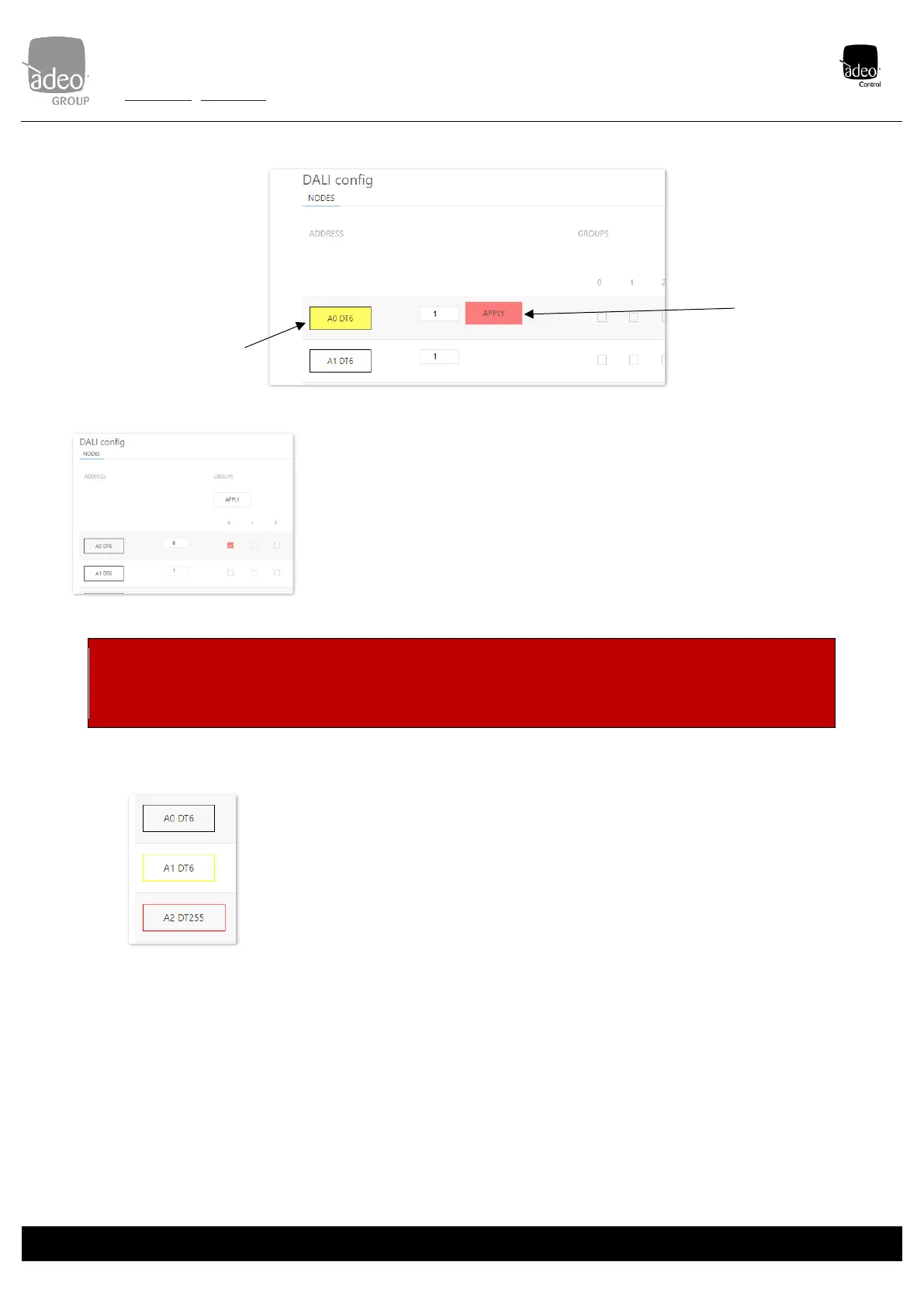
Visual identification of
addressed devices
It is possible to make the
addressed node flash to be
able to visually identify the
associated lighting body.
Just click on the label of
the address'
Change address
Enter the desired node
number (0 to 63) and
click on "APPLY" on the
right. "
DALI groups
By clicking on one of the 16 available groups (0 to 15), it is possible to send the add command to
the relevant group on the boxes to the right of the individual node. Then click on the 'APPLY'
button immediately above. Immediately afterwards, the command is sent to the DALI BUS.
N.B.: the DALI commands are sent only by pressing 'APPLY', and turn blue afterwards.
ATTENTION: Currently only work in 3 modes separate (address, group or broadcast). There is no mixed mode (e.g. both address
and group). See DALI global settings on p. 13. For this reason, it is advisable to assess well, depending on the project, which mode
to use from the outset.
DALI node status
Feedback on the status of the DALI node is possible:
• Black: node present and off
• Yellow: node present and lit
• Orange: node present but not responding correctly (LAMP FAILURE)


 To Next Page